App Store-Rankings
Durchsuchen Sie die Top-Charts nach Ländern und Kategorien.
Top Bezahlt · Grafik & Design
- 1
 Procreate Pocket$5.99
Savage Interactive Pty Ltd
Graphics & Design3.9(704)Beschreibung
App of the Year winner Procreate Pocket is the most feature-packed and versatile art app ever designed for iPhone. Procreate Pocket has everything you need to create expressive sketches, rich paintings, gorgeous illustrations, and beautiful animations. Offering hundreds of handmade brushes, a suite of intuitive artistic tools, an advanced layer system, and the powerful Valkyrie graphics engine. Work on the couch, on the train, at the beach, or while waiting in line for coffee. It’s a complete art studio in the palm of your hand. Highlights: • High resolution canvases — up to 16k by 4k on compatible devices • Intuitive Dark Mode interface made for iPhone • Revolutionary QuickShape feature for perfect shapes • Smooth and responsive smudge sampling • Powered by Valkyrie, the lightning-fast 64-bit painting engine • Create art in stunning 64-bit colour • 250 levels of undo and redo • Continuous auto-save — never lose work again Breakthrough brushes: • Packed with 100s of beautifully crafted brushes • Brush sets keep your painting, sketching, and drawing brushes organised • Over 100 customisable settings for every brush • Brush Studio — design custom brushes • Import and export custom Procreate brushes • Import Adobe® Photoshop® brushes, and run them faster than Photoshop® Full-featured layering system: • Layer your art for precise control over details and composition • Create Layer and Clipping Masks for non-destructive editing • Stay organised by combining layers into groups • Transform objects simultaneously across multiple layers • Access over 25 layer blend modes for industry-grade compositing Colour without compromise: • Fill your line work with ColorDrop • Disc, Classic, Harmony, Value, and Palette colour panels • Import colour profiles for colour matching • Assign Colour Dynamics to any brush Precision design tools: • Add vector text to your illustrations • Easily import all your favourite fonts • Crop and resize your canvas for perfect composition • Perspective, isometric, 2D, and symmetry visual guides • Drawing Assist perfects your strokes in real time • StreamLine smooths your strokes for beautiful lettering and expert inking Animation Assist: • Easy frame-by-frame animation with customisable onion skinning • Create storyboards, GIFs, animatics, and simple animations • Export your animations in the full resolution of your canvas Dramatic finishing effects: • Gradient Map — remap your image’s colours with a customisable gradient • Glitch, Chromatic Aberration, Glow, and Halftone to add new dimensions to your work • Gaussian and Motion Blur filters for depth and movement, or use Sharpen for perfect clarity • Advanced Noise filter gives you more control for a classic, retro look • Adjust Hue, Saturation, or Brightness in real time • Powerful image adjustments including Colour Balance, Curves, and HSB • Bring your art to life with the fun, intuitive, and creative Warp, Symmetry, and Liquify Dynamics Time-lapse replay: • Relive your creative journey with Procreate's celebrated Time-lapse Replay • Export your Time-lapse recording in 4K for high-end video production • Share a short, 30-second version of your Time-lapse on your socials Reference Companion: • Keep a full canvas or reference image with you at all times • Paint on your face with AR • Colour-pick right from the reference window Import assets and share your creations: • Import or export your art as Adobe® Photoshop® PSD files • Import Adobe® ASE and ACO Colour Palettes • Import images files such as JPG, PNG, and TIFF • Drag and drop artworks, brushes, palettes, and fonts between applications • Export to AirDrop, iCloud Drive, Photos, iTunes, Dropbox, Google Drive, Facebook, X (formerly Twitter), Instagram, TikTok, Weibo, Mail, and more • Share your art as PDF, JPEG, PNG, TIFF, GIF, HEVC, or MP4 files
- 2
 Nomad Sculpt$19.99
Hexanomad
Graphics & Design4.8(814)Beschreibung
• Sculpting tools Clay, flatten, smooth, mask and many other brushes will let you shape your creation. You can also use the trim boolean cutting tool with lasso, rectangle and other shapes, for hardsurface purposes. • Stroke customization Falloff, alphas, tilings, pencil pressure and other stroke parameters can be customized. You can save and load your tools preset as well. • Painting tools Vertex painting with color, roughness and metalness. You can easily manage all your material presets as well. • Layers Record your sculpting and painting operations in separate layers for easier iteration during the creation process. Both the sculpting and painting changes are recorded. • Multiresolution sculpting Go back and forth between multiple resolution of your mesh for a flexible workflow. • Voxel remeshing Remesh quickly your mesh to get a uniform level of detail. It can be used to quickly sketch a rough shape at the beginning of the creation process. • Dynamic topology Refine locally your mesh under your brush to get an automatic level of detail. You can even keep your layers, as they will be automatically updated! • Decimate Reduce the number of polygons by keeping as many details as possible. • Face Group Segment your mesh into subgroups with the face group tool. • Automatic UV unwrap The automatic UV unwrapper can use face groups to control the unwrapping process. • Baking You can transfer vertex data such as color, roughness, metalness and small scaled detail in to textures. You can also do the opposite, transfering textures data into vertex data or layers. • Primitive shape Cylinder, torus, tube, lathe and other primitives can be used to quickly start new shapes from scratch. • PBR rendering Beautiful PBR rendering by default, with lighting and shadows. You can always switch to matcap for a more standard shading for sculpting purposes. • Post processing Screen Space Reflection, Depth of Field, Ambient Occlusion, Tone mapping, etc • Export and Import Supported formats include glTF, OBJ, STL or PLY files. • Interface Easy-to-use interface, designed for mobile experience. Customization is possible as well! • Quad Remesher (separate in-app purchase only) Remesh your object automatically with a quad dominant mesh that follows the mesh curvatures. It supports guides, face groups and density painting.
- 3
 Signal Loss$6.99
Inner Circle
Graphics & Design5.0(1)Beschreibung
Signal Loss Turn any photo into a living, moving 3D scene. Signal Loss transforms a single image into a dense point cloud that you can move through, animate, distort, and record. Create cinematic camera moves, surreal particle effects, and impossible perspectives from photos that were never captured in 3D. Use a portrait, landscape, room, sculpture, illustration, or archive photo. Signal Loss reconstructs depth directly on your iPhone with no cloud processing and no special hardware required. For iPhone Pro users, LiDAR capture allows you to walk around an object and build glitchy and unaligned point clouds from the real world. // FROM PHOTO TO MOTION Every pixel becomes a 3D point colored from the original image. The result is not a filter applied to a photograph. It's a navigable scene made of particles. Move through the image. Orbit around it. Push into impossible viewpoints. Record camera paths and export finished videos directly from your phone. Render scenes with up to 1 million points in real time. // 27 REAL-TIME EFFECTS All effects run live on the GPU with instant feedback. RAW · FOG · SLICE · CONTOUR · ECHO · BLOOM · FALSE COLOR · WIRE · DUST · WAVE · LINES · SWARM · VEIL · PRISM · RIFT · BORE · DRIFT Transform images into atmospheric fog banks, swarming particle fields, prismatic distortions, structural wireframes, abstract landscapes, and glitch artifacts. //SIGNAL LOSS Every photograph contains missing information. Areas the camera never saw. Signal Loss reconstructs those spaces using procedural particles, atmospheric noise, and generated structure. Choose subtle reconstruction or push scenes into abstraction through multiple artifact modes designed around absence, depth, and collapse. // DRIFT Animate entire point clouds with procedural motion. Create flowing currents, depth-reactive movement, spiraling fields, and organic motion that turns static images into living environments. // CAMERA MOVES & VIDEO EXPORT Signal Loss was built for motion. Create cinematic animations using built-in camera paths including Orbit, Pull In, Pull Out, Sway, Crane, and other movement systems designed specifically for point clouds. Export: • 4K and 8K stills • High-resolution video loops (H.264) • Transparent PNGs with alpha • Point clouds (PLY) for Blender, MeshLab, and CloudCompare • Spatial stereoscopic scenes for Apple Vision Pro // CONTROLS Touch-driven navigation with precise creative control. Adjust density, scale, depth, color, atmosphere, and filter parameters in real time. Customize backgrounds, camera behavior, and scene rendering to create anything from subtle depth photography to fully abstract particle environments. // PRIVACY Everything happens on your device. Photos are processed locally and never uploaded to a server. Signal Loss is experimental creative software. Unexpected results are part of the process.
- 4
 Mono Lab$4.99
Inner Circle
Graphics & Design5.0(2)Beschreibung
Experiment with images in black and white. Mono Lab is designed for exploring the unexpected. From subtle relief to structural collapse, topology drift, mesh warps, fracture effects, misregistration, and controlled instability, every tool is built for focused experimentation. Responsive. Direct. Tactile. // Interactive Filters (X) Distortion that responds to you. Shift the image through movement and contact. Tilt to bend structure. Rotate to redirect tension. Touch to anchor, drag to stretch, hold to resist. Each gesture leaves a trace. Each motion reshapes the result. // 3D Surface Mode A dimensional approach to distortion. Map images across 12 surfaces and interpret them through 13 lenses. Adjust depth. Refine spatial tension. Each surface behaves differently. Each lens reshapes the outcome. Monochromatic. Structure, tone, dimension, possibility. What You Can Do • 150 filters for black and white distortion • Touch and motion control transformations • 12 surfaces. 13 lenses • Press, drag, and hold to reshape the image like a surface • Refine light, contrast, and structure • Warp topology and form • Collapse, fracture, and distort • Create raster and vector outputs • Build layered misregistrations • Adjust pressure, grain, and tone • Stack transformations • Save your favorite filters to the Index • Save directly to Files Mono Lab is for designers, artists, photographers, illustrators, and visual experimenters working in black and white.
- 5
 ibis Paint$15.99
ibis inc.
Graphics & Design4.7(231)Beschreibung
This app is an ad-removed version of ibisPaint X. An additional in-app purchase for Premium Membership is required to unlock all features, in which case it is cheaper to download ibisPaint X and purchase the Premium Membership there instead. ibis Paint is a popular and versatile drawing app downloaded more than 500 million times in total as a series, which provides over 47000 brushes, over 27000 materials, over 2100 fonts, 84 filters, 46 screentones, 27 blending modes, recording drawing processes, stroke stabilization feature, various ruler features such as radial line rulers or symmetry rulers, clipping mask features. *YouTube channel Many tutorial videos on ibis Paint are uploaded to our YouTube channel. Subscribe it! https://youtube.com/ibisPaint *Concept/Features - A Highly functional and professional features surpassing that of desktop drawing apps. - Smooth and comfortable drawing experience realized by OpenGL technology. - Recording your drawing process as a video. - SNS feature where you can learn drawing techniques from other users' drawing process videos. *Features ibis Paint has high functionality as a drawing app along with features of sharing drawing processes with other users. [Brush Features] - Smooth drawing at up to 120 fps. - Over 47000 kinds of brushes including dip pens, felt tip pens, digital pens, air brushes, fan brushes, flat brushes, pencils, oil brushes, charcoal brushes, crayons and stamps. [Layer Features] - You can add layers as many as you need with no limit. - Layer parameters that can be set to each layers individually such as layer opacity, alpha blending, adding, subtracting, and multiplying. - A handy clipping feature for clipping images, etc. - Various layer commands such as layer duplication, import from the photo library, horizontal inversion, vertical inversion, layer rotation, layer moving, and zooming in/out. - A feature for setting layer names to distinguish different layers. [Manga Features] - Advanced text tool function featuring Vertical, Horizontal, Stroke, Font select, and Multiple text functions. *About ibis Paint purchase plan The following purchase plans are available for ibis Paint: - ibis Paint X (free version) - ibis Paint (paid version) - Ad Removal Upgrade - Premium Membership (Monthly plan / Yearly plan) There is no difference in features other than the presence or absence of advertisements for the paid version and the free version. If you purchase the Ad Removal Upgrade, the ads will not be displayed and there will be no difference from the paid version of ibis Paint. In order to use more advanced functions, the following Premium Membership (Monthly plan / Yearly plan) contracts are required. [Premium Membership] A premium member can use the premium features. Only for the first time, a 7-day or 1-month free trial is available. Premium membership entitles you to the following features. - 20GB of cloud storage capacity - Vector tool(*1) - Premium Materials - Premium Canvas Papers - Premium Fonts - Tone Curve filter - Gradation Map filter - Levels Adjustment filter - Premium Adjustment Layers - Surrounding Fill・Surrounding Eraser - AI Disturbance - Artwork folder feature - Import original brush patterns - Remove watermark from videos - Plus many other features exclusive to Premium Membership! (*1) You can try it for free for up to 1 hour per day. * After you become a Premium Membership with a free trial, renewal fee will be charged automatically unless you cancel your Premium Membership at least 24 hours before the end of the free trial period. * We will add premium features in future, please look out for them. *Questions and support Questions and bug reports in reviews will not be responded to, so please contact ibis Paint support. https://ssl.ibis.ne.jp/en/support/Entry?svid=25 *ibisPaint's terms of service https://ibispaint.com/agreement.jsp
- 6
 VirtuCamera 2$19.99
The Weird Byte SL
Graphics & Design5.0(1)Beschreibung
An essential tool for Previs and Layout Artists, Animators and any 3D Artist that needs to animate a camera. Move your device in any direction, VirtuCamera will capture the motion and instantly send it over Wi-Fi to the camera in your favorite DCC. - Live Viewport Streaming See your scene through the App in real time. VirtuCamera streams the viewport over Wi-Fi so you don’t miss any detail. - Control the scene from the App Control the playback, choose from your scene cameras, animate the focal length or scale camera movements to travel long distances. - Up to 60 FPS Device motion and viewport streaming are captured and sent at up to 60 frames per second. You can configure this parameter at your needs. - Camera Smoothing Remove unwanted hand noise and create smooth camera animations. - Encrypted Connection Ensures modern, industry-standard encryption for maximum protection. Keeps your video streams fully private between the server (DCC plugin), and app. Specially created for Movies, Series, Games and any other IP protected project. Because your privacy is important to us. This app requires an external 3D content creation software to work, please take a look at the following minimum system requirements: -A computer powerful enough to play your 3D scenes. -A recent version of Windows®, MacOS® or Linux® operating system. -A stable network connection. -Blender® 4.5+, Autodesk® Maya® 2026+ software, SideFX® Houdini® 21.0+, Maxon® Cinema4D® 2026+ or Autodesk® 3DSMax® 2026+. -The latest version of the plug-in provided in our webpage. Here you can find the installation guide for the plugin: https://virtucamera.com/how-tos/ Terms And Conditions: https://virtucamera.com/terms-and-conditions
- 7
 ChromaMagic$19.99
Michele Clamp
Graphics & Design3.7(3)Beschreibung
ChromaMagic - the magical color tool for artists - now with LIVE camera views. Have you ever been painting and said 'but what *is* that color?' Me too! ChromaMagic exists for one reason only. My paintings looked wrong. I just couldn't get the colors in my paintings to look convincing. Try as I might there was always something off. Too bright, too light, too gray, not gray enough. Too blue, too brown, too pink. Why oh why could I not make things work? Well it turned out it wasn't in the paint. It wasn't in the mixing. Special brushes didn't do the trick. Making those daft color charts didn't help either. And it wasn't even in the way I put the paint on the paper. The problem was in my brain. The problem was that I had no chance of mixing the right color. I was missing an essential part of the painting process. Something that would take years if not decades to figure out. And the reason was that I wasn't *seeing* the right color. Now I don't mean there was something wrong with my eyesight. What I mean that I was 'seeing' color but I wasn't really seeing *COLOR*. I didn't have the words or the means to really understand what I was looking at. And if we don't really know what we're looking at how on earth can we translate it into paint? Even if we don't want to represent what we see how do we know what to change to enhance the effect? Flip a coin? Trust chance and experimentation? Repeat for years and years until we stumble on something that works....? No. So what changed? Everything changed. I learned to forget about primaries, secondaries and tertiaries. I learned to ditch the traditional artists wheel. I learned to stop talking about 'warm' and 'cool'. I learned to see color the way it is and not the way I expect it to be. I had to forget everything I had been told. I learned about hue, value, and chroma. Munsell. With ChromaMagic you can load up any photo or reference and see at a glance what any color is. And the colors are described in a way that is most natural for artists. What is the hue (red, yellow, green etc)? Yes! And what is the value (very important)? Yes! And what is the chroma (how gray or saturated it is)? Yes!!! Color makes so much more sense now. But there's more! As well as the Munsell color mode (which is fabulous by itself!) there are 4 extra modes to help you really see what is before us. - Want to organize your reference into the major value shapes? Value mode will do that and you can change the number of value steps with a click of the mouse. - Want to reduce your reference to just grayscale to really see those fine-grained values? Yes! - Want to see how saturated or gray your colors are (this is always surprising!). Yes! - Want to see how your colors are distributed around the color wheel? Yes And yet there's still more: - No more clicking around - ChromaMagic has a fantastic new interface with buttery smooth zoomable, pannable images. - No more need to be tethered to wifi. Take ChromaMagic anywhere - even up a mountain! - Too many colors in your reference? Average your colors over multiple pixels - 2500 of them if you want to. - Want to know which paints are available for a certain color? ChromaMagic now has links to hundreds of top quality oil paints. - Want to use ChromaMagic at home? On the bus? On a tablet? Now you can run it on your iphone, ipad or mac. All for one price! - No more silly loading buttons. Drag and drop your files in one swish on the desktop (Bliss!!) - Use ChromaMagic next to the easel for mixing. Now with mixing swatches and calibration values (no need for $1500 Munsell chips)
- 8
 RoughAnimator - animation app$7.99
Jacob KAFKA
Graphics & Design4.6(185)Beschreibung
A fully featured hand drawn animation application for iPad. Made by an animator, for animators. Powerful enough for professionals, simple enough for beginners. Everything you need to create traditional hand drawn frame-by-frame animation, anywhere you go! Features: - Timeline with unlimited layers and easily adjustable exposure length of individual drawings, for pose-to-pose or straight-ahead animating - Onion skinning - Preview playback - Scrub along timeline - Import audio for lip syncing - Import video for rotoscoping animation - Custom brushes - Supports Apple Pencil, Logitech Crayon - Control framerate and resolution - Export animation to Quicktime video, GIF, or image sequence - RoughAnimator projects can be imported to Adobe Flash/Animate, After Effects, and Toon Boom Harmony - Also available on desktop See a short film animated with RoughAnimator: https://youtu.be/vaHuJNNPoMM
- 9
 WigglyPaint : Draw Cute Pixel$4.99
骏骁 马
Graphics & DesignBeschreibung
WigglyPaint – Cute Wiggly Pixel Art is Here! Pixels now dance smoother than ever. We rebuilt the entire experience with a fresh look, tons of new colors, and zero-lag drawing. Big thanks for waiting. This update hits different. What’s Inside: Fresh New Design – Clean, intuitive, and just feels right Dozens of Colors – Way more shades to make your art pop Silky Smooth Performance – Drawing is now buttery and instant 8 Cute Animated Brushes – Each with its own unique bounce Live Animation Preview – Watch pixels come alive as you draw Live Photo Export – Save wiggles as Live Photos for your Lock Screen Background Layer Support – Drop in photos or pick solid colors behind your art HD GIF Export – Perfect loops for sharing everywhere Apple Pencil & Touch – Feels amazing on iPhone and iPad Privacy First – Everything stays local on your device What You Can Create: Dancing Pixel Art – Retro vibes with playful motion Animated Stickers – Bouncy reactions for your group chats Wiggly Memes – Content that actually stands out Social Stories – Eye-catching posts, stories, and reels Grab your finger or Apple Pencil. Start drawing and watch pixels spring to life with every stroke. Every line bounces. Every color pops. Whether you are crafting detailed scenes with background layers or quick doodles on the train, this is pixel art like you have never felt before. Export as GIF、Video、Live Photo with one tap. Share instantly. Show the world your wiggles. WigglyPaint – Where Creativity Meets Dancing Pixels!
- 10
 Callipeg mini: Animation App$4.99
Enoben
Graphics & Design5.0(2)Beschreibung
Callipeg mini is a 2D hand-drawn animation app for iPhone, offering both frame-by-frame and keyframe animation tools in a complete mobile studio environment. Enjoy full access with a one-time purchase—no subscription required. Based on the acclaimed Callipeg for iPad, Callipeg mini puts a fully manageable timeline and advanced onion skin features in your pocket—ideal for professional and aspiring animators, illustrators, and creatives. Plus, use the innovative remote feature to transform your iPhone into a remote control for Callipeg on iPad, expanding your creative workflow and possibilities. Have suggestions or feedback? Join our Discord community and help us build a better animation tool together! Key Features - Hands-on Animation Studio: Organise your production with intuitive shot, scene, and folder management. Drag and drop assets, use color tags, and advanced search for efficient project management - Adaptive Interface: Enjoy a decluttered, gesture-based interface with seamless timeline control and supporting screen rotation in both portrait and landscape modes - Comprehensive Drawing Tools: Draw with an exhaustive set of brushes, including pencil, charcoal, ink, and more—or create your own. Customize brush parameters, tip, and texture for unique results - Advanced Layer System: Work with multiple layer types—drawing, video, transformation, audio, and group layers. Import images, videos, and audio for draw-over, rotoscopy or lip-sync. - Optimized for Gestures: Animate faster with multi-touch gestures—flip, play, pause, transform, and select drawings effortlessly. - Remote Workflow Integration: Pair Callipeg mini with Callipeg on iPad to use your iPhone as a remote. Flip drawings, play animations, and navigate frames—ideal for streamlined workflows - Flexible Import/Export: Export your work in a variety of industry standard formats (.mp4, .hevc, .gif, .png, .tga, .psd, .peg, and more). Support for JSON and XDTS ensures cross-platform compatibility - High-Performance tailored for animating: Create at up to 4K resolution and any frame rate (12, 24, 25, 30, 60 FPS). Add unlimited layers and reference images. Customize onion skin for precise frame-by-frame drawing. - Reliable Save & Backup: Automatic saving every 30 seconds, with backup reminders and version control, ensures your work remains secure throughout your creative process. --- Why Choose Callipeg mini? - All-in-one 2D animation studio for iPhone—no subscriptions, just a one-time purchase. - Designed for artists and animators who want professional tools on a mobile device. - There is more to it with the remote feature. - Constantly updated with new features and improvements. Start animating anywhere. Download Callipeg mini and transform your iPhone into a powerful animation studio today!
- 11
 SvgTrace Classic$12.99
SvgTrace
Graphics & Design3.5(4)Beschreibung
Are you looking to easily vectorize any logo or graphic? SvgTrace helps you turn any image into a vector file with the click of a button. Easily import any JPEG, PNG or WEBP and export to SVG, PNG (High Resolution) Features: - AI Enhanced convert - Batch convert (Smart Color detection or Black and White) - SVG Manual Editor
- 12
 Fai: Free AI Meme Generator$0.99
Khyati Khandelwal
Graphics & Design5.0(1)Beschreibung
The Ultimate AI Meme Generator is here! No more choosing from the same old GIFs. Now also offering Custom GIF maker - convert any situation/photo into a perfect GIF using AI. Over 6000 templates to choose from. Turn any idea into a funny, viral meme in seconds – powered by Artificial Intelligence! Whether you want to roast your friends, make the perfect inside joke, or share relatable moments, our AI will create fully customised memes for YOUR situation. Key Features: Make all messages funnier with our meme keyboard! No need to leave your app to make memes anymore! Funny Spanish, International, Indian Memes & Templates. International Meme Templates – Thousands of popular global meme formats ready for AI magic. Our template library uses AI to auto-update with the latest memes on the internet! Prompt to Meme – Just type your idea, and the AI will instantly turn it into a hilarious meme. Video Meme Creator – Create Video memes for extra laughs. Fast & Easy – No design skills needed – just your sense of humor! How it works: Use it in ANY app with our keyboard! Choose your meme category (Spanish, Indian or General). Enter your prompt (anything you want – from jokes to rants!). Let the AI instantly generate your customised meme. Edit captions if you want, then share on WhatsApp, Instagram, Facebook, Twitter, Reddit & more! Why you’ll love it: The best AI meme maker for Indians & meme lovers worldwide. Perfect for WhatsApp groups, Instagram stories, Twitter roasts, and Facebook posts. Make Bollywood memes, cricket memes, political memes, relatable life memes, friendship jokes, roasting memes, and trending memes in seconds. Stand out with Video memes no one else has! Whether you want to make your friends laugh, create viral content, or just have fun with memes – this app is your one-stop solution for AI-powered meme creation. Download now and start making memes that rule the internet!
- 13
 Sketch Club$2.99
blackpawn.com
Graphics & Design4.8(188)Beschreibung
SketchClub not only gives you fantastic tools to sketch, draw, doodle, paint, and edit photos but also helps motivate you to keep creating! Check out the community where there’s a new drawing challenge every day, along with regular competitions and even co-ops where you can pick up where another artist left off. Don’t sketch alone, join us today! CORE FEATURES • Brush, Blur, Eraser, Fill, Pen, Pixels, Procedural, Select, Smudge, Text, and Vector tools • Hundreds of Layers with configurable blending, naming, and color tagging • Create your own comics and manga with the Pen and Text tools • Layer filters for color adjust, blurs, edges, noise, vignette and more • Layer transform with skew, shear, perspective, and tiling • Super fast brush and compositing engine • Up to 16K canvas size with presets including standard 300 DPI print sizes • Line, circle, square, and triangle shapes with automatic aspect ratio snapping • Horizontal, vertical, and dual mirroring modes • Canvas recording and export in full 1080 HD • Background autosave and persistent undo history • Universal binary supports both iPhones and iPads • 10 years running of continuous updates and improvements! TOOLS • Brushes with high resolution shapes, pattern textures, and input curves • Loads of built in tool presets plus thousands more from the community • Export sketches and presets to iCloud, Dropbox, Email and more • Create and share custom brush presets in community library • Pen tool presets include calligraphy, fountain pen, gel pen, and more • Pen and Vector tools include simplify for smooth lines even with shaky hands • Create smooth filled shapes and gradient with Vector • Procedural Sketchy and Smooth for amazing fast results • Procedural Bristles for realistic oil paint simulation • Animated GIF export CUSTOMIZE • Configurable color themes to make Sketch Club uniquely yours • Customizable shortcut bar for single tap access to your favorite functionality • Popup quick color swatch and size and opacity controls • Floating reference image with color sampling COMMUNITY • New challenge every day and new competition every week! • Massive library of shared brushes, templates, and textures • Live stream and chat for feedback and fun while you draw • Learn through tutorials, speed painting videos, and live classes • Follow other artists and gain fans as you share your creations • Community whiteboard with realtime collaborative drawing and fun events • Annual awards honoring the best creations every year FOR THE PROS • Excellent iPad Pro and Apple Pencil support • PSD file format export • RGB and hexadecimal color inputs • Bluetooth stylus support for Adonit, Hex3, Pogo, SonarPen, and Wacom • Screen mirroring modes for presentations and demos • Draw in Multiply, Normal, Overlay, and Screen brush blend modes • Input curves with angle, distance, fade, pressure, random, speed tilt, and time What are you waiting for, create with us in SketchClub today!
- 14
 Percolator: Drippy Mosaics$3.99
Tinrocket, LLC
Graphics & Design4.8(71)Beschreibung
Transform your photos into dazzling, multicolor mosaics. FEATURES: • Create delightful mosaics from your photos • Amazing Brews, each with their own unique look • Intuitive dial-based controls • Save to your phone or share via Instagram, Facebook, Bluesky, Mastodon, Message, Email, and more • Try it with other photo editing apps — mix-n-match! WHAT PEOPLE ARE SAYING ABOUT PERCOLATOR: • “Delightfully quirky” —NY Times • 4½ out of 5 Mice: “The animated effects throughout the app are truly impressive...” —Macworld • “The result—something like a Seurat painting rendered with Microsoft Paint’s circle tool—is unique in the app world.” —Wired App Guide • “Percolator…is a unique, well-done modernist app with a fun retro wink.” —Life In LoFi KEEP UP WITH TINROCKET: • Follow @Tinrocket on Instagram for the latest! • We’re here to help: If you have a question or need assistance, you can always email us at [email protected] • If you like Percolator, please consider leaving an App Store review or rating—we’d really appreciate it! Every review counts and helps indie developers like ourselves. :) Happy Percolating!
- 15
 Passport Photo+$2.99
Viet Ho Duc
Graphics & Design4.9(14)Beschreibung
Effortlessly craft your ideal passport, ID, or visa photo with the seamless integration of AI-powered background customization and precise face alignment guidance. Key Features: Instant Capture and Crop: Take a perfect passport photo with just a few taps. The app's integrated camera allows you to capture high-resolution photos, and the intelligent cropping tool ensures that your photo meets the specific size and composition requirements of passport standards. Guidelines and Compliance Checker: Worried about meeting the stringent regulations for passport photos? The app provides real-time feedback and guidelines to help you align your photo correctly. It automatically checks for common issues such as head positioning, background color, and overall photo quality to ensure compliance with international standards. Background Customization: Choose a background color that suits your preferences or adheres to specific passport regulations. The app lets you easily switch between plain white, light blue, and other acceptable background colors, ensuring your photo meets the official criteria. Print and Share Options: Once you've created the perfect passport photo, the app allows you to save it to your device, share it digitally, or even print it directly from your phone. Say goodbye to expensive photo studios and lengthy processing times – get your passport photo in minutes. Multi-Size Support: Whether you need a standard passport photo, visa photo, or any other identification-sized photo, this app supports various sizing options. Simply select the required dimensions, and the app adjusts your photo accordingly. User-Friendly Interface: The Passport Photo Creator app is designed for users of all levels of tech-savviness. Its intuitive interface guides you through each step, making the entire process quick and stress-free.
- 16
 Codepoint$4.99
App ahead GmbH
Graphics & Design4.9(40)Beschreibung
Codepoint contains more than 73,000 Unicodes, including SF Symbols and Emojis. The sophisticated search feature delivers results within a fraction of a second, completely offline. Convert codepoints into any conceivable format, such as HEX, decimals, UTF, USDZ, HTML entities, or Swift code. View and export glyphs as real 3D assets, or experience them on Apple Vision Pro in augmented reality. Additionally, I have annotated a large number of carefully selected entities with typographic notes so that you can always look up how to use each character typographically correctly. As a developer, designer, or typographer, Codepoint shouldn’t be missing from your repertoire of tools. It’s the ultimate type case for the 21st century. Features • Explore, search and manage Unicodes • Over 73,000 Unicodes, including Emojis and SF Symbols, always at hand • Search and find Unicodes lightning fast and completely offline • Export glyphs in formats such as Unicode, decimal, HEX, HTML, USDZ • View entities in 3D and convert them into USDZ models • Curate your Favorites: They are always synchronized thanks to iCloud • Learn typography with tips on relevant glyphs • Widget support on iOS and macOS • Detailed glyph metrics • Multi-codepoint support ⁂ Support If you need help or want to make a feature suggestion, I’d love hearing from you → [email protected] Feedback If you like Codepoint, please take a moment to rate it on the App Store. It’s a great way to support solo developers like yours truly. About App ahead GmbH is a German software studio operated by a single individual, Martin Lexow (that’s me!). My company was originally founded in 2015 under the name IXEAU in Berlin. Today, I’m based in the historic old town of Aachen, Germany. Terms of Use: https://appahead.studio/terms Privacy Policy: https://appahead.studio/privacy
- 17
 3D modeling: ArtiMesh$12.99
White Bread Games
Graphics & Design4.9(7)Beschreibung
ArtiMesh: Create 3D Models Anytime, Anywhere ArtiMesh is the ultimate 3D modeling app designed for iPhone and iPad, offering powerful yet intuitive tools to create, edit, and export stunning 3D models on the go. Whether you’re a professional 3D designer or just starting out, ArtiMesh makes it easy to bring your ideas to life with precision and flexibility. No Apple Pencil required (but supported!)—use gestures to navigate, edit, model, and sculpt seamlessly. Import and export OBJ files effortlessly, ensuring compatibility with Blender and other industry-standard software. Fast & Intuitive Workflow -Move, Rotate, and Scale objects using simple gestures. -Multi-select vertices, edges, faces, and objects with gestures or rectangle selection. -Undo/redo actions to refine your 3D design without frustration. Advanced 3D Modeling Tools -Vertex Tools: Merge, connect, and create faces from vertices. -Edge Tools: Insert loops, extrude, delete, and create faces from border edges. -Face Tools: Extrude, detach, clone, reverse, and delete faces with precision. -Object Tools: Mirror, combine, separate, and apply smooth shading. -Sculpting Tools: Raise, lower, noise, grab, and smooth surfaces with adjustable brush settings. -Texture & Coloring: Paint textures and generate UV maps. Real-Time Visualization & Editing -Work in X-ray or solid shaded mode. -View real-time shadows, adjustable lighting, and post effects. -Toggle axis and grid settings for accurate positioning. Optimized for Mobile Performance -ArtiMesh is designed for smooth performance, allowing you to create 3D models effortlessly without being tied to a desktop. The mobile-friendly interface ensures a seamless experience for both beginners and professionals. Import & Export with Ease -Fully supports OBJ file import and export. -Compatible with Blender, Maya, and other 3D software. -Export low-poly models optimized for game design -Or export high-poly models for 3D printing and digital art. Why Choose ArtiMesh? -Powerful & Portable: Enjoy a complete 3D model maker right on your mobile device. -Easy to Use: No complex menus—just intuitive 3D drawing tools. -Designed for Artists: Ideal for game developers, 3d print enthusiasts, digital sculptors, and CAD users. -Great for Beginners: A perfect 3D modeling app for beginners, with an intuitive interface and easy-to-learn tools. -Regular Updates: New features and formats added based on user feedback. Perfect for Professionals & Hobbyists -Whether you’re designing 3D graphics, low-poly assets, 3d prints, or intricate 3D CAD models, ArtiMesh provides the flexibility and control needed to achieve incredible results. Get Started with Mobile 3D Design -Unlock the future of 3D modeling and 3D art creation. Download ArtiMesh now and transform your mobile device into a 3D model creator! Keywords: 3D modeling, 3D design, 3D model, 3D model maker, OBJ file, Blender, low poly, 3D drawing, 3D creator, 3D shapes, create 3D models, mobile 3D app, 3D CAD, 3D modeling app for beginners
- 18
 Sketch Ideas - Art Prompts$3.99
Nicolae Gherasim
Graphics & DesignBeschreibung
Tired of staring at a blank page? Unlock your creativity and end art block forever with Sketch Ideas, the ultimate prompt generator for artists, illustrators, and hobbyists. Whether you are practicing for Inktober or looking for your next big character design, we provide the spark you need to start drawing. MILLIONS OF POSSIBILITIES Our advanced randomizer combines themes, actions, and styles to create millions of unique prompts. You will never run out of things to draw. SPECIALIZED CATEGORIES Tailor your inspiration to your specific interests. Generate prompts for: Fantasy & Sci-Fi: Warriors, aliens, and mythical beasts. Creatures: Unique monsters and animal mashups. Character Studies: Detailed personality traits and outfits. Environments: Atmospheric settings and world-building ideas. LEVEL UP YOUR SKILLS Use our daily challenge feature to build a consistent drawing habit. Perfect for digital artists, sketchbook enthusiasts, and students looking to expand their portfolios. FEATURES AT A GLANCE: Instant prompt generation with one tap. Clean, distraction-free interface designed for creators. A wide variety of nouns, adjectives, and scenarios. Stop overthinking and start creating. Download Sketch Ideas today and find your next masterpiece.
- 19
 Camera Lucida™: AR Drawing$14.99
Camera Lucida
Graphics & Design4.8(84)Beschreibung
Draw Like a Pro with Camera Lucida™: AR Drawing One-Time Purchase: No subscriptions! Buy it once and use on your devices. Enhance Your Art Skills: Whether you're sketching with a pencil or painting with a brush, Camera Lucida™ helps you become a better artist. Unmatched Functionality: With 12+ years of development, Camera Lucida™ offers features that no competitor can match. Create stunning physical art using your iPhone or iPad's camera. Simply point your device at your drawing surface, and watch the screen to see your reference image superimposed over your work. It's more versatile than a light table, better than a projector, and easier to use than a traditional Camera Lucida™. How It Works: Place your iPhone or iPad between your eyes and your drawing surface. The app shows a virtual image on your screen, guiding your hand as you draw. This clever method makes it easy and fun to create detailed art. Top Features: • Buy it once for lifetime use. • Advanced Image Filters: See with an artist's eye. • Zoom in Lock: For ultra detailed drawing. • Session Save & Restore: Automatically realign your camera, sketch, and reference image. • Full Color Palette Control: Use your own paints, markers, and more. • Camera Adjustments: Use your device camera and adjust for different setups manually or with an in-app purchase to auto-adjust. • Time-Lapsed Recordings: Share your drawing process on social media. • Advanced Tools: Vertical split screen sliders, timed image fading, and more. • Video Tutorials: Watch tutorials within the app or on YouTube. • Comprehensive User Manual: Accessible from within the app. • Reliable Customer Support: Plus, an active user community for inspiration. • External USB Camera Support: For USB-C equipped iPads running iOS 17. Easy Setup: Secure your iPhone or iPad above your drawing surface using common household items like a stack of books or a vase. Tutorials are included to help you get started. Contact: For any questions or support, email [email protected].
- 20
 Sci-Fi Themes$3.99
NSTE, LLC
Graphics & Design3.3(3)Beschreibung
Customize your iPhone or iPad with Sci-Fi and Space wallpapers, Home Screen Image Widgets, and Clock/Date Widgets. INCLUDES: - 260+ square and rectangle Image Widget Backgrounds in many styles (or add your own images) - 130+ backgrounds or use a color gradient for the Clock/Date Widget - Icon packs in 13 styles with 2,000+ icons to set with the Shortcuts app - A large variety of wallpaper for Home / Lock screens to perfectly fit every size iPhone / iPad (Always adding more wallpaper, so check periodically) WIDGET DIRECTIONS Add a widget to your home screen in the usual way (long press the home screen and when in jiggly mode press the '+' on top. Scroll down to Sci-Fi Themes and select the size you want [do this for each size you want]). Long press the widget to change the theme from the images you set in the app. Some of the Sci-Fi styles are modeled after popular sci-fi shows and movies. The look like they should work, even with indecipherable meaning or function. And just like the props, iOS gives them the same functionality - NONE. It's parody how the sci-fi designers thought future displays would look while being impossible to use. *These are generic images. Please do not ask me in reviews or by mail to include any trademarked names, logos, images or other properties. I respect copyrights and will not include them. If used in tandem with my calculator widget, icon maker, widget maker, keyboard, and ringtones apps, you can really create a fuller theme.
- 21
 Easy Sketch - Line Art$0.99
国庆 裘
Graphics & Design2.6(5)Beschreibung
- No need for internet, clean and ad-free. - 【Photo Sketch Editor】 Supports converting images of various styles into line art, which can be directly used for coloring. - 【Transparent Background】 Supports saving with pure white or transparent background. - 【Line Thickness Adjustment】 Drag to adjust the thickness of the lines, with real-time preview. - 【Line Detection Threshold】 Drag to adjust the line detection effect, with real-time preview. - 【Compare with Original】 Press your finger to compare with the original image. Outlines can be used for coloring, imitation, and more.
- 22
 Brushes$3.99
Envoza
Graphics & Design4.5(29)Beschreibung
Brushes 4 is the latest iteration of the app that started the iPhone and iPad painting revolution. Redesigned with a clean and modern user interface, Brushes supports iPhone and iPad with optimisation for the iPhone X, iPhone XS, iPhone Pro and iPad with Apple Pencil. • Highlights: - Clean and modern user interface with light and dark modes. - Files based painting gallery. - New canvas interface. - Apple Pencil support with pressure curve. – Unlimited undo and redo. - Continuous auto-save. - Cloud Drive import and export. • Parameterized Brushes: - Selection of ready to use brushes with customisable settings. - Create your own custom brushes from millions of permutations. - Generate random brushes for inspiration. - Dynamic adjustment of brush size and opacity. • Layers: - Layer your artwork for greater control. – Lock and hide layers. – Use alpha lock to only paint where pixels already exist. – Adjust individual layer opacity. – Duplicate, rearrange and merge layers. – Apply layer blending modes: normal, multiply, screen, exclude. - Color fill any layer. – Invert layer color and desaturate. – Flip and arbitrarily transform layers. – Adjust the color balance per layer. – Adjust layer hue, saturation and brightness. • Colors: - Colour picker with hue ring and saturation square. - Store and recall your favourite colors in swatches. - Sample painting colors with the eyedropper tool. • Apple Pencil: - Intuitive and powerful pressure curve to match your style. - Configurable realtime pressure based adjustment of brush size and opacity. • Creation: - Preset canvas sizes for paper, photographs, iPhone and iPad screens, film and television displays. - Custom canvas size. • Import, export and sharing: - Import images directly from your camera roll. - Import PNG and JPEG images from cloud services. - Export your paintings for sharing or importing into other apps as PNG and JPEG to all cloud storage services or as photos directly to your camera roll. - Compatible with paintings created by Brushes 3 and Brushes Redux. • Light and dark appearances: - Choose between light and dark monochrome appearances, or current system setting. - Minimal use of user interface color so that tints in the user interface do not distract from or influence your artwork color choices. Acknowledgements. Thank you to Angela Ali, Jason M., Jeff Parker, Sandra Perez and Yoshiyuki Uchida for contributing artwork to the App Store screenshots. Please visit our website to see more of their artwork and for links to their portfolios. History. Brushes was originally created by Steve Sprang for iPhone in 2009 and for iPad in 2010. His last version, Brushes 3 was released in 2012, but was removed from the App Store in 2015. I took over development to modernise and support an app that has continued to be enjoyed by so many artists.
- 23
 Explorer for Sketchfab$0.99
Sozzled LLC
Graphics & DesignBeschreibung
Discover the world of 3D models with Explorer for Sketchfab, an unofficial Sketchfab app from Sozzled. Explore a vast collection, sorted by category, popularity, views, likes, and more. Experience detailed models with interactive previews and go even further with Augmented Reality.
- 24
 Magic Emoji: merge two emojis$0.99
就洪 邓
Graphics & Design4.1(142)Beschreibung
It's a simple and fun magic, just select two emojis and merge them with one click, and Magic Emoji AI will make a stunning, funny new emoji for you. at the same time, we also offer an Magic Emoji plugin for Messages, which helps you create fun emojis and share with your friends on Messages. # Privacy We take your privacy very seriously and do not collect any personal data from you.
- 25
 Line Art Draft - Line from Pic$0.99
林 李
Graphics & DesignBeschreibung
We provide a powerful application for one click conversion of anime images to drafts, which is indispensable for great painters and newbies, You can easily convert photos on your phone into stunning line art sketches for painting, learning, printing, and copying. Whether you are an artist, designer, or an ordinary user who wants to add unique effects to your photos, this thread extraction tool is perfect for you! Main functional features: -Offline, pure, without internet connection or advertisements. -【Photo Sketch Editor】 Supports converting various styles of images into line art, which can be directly used for printing and coloring. -【Save Transparent Background】 Support saving with pure white or transparent background. -【Line width threshold can be freely adjusted】 Drag to adjust the line detection effect, with real-time preview. Download now and explore infinite possibilities!
- 26
 Ultimate Card Creator$3.99
Staats Customs Inc.
Graphics & Design4.3(4)Beschreibung
The best custom trading card maker for Sports, FUT, Poke, and Yugioh. With Ultimate Card Creator, you can create cards for your favorite hockey, soccer, basketball, baseball and football players! There's so many custom card possibilities with 500+ templates. Let's get creating! AI POWERED We harness cutting-edge generative AI to create wonderful images for your cards - it's amazing! LOOKING GOOD Use our artist-designed templates to create customized and shareable trading cards. UCC SPORTS With UCC, you can create cards for your favorite hockey, soccer, basketball, baseball and football players! OTHER TEMPLATES Try our creator awards - for streams, views, followers and other milestones. How about some custom Poke or Yugioh cards? EVERYTHING IN BETWEEN There's lots of general templates for other sports too - let's get creating! TURBOCHARGED Image Search, Instant Background Removal, Cloud Backup - it's amazing! Contact Info Email: [email protected] Terms of Use https://ultimate-card-creator.gitbook.io/ultimate-card-creator/support/terms Privacy Policy https://ultimate-card-creator.gitbook.io/ultimate-card-creator/support/privacy UCC claims no affiliation to official sports leagues, including but not limited to: FIFA, NBA, MLB, NFL, NHL, EPL, ICL, UFC, PGA UCC claims no affiliation to official organizations, including but not limited to: Pokèmon, Yugioh, WWE, YouTube Fair Use Images displayed in the app are for demonstrative purposes only.
- 27
 Relax For A Minute$0.99
Jonah Calvo
Graphics & DesignBeschreibung
Do you want to relax from all the hullabaloo in your life? This app might be able to help! It has screens with pictures, text, and buttons that could help you relax every day. (More will be added soon.) A timer is on the first page to help you time the minute you want for relaxing. Click the Cloud button to watch a 20 second video of trees moving in the wind with an orange cloud in the background. Click the Pink Moon button to hear more than 10 minutes of the sounds of the woods during the Pink Moon in April 2021. Click the Fan button to hear more than 18 minutes of an electric fan. Click the Water button to hear more than 15 minutes of water falling into a sink. Click the Out button to hear more than 20 minutes of all kinds of sounds from cars and nature. Click the Pipe button to hear more than 15 minutes of rain water falling out of a drainage pipe. Click the Dryer button to hear more than 20 minutes of the sound of a laundry dryer to help you relax in your day. Click the Change Background button to change the color of the app on the first screen. The pictures, text, buttons, and audio are designed to help you feel more relaxed and take a breath. This app is not to be used as medical advice and is for relaxing and entertainment purposes. Please continue to use this app to give yourself better results.
- 28
 Paint - Draw & Sketch$0.49
abedalkareem omreyh
Graphics & DesignBeschreibung
The smallest portable canvas on the Earth! A Revolutionary Drawing and Painting Experience on Your Apple Watch! Unleash your artistic side with Paint, the ultimate paint and drawing app designed exclusively for your Apple Watch. Whether you're a seasoned artist or just starting your creative journey, Paint provides a convenient and immersive canvas right on your wrist. Main features: - Ability to Brush size. - Control brush blur radius. - Save. - Undo. - Redo. - Huge color palette. - Delete. Unlock your creative potential and transform your Apple Watch into a portable art studio with Paint. Download now and discover a whole new world of artistic expression right on your wrist!
- 29
 Sanzo Color Palettes$3.99
Nicolae Gherasim
Graphics & Design5.0(6)Beschreibung
The definitive digital archive of Sanzo Wada’s legendary color theory. Master professional palettes used in branding, UI/UX, and digital art with seamless pro exports. Sanzo Color Palettes brings the legendary work of Japanese artist and designer Sanzo Wada (1883-1967) to your mobile device. Wada was a pioneer of modern color usage, and his foundational research is preserved in the seminal works, A Dictionary of Color Combinations Volume 1 and Volume 2. This app meticulously adapts these collections for the modern digital era, offering almost 600 curated color schemes organized by shade and application. Whether you are a graphic designer, illustrator, interior specialist, or brand strategist, Sanzo Color Palettes provides the intentionality and historical depth required for high-level creative work. HISTORICAL DEPTH MEETS MODERN UTILITY The app serves as a digital companion to A Dictionary of Color Combinations, providing instant access to palettes themed on the Japanese seasons, traditional aesthetics, and early-to-mid twentieth-century fashion and graphic design. LIQUID GLASS INTERFACE Experience the visual evolution of iOS 26 with our Liquid Glass UI. Leveraging advanced rendering engines, the app provides a translucent, immersive depth that makes browsing and selecting colors more intuitive and focused. INSTANT COLOR FILTERS Navigate the extensive library with precision. Use the integrated hue filters to discover specific tones and palettes instantly. Sort by warmth, cool tones, or specific color families to find the exact match for your project. PROFESSIONAL WORKFLOW EXPORTS Transition seamlessly from inspiration to production. Export your favorite palettes as Adobe Swatch Exchange (.ASE) files for immediate use in Photoshop, Illustrator, and InDesign. High-quality PDF exports are also available for professional presentations and client collaboration. INDIVIDUAL COLOR FAVORITES Curate your own essential library. You can now save individual colors directly to your Favorites, allowing you to build custom collections of specific hues without the need to save an entire palette. PRECISION VALUES FOR DIGITAL AND PRINT Every color includes precise reference values in RGB, HEX, CMYK, and HSB formats, ensuring your work remains consistent across all digital screens and physical print media. TECHNICAL FEATURES - 300+ professional color combinations inspired by Sanzo Wada. - Reference to A Dictionary of Color Combinations Vol. 1 and Vol. 2. - Support for Adobe Swatch Exchange (.ASE) exports. - Professional PDF palette sharing. - Advanced hue-based filtering. - Individual color management and saving. - Optimized for the latest iOS performance and stability. Thank you for choosing Sanzo Color Palettes as your essential tool for color inspiration and professional design.
- 30
 Graffiti Spray Can Art - KING$3.99
Svante Segelson
Graphics & Design5.0(1)Beschreibung
Graffiti! Draw cool Graffiti Artworks, or just doodle. Graffiti Spray Can Art - KING is a Digital Graffiti Canvas bundled with unlimited stock of spray paint! Draw Graffiti letters or Tags, create Burners or Throw Ups, just Paint and have Fun! • Paint on a concrete wall or a Subway Train. • Mix any Color for several Cans. • Change cap/nozzle size. • Zoom in to refine details. • Wash away color with the Pressure Washer. • Pick any Color with the Pipette. • Save all your works. • Share your Artworks and Wholecars. For all Aerosol Art Creators, Graffiti Writers and Street Artists out there. Enjoy! Graffiti Spray Can Art - KING is basically a fun little Graffiti Gizmo to keep in your pocket. N.B. -> Disclaimer: If you uninstall the app you will also REMOVE all graffiti artworks saved within the apps own gallery! -> Export images with the Share button to save them permanently on your device. *** And of course: NEVER paint on others property without permission. *** A legal Graffiti Burner is pure art and not vandalism, respect! Create a Piece in 'Graffiti Spray Can Art' now!
- 31
 Sci-Fi Keyboard$3.99
NSTE, LLC
Graphics & DesignBeschreibung
Make your keyboard a Sci-Fi input panel. Have fun typing with the style and sounds you love. Includes: • 20 preset themes • 81 background images (or use your own photos) • 44 animated GIF backgrounds • 50 key styles (or blank) • 35 fonts + default • Set 6 typing sounds (160 to choose from) • 50+ Languages/keyboard layouts (Asian writing languages are incomplete) • Lots of DIY tools and options to change the colors, height, vibration, popup, suggestions, and more. Some of the Sci-Fi styles are loosely modeled after popular sci-fi shows and movies. To parody how the sci-fi designers thought future displays would look while displaying meaningless information and having indecipherable use, I gave them actual function that makes sense. *These are generic images. Please do not ask me in reviews or by mail to include any trademarked names, logos, images or other properties. I respect copyrights and will not include them.
- 32
 Mandelbrot Metal$4.99
Michael Stebel
Graphics & Design4.9(22)Beschreibung
Create mesmerizing fractal art with real-time GPU power. Mandelbrot Metal brings the infinite beauty of Mandelbrot and Julia fractals to life on iPhone and iPad. Explore, create, bookmark, and capture breathtaking mathematical art with ultra-deep zooming, vivid color palettes, and the smooth performance of Apple’s Metal engine. No experience needed. • Explore Mandelbrot and Julia Sets Dive into the classic Mandelbrot Set, then single-tap any point to reveal the matching Julia Set generated from that exact complex value. Tap again in Julia mode to return to the precise Mandelbrot view where you started. • Dive Into Infinite Detail Navigate fluidly in real time, zoom to extreme magnifications, and reveal astonishing patterns hidden at every scale. • Endless Creative Possibilities Choose from over 155 handcrafted color palettes, including ultra-wide palettes for smooth deep-zoom color, or turn your favorite photos into custom gradients. Every fractal can become a unique work of art. • Gallery-Quality Exports Save your creations in canvas size, 4K, 6K, 8K, or custom resolution, ideal for prints, posters, wallpapers, and digital displays. • Powered by Apple Metal GPU-accelerated rendering, adaptive detail, and precision-focused controls deliver crisp visuals and smooth exploration. • Smart Auto Iteration Mandelbrot Metal can automatically fine-tune iteration counts as you zoom, helping each scene stay clean, detailed, and visually rich. • Deep-Zoom Precision Automatic deep rendering helps preserve fine detail at high magnifications, including improved Julia rendering when precision matters most. • Wide-Gamut and HDR Color Experience brilliant P3 and HDR color on supported devices. • Save and Share Your Discoveries Bookmark favorite locations, preserve Mandelbrot or Julia mode, save Julia constants, export bookmark files, and share your artwork with friends or the community. Whether you’re an artist, designer, student, math enthusiast, or simply someone who loves beautiful patterns, Mandelbrot Metal transforms complex mathematics into an immersive creative studio.
- 33
 Sketch 3D$2.99
Victor Ng
Graphics & Design2.3(30)Beschreibung
Sketch 3D is a tool for designing 3D models from your fingertips. You could download models from others, and could also share your great designs with other users by saving models in Public space. New Feature: Integrated MaterialX library into the app. Mesh object can be applied with materialx documents. When Saving and Loading with material, the document relative path is stored as a diffuse map entry, similar to the way of handling movie textures. Other features like material adjustment and graph editing are not supported yet. User could download free material documents from public websites and import those zip files with this app, using ShareTo or AirDrop. Feature: Use True Depth Camera to capture face model. Feature: Support using video as model texture. You could use video clips from Photo Album, or from Internet URL (YouTube URL not supported), and then apply it onto a model as texture map. Feature: Capture movie from the 3D scene. Note! If your device could not capture movie, then, could try out a smaller output resolution (by tapping the control pane). However, arbitrary output size may stop capturing prematurely. Feature: Design 3D model animation with skeleton structure. You could design a skeleton structure by placing bones in hierarchical relation. Attach model to the skeleton, and then moving the bones to define different poses. Each pose represented as a keyframe in the timeline view. And animation sequence is produced by playing interpolation between the keyframes. Features: - Import 3D content directly from browser or email, either in .zip, .rar, .7z. - Support formats: Collada DAE, OBJ, 3DS, STL(for 3D printing), and others. - Import/export to iCloud drive, via iTune File Sharing, or to Public area via Apple CloudKit Service. - Supports AirDrop. - Support Quad faces. - Smooth surfaces using Subdivision. - Mirroring editing. - 2-fingers vertex movement, 3 or 4-fingers planar shape creation. - Versatile multi-touches drag-through-space gestures to support editing and changing viewing angle at the same time. - Flexible face strip drawing. - Stitching boundary faces. Stitch triangle soap into connected faces. Stitch over edge or vertex to form a larger face. - Stitching Triangles to Quads. - Loop Cut faces. - Bevel edges. - Extrude faces or edges. - Revolve (Spin). - Vertex Smoothing. - Vertex Slide along edges. - Crease Editing after mesh subdivision. - Split mesh from, or Join mesh to the editing one. - Support hierarchical mesh node structure. - Direct vertex color editing when texture map is not used. - Edit texture map UV coordinates, include atlas generation. - 3D Text generation. - Scene interaction with your created shape. - Design Animation with skeleton structure. - Capture movie from the 3D scene. - Support using video as model texture map.
- 34
 Pie Chart Maker by Grafi$0.99
Claire Mitchell
Graphics & Design4.8(4)Beschreibung
Grafi allows you to create a completely custom pie chart in just seconds. Choose from pie charts, donut charts, and spie charts. Craft completely unique charts with an unlimited selection of colors and data points. Features: -Create pie charts with an unlimited amount of data points -Save an image of your pie chart to the Photos app -Save your pie chart to edit later -Create 3 different charts: Pie Charts, Donut Charts, and Spie Charts -Share your chart through email, messages, social media, and more! -Completely customizable colors (The possibilities are endless!) -Intuitive interface that makes charts easy -Real-time visualization while editing -Show pie slice percentages -Dark Mode Download Grafi now to easily create and share beautiful pie charts!
- 35
 PicRef - for reference picture$0.99
祥 汤
Graphics & Design5.0(1)Beschreibung
- No loss of image quality Optimize the graphic algorithm to view more images at the same time without missing any high-definition details. - Mark (iPad only) Write down your ideas by hand in any location. - Basic function Support image dragging, cropping, resizing and focus on single picture, one-click mediation. - Marquee Batch drag, delete, mirror, desaturate and sort. - Compact layout - Desaturate Quickly desaturate the selected images. - Rotation Supports free rotation at any angle. - Mirror Quickly mirror the selected images. - Split screen Can be used with other graphics software split screen.
- 36
 Quick3DPlan Studio$12.99
Microcad Software SL
Graphics & DesignBeschreibung
It is the easiest 3D kitchen design software for professional or amateur designers. You can see your design in 3D with different door styles, handles and finishes. It includes two universal cabinet catalogs, one in inches and another in centimeters, and more than one hundred cabinets, appliances and accessories. You can design a kitchen with your iPad or iPhone, drawing the room and inserting cabinets, appliances and accessories. Next you can change door styles, handle models and select materials and finishes among woods, colors, marble, granite, artificial stone, tiles… Then you can save your designs in your device or email them. You can design a kitchen in three easy steps: Step 1: Select the room layout from a list and change the dimensions or draw your own walls of any length and angle and add doors and windows. Step 2: Drag and drop cabinets, appliances and accessories in the design. Items will automatically rotate when touching a wall and will stick to other inserted items when you move them. Step 3: Select styles, materials and finishes for doors, carcasses, countertops, accessories, walls and floors, to give your design the final touch. OTHER FEATURES - Design in centimeters with a European catalog or in inches with an American frameless catalog. - Design in a 2D or 3D view swapping them whenever you want to. - Generate a color floor plan with dimensions and 3D photorealistic perspectives with finishes and lighting. - Hide any walls to design open kitchens. - Select from more than 25 doors and windows and change their width and height. - Modify cabinets, appliances and accessories changing their elevation, width, height and depth. - Before inserting a sink cabinet, tall oven cabinet or base cooktop, you can select the sink, faucet, oven, micro oven or cooktop model. - It automatically generates a list of items in the design and takes a snapshot of each wall. This information can be emailed. - It includes a file manager to save, open, copy, rename, email and delete designs in your device. - Once your kitchen design is finished, you can email a picture in JPG and a detailed list of items that includes cabinets, appliances and accessories with their description and dimensions.
- 37
 Transparent App Icons$1.99
Noah Gilmore
Graphics & Design4.1(9)Beschreibung
Updated for iPhone 16 and iOS 18.1 with support for large icons mode! Transparent App Icons is the easiest, simplest way to customize your iOS 14+ Home Screen with icons that are set against the background wallpaper to look like they’re transparent. Transparent App Icons lets you create images to use as Shortcuts and bookmarks on your Home Screen, so you can achieve previously impossible Home Screen layouts and custom icon spacing, using a simulated transparent background. Features: - Upload wallpaper images and automatically create icons with the correct cut-out so that icons blend with the wallpaper seamlessly - Automatically crop uploaded images to your phone’s wallpaper size - Quickly create icon images for entire home screen pages - Overlay transparent images to create a see-through logo effect: 2200+ logos and symbols included in the app - Transparent App Icons is a one time purchase, paid up front: no subscriptions, no selling data, no need to log in - Absolutely never, ever, ever any ads There’s no corporation trying to extract ad dollars here - I’m just one developer, and I hope Transparent App Icons can help you create creative and aesthetic iOS 14 home screen layouts! If you have any questions, feel free to reach out at [email protected], or on Twitter at @TransparentIcns - thank you!
- 38
 Logoist 6 – Graphic Design$19.99
Synium Software GmbH
Graphics & Design2.0(1)Beschreibung
Create impressive images and vector graphics with Logoist 6 — from simple layouts to sophisticated artworks. Designed for both beginners and professional users, Logoist gives you everything you need to turn ideas into impressive results and explore new creative possibilities along the way. A rich library of shapes, styles, presets, cliparts, and effects makes it easy to get started, while powerful editing tools give you precise control when you need it. Combined with a clean interface, flexible path editing, and ready-made design elements, Logoist 6 is built for both incredible ease of use and professional workflows. Now it's time to welcome Logoist 6 — a major new step forward for the critically acclaimed vector design software. With a completely redesigned interface, the new VectorAI 2 image generator, powerful 3D features, a greatly improved Vectorizer, and many refinements throughout the app, Logoist 6 makes creative work faster, more flexible, and more enjoyable than ever before. Logoist in a Nutshell: • Clean Liquid Glass user interface (including Dark Mode) • Dozens of combinable styles, effects, and filters • Thousands of clip art and hundreds of fully customizable style templates • Non-destructive boolean operations while preserving all vector information • VectorAI automatically creates stunning vector and pixel artwork for you • Vectorizer: Convert any graphic element into a resolution-independent vector format • Suitable for pixel graphics, web, and resolution-independent print products • X-ray mode for editing complex object and layer structures • Pixel mode to create pixel-accurate designs • Flexible group management and innovative layer management features • All filters and effects are non-destructive and can be modified anytime • Full support for Apple Pencil • 1-2-3 Logo: Create logo ideas with a single click • Template wizard for business cards, collages, and more • Multipoint Gradients: Create smooth gradients along arbitrary points, lines, and curves • Align text to any path or object • Export file formats: PDF, SVG, EPS, PNG, JPG, HEIF, layered Photoshop PSDs, layers as separate PNG files • Batch export: Export multiple formats and resolutions simultaneously • Logoist 6 for Mac is also included with this purchase TOP NEW FEATURES IN LOGOIST 6 With Logoist 6, you get the biggest update yet to our vector design software. Look forward to a completely redesigned interface, much more powerful AI, impressive 3D features, more precise vectorization, and many new creative possibilities. • Clear, modern, and beautiful Liquid Glass interface • VectorAI 2: Create logos, vector graphics, and realistic images faster and more flexibly than ever • Greatly improved Vectorizer: Turn images into resolution-independent vector graphics • New Minimap for better orientation: Keep larger projects under control • Turn text, shapes, and clipart into 3D objects with live results directly on the canvas • Save filters as your own presets and reuse them at any time • Explore new effects, patterns, and additional options for even more creative freedom • Merge similar colors with just a few clicks • Enjoy smoother, faster performance throughout the app thanks to many optimizations
- 39
 ShapeCropper$0.99
小波 司
Graphics & Design1.0(1)Beschreibung
+ Cut photos into any shape with ease, and export as PNG with transparency. + A flexible and powerful shape cropper—just swipe your finger to create stunning cutouts effortlessly. + Adjust margins, spacing, and negative space on the canvas for seamless shape arrangements. + Access a vast library of vector shapes, all available as cropping templates. + Smooth and intuitive canvas controls—drag to set boundaries with precision. + Effortless auto-layout for cropped shapes, making design quick and hassle-free.
- 40
 Reference Board$1.99
Jordan Ruchtie
Graphics & Design5.0(2)Beschreibung
Reference Board is your space to think visually. Capture ideas from anywhere and arrange them on an infinite canvas. No folders. No limits. Just a fast, flexible way to explore and connect your inspiration. Drop in images, videos, and quotes. Move things freely. Zoom out to see the bigger picture, or zoom in to refine the details. Everything stays fluid, so your ideas can evolve naturally. Search across all your boards instantly and find what you need, when you need it. Built for creatives, designers, and anyone who thinks in visuals. One purchase. No subscriptions.
- 41
 Looom$9.99
IORAMA AB
Graphics & Design4.4(8)Beschreibung
A new way to create hand-drawn animation. So playful you’ll think it’s a toy, but it's secretly a robust app with a reimagined UI for animators and creators. Taking inspiration from music creation tools, using Looom feels more like playing an instrument than operating software - exploring lines, shapes and colors through loopable time and rhythm. Looom is all about looping animation with a smile. It was designed for professionals and beginners of any age and is already being used by some influential indie animators. A delightful environment to learn, experiment, practice and create drawn animation. Wonderfully musical, Next-gen dynamic non-destructive workflow. FLUID TIME No first frame or last. Looom’s threads are independent in length and speed, always tweak-able. INFINITE CANVAS Lets you go as deep or as far as you want thanks to a completely resolution-independent vector engine. OPEN-ENDED Looom uses SVG as it’s native file format. Your work can be viewed in browsers and opened in desktop animation software.
- 42
 Litur - Color Library$3.29
Ephod
Graphics & Design5.0(1)Beschreibung
A colour picker for the real world. Litur helps you find and collect all the colours around you. -- COLOUR INTELLIGENCE -- Colour intelligence is here. Ask Litur for colour suggestions, palettes or practical colour tips. Just about anything to do with colour! -- LIVE PREVIEW -- As soon as you open Litur, you start seeing the beautiful colours around you. -- COLOUR FROM IMAGES -- Pick colours from any image in your photo library. -- COLOUR COMBINATIONS -- See different colour combinations for each colour you collect; Complementary, Analogous, Monochromatic, Triadic and Tetradic. -- CONTRAST CHECKER -- Check the colour contrast between two colours. -- EDIT COLOURS -- Picked a colour but want to fine-tune it just right? Adjust it easily. -- COLOUR CODES -- Litur lets you get colour codes in HEX, RGB, HSB & CMYK for use in your projects. Copy with a tap and use it anywhere. -- GENERATED COLOUR PALETTES -- For each colour you collect, Litur creates and generates a palette that works beautifully with it. -- CUSTOM COLOUR PALETTES -- Create palettes from the colours you collect and give each palette a name. -- SHARE PALETTES -- Share both generated and custom palettes in a beautiful image format. -- WATCH APP -- Get a list of your latest colours in the companion watch app. -- SYNC -- Litur syncs your colours across all your devices with the app installed. So you never lose a colour. More info at https://litur.app *Colour Intelligence requires Apple Intelligence compatible devices and Apple Intelligence turned on.
- 43
 Wada's Dictionary of Colors$1.99
Brut Empire
Graphics & DesignBeschreibung
Experience the timeless color harmony of Sanzo Wada’s legendary work (Vol 1 & Vol 2). Wada’s Dictionary of Colors is a curated palette browser and design tool inspired by the iconic A Dictionary of Color Combinations. Whether you’re a designer, artist, or fashion enthusiast, this app brings 582 sophisticated historical palettes to your fingertips. Precision Tools: Open detailed views to copy HEX, RGB, HSB, and CMYK values instantly. Smart Navigation: Filter by color swatch, palette size, favorites, or curated style tags. Immersive Preview: View palettes in full-screen to feel the visual energy before you commit. Creative Spark: Use Random Mode to break through creative blocks with unexpected harmonies. Tailored Experience: Full support for Light and Dark themes to suit your workspace. This app is inspired from both book volumes, featuring 3 collections: Classic (Vol 1), Seasons (Vol 2) and Fashion and Design (Vol 2). This app is designed for: - Graphic Design & Branding: Find unique schemes that stand out. - Fashion & Interior Design: Discover "Sanzo-approved" combinations for textiles and spaces. - Digital Art & Illustration: Use tags like Pastel, Vibrant, Neutral, and Monochromatic to set the mood. Respecting Your Privacy No Account Required: Start browsing immediately. Your "Favorites" stay on your device - we don’t track your personal tastes. Privacy Policy: https://me.nathanield.com/colors-dictionary/privacy Terms and Conditions: https://me.nathanield.com/colors-dictionary/terms
- 44
 Sticky Notes - Widgets pro$0.99
Quoc Cuong Pham
Graphics & Design5.0(6)Beschreibung
This is a super simple application allow user add notes to homescreen, easy to use and easy to setup. - Make home screen widget with your notes. - Make your home screen colorful, by change background or text color. - Manage your note: add new, edit or remove. - Change background color, font and text color.
- 45
 KiCAD PCB Viewer$1.99
明杰 曾
Graphics & DesignBeschreibung
This is a lightweight APP for viewing KiCAD 3 - 9 generated pcb files in a mobile environment. No matter what questions, opinions or ideas you have, you can send an email to [email protected] . KiCAD PCB Viewer is a highly professional tool developed specifically for viewing and reviewing PCB design files generated by KiCAD. The tool integrates an advanced graphical interface that allows users to deeply browse PCB designs in a multi-layer view mode, supporting comprehensive analysis and verification of complex boards. Users can view the component layout, electrical connections, and signal paths of each layer in detail, and perform interactive design verification and troubleshooting. KiCAD PCB Viewer provides real-time zoom, pan, and rotation capabilities, enabling users to precisely locate and inspect every detail of the board. At the same time, the tool supports various display modes, including transparent view, high brightness display and inter-layer contrast, helping users to quickly identify and solve potential problems. KiCAD PCB Viewer also has a powerful Design Rule Check (DRC) feature that automatically detects and flags design violations to ensure that your board design meets industrial manufacturing standards. In addition, the tool supports annotation and marking capabilities, which facilitate team collaboration and design review. To improve the user experience, KiCAD PCB Viewer integrates cross-platform support and is able to run smoothly on Windows, macOS, and Linux systems. Its efficient file handling capability and optimized user interface make it an ideal choice for PCB design engineers in the design, verification and optimization process. You can access the Web interface of the APP directly in the browser, easily manage, upload and download the PCB design file generated by KiCAD, and achieve cross-platform convenient and efficient file operation. KiCAD PCB Viewer supports the Model Context Protocol (MCP). Through this protocol, it can provide AI models with the necessary context from PCB files to enhance circuit analysis. Engineers can connect KiCAD PCB Viewer with AI - driven functions like automated design analysis and intelligent verification. This allows them to more effectively identify potential PCB design issues and improve the overall quality of their PCB designs. KiCAD PCB Viewer provides engineers with comprehensive support to ensure high quality, reliability, and manufacturability of PCB designs, whether at the beginning of design, mid-development, or final review before production. By using KiCAD PCB Viewer, engineers can more efficiently perform design verification, optimization, and fault diagnosis, improving overall design efficiency and product quality.
- 46
 Color Harmony by Powsty$1.99
Wojciech Walczyszyn
Graphics & Design5.0(5)Beschreibung
Do you need to find the perfect combination of colors for your project? Maybe you have a photograph that you really like and want to convert to the palette of colors? Maybe you have your dream color chosen and want to know which colors are harmonic? Download this app and explore its capabilities! FEATURES: • 3 different ways to create palettes (harmonic, from image, and custom) • Variety of color modes (RGB, HSV, RAL, CMYK) • Variety of algorithms of color harmony • Matching colors in camera mode • Organizing palettes into favorites and collections • Translating colors to RAL format (the color matching system used in Europe) • Stunning design with a clean look and feel LANGUAGES: • English • Spanish • Polish • German • Italian • Portuguese • Turkish
- 47
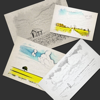 photo to sketch pencil drawing$0.99
Sounak Sarkar
Graphics & Design4.6(5)Beschreibung
Transform your cherished memories into timeless art with our Photo to Sketch app. Whether it's a special moment captured with your loved ones or a breathtaking landscape, our app allows you to effortlessly convert your photos into stunning hand-drawn sketches. Experience the joy of artistic expression as our app meticulously recreates every detail of your photo in a delicate and intricate sketch. With advanced AI algorithms, we ensure that each stroke mirrors the original image's nuances, producing remarkable results that will leave you in awe. Features: Realistic Sketches: Our app employs cutting-edge AI technology to generate sketches that closely resemble hand-drawn artworks. The level of detail and shading will amaze you. Easy-to-Use Interface: Transforming your photos is a breeze with our user-friendly interface. Simply import your photo and let the app do the rest. Customization Options: Tailor your sketches to your liking with adjustable settings for line intensity, shading, and more. Make each sketch as unique as your memories. Add texts: Add custom texts to your images. Effortlessly move, scale, and rotate the text to achieve the perfect placement on your image. Canvas Textures for Authenticity: Choose from a selection of high-quality canvas textures that add depth, character and tactile realism to your sketches. Your photos will appear as though they've been masterfully drawn onto genuine canvas, a blend of modern technology and traditional craftsmanship. Instant Preview: See a preview of your sketch in real-time, allowing you to make adjustments before finalizing your masterpiece. High-Resolution Export: Once satisfied with your sketch, save it in high resolution and share it with friends and family. It's perfect for creating personalized gifts or decorating your living space with a touch of elegance. Unleash your creativity and transform your photos into captivating sketches that transcend time. Download our Photo to Sketch app today and turn your digital images into artistic treasures.
- 48
 ValueScale: Artist Reference$0.99
Mippi LLC
Graphics & Design5.0(1)Beschreibung
Unlock the power of values, the foundation of great art. This app gives artists a professional value scale, right on your device. Use it to sharpen your eye, refine your shading, and add depth to every drawing and painting. Features: Accurate grayscale value scale for quick reference Easy swipe navigation through light to dark steps Values steps for precision when comparing tones Clean, full-screen mode for uninterrupted focus Pocket-sized tool, always with you, no need to carry a physical scale Whether you’re sketching, painting, or studying, this app helps you spot subtle differences in light and shadow, balance your compositions, and make your artwork stronger.
- 49
 Figmin XR$19.99
Overlay LLC
Graphics & Design5.0(2)Beschreibung
Create, collect, and play with Figmin XR on the go with this mobile companion app. Design and explore your spatial scenes on Apple Vision Pro, then bring them with you on iPhone and iPad. Figmin XR empowers you to create, collect, and play with spatial computing. Whether you're an artist, gamer, educator, or simply curious, Figmin XR opens the door to endless possibilities. With support for multiplayer, and an intuitive interface, anything you imagine can come to life! What Can You Do with Figmin XR? - Sketch in 3D, powered by Tilt Brush. - Decorate your room with stunning 3D models, videos, pictures & GIFs - Full scripting support, learn more at www.figmin.com/api - Produce awesome videos for social media or develop compelling marketing content. - Create physics-based games and immersive educational experiences. - Dive into storytelling, art, and visualization projects. - Share your creations with friends and family using our Mobile Companion App. Built-In Tools for Maximum Creativity: - 3D Sketching: Powered by Tilt Brush! - Web Browser Integration: Extract images and models to view in 3D space and create web apps. - Search and Import: Add 3D models, animated GIFs, and videos to your projects. - 3D Text Editor: Design and display text in your virtual world. - Physics Editor: Bring your creations to life with real-world physics. - Motion Editor: Animate objects simply by moving them around. - Lighting Editor: Illuminate the real world with advanced lighting controls. - Content Discovery: Explore Figmin XR’s user-generated content and publish your own. Supported Formats for Web Content Extraction: Images: PNG, JPG, GIF, WebP 3D Models: GLB (GLTF binary)
- 50
 Collage Art - Become an Artist$3.99
Colossal Entertainment
Graphics & Design5.0(1)Beschreibung
EVERY DAY new images are made available in the Collage Art App! With the Collage Art App you can create amazing works of art! Your creativity is your limit, choose from thousands of images to create your montages and share them with your friends! Create your own art gallery and edit whenever you want! The Collage Art App is an excellent creator of wallpapers and NFTs! Many professionals use the collage art app to create their work and even make money selling their artwork. So create your own images, wallpapers, NFT today! Our team adds new images (PNG) and stickers every day so you never run out of inspiration! Choose a background for your images and then add your layers, you can: - Change the opacity; - Choose the aspect ratio of the image; - Invert the image; - Rotate and resize; - Change the color; - Change the order of layers; - Choose photos from your gallery; - And much more! The history of the collage art: A collage may sometimes include magazine and newspaper clippings, ribbons, paint, bits of colored or handmade papers, portions of other artwork or texts, photographs and other found objects, glued to a piece of paper or canvas. The origins of collage can be traced back hundreds of years, but this technique made a dramatic reappearance in the early 20th century as an art form of novelty. And now in the 21st century it's back, much easier and more fun to create! What are you waiting for? Make your collage art!
- 51
 VizRef Lite$1.99
Studio Pixanoh
Graphics & Design3.7(3)Beschreibung
VizRef Lite® for iPhone enables creatives to finally take their inspiration anywhere on their phones. *You can not use iPad multitasking features with the iPhone version of VizRef. Please Download VIZREF for use on iPad. * It becomes the perfect companion app for Procreate or paired with your favorite drawing/animation application by using your iPhone as a second monitor dedicated to references. Take your reference boards with you while you travel and draw in your sketchbook. Make visual reference boards with any images or gifs from web browsers, cloud storage, photos, screen captures and more. The first mood board creation app made by artists for artists, that brings comprehensive referencing tools to animators and visual artists. We are dedicated to bringing creatives what they need most in being inspired everywhere they go. HIGHLIGHTS -VIZREF LITE® version for iPhone has all the same in-app features as VIZREF on iPad ( Vizref Lite if used on IPad does not have multitasking features and is not fullscreen. For iPad please purchase VIZREF® -Take your visual reference boards with you while you sketch at your favorite locations -Perfect companion app paired with Procreate® Adobe Fresco ® Clip Studio Paint® Infinite Painter® etc. by utilizing iPhone as a second monitor along with an iPad -Supports many image types including GIF -Quickly copy and paste images from web -Batch Import from Photos app -Batch Export images from boards to cloud storage using Files app -Import High-Resolution images with HD toggle -*Focus on whats importing with Focus mode. ( rotate imageboard ) *Multi-Select and auto pack images for a quicker workflow * - -Import from iCloud, Dropbox, Google Drive -Quick and responsive visual reference board experience -Easy to use/ minimal UI -Light mode and Dark mode -Set thumbnails for reference boards to visually organize your inspiration ANIMATED GIF SUPPORT -Reference your favorite animated gifs -Pause animation and play frame by frame to better understand referenced animations -Advanced animation timeline gives you an interactive visual breakdown of all frames EASY TO USE REFERENCE TOOLS -Crop images to optimize screen space and view more references -Greyscale toggle for images for value reference -Flip horizontally and vertically -Rotate Images -Copy-paste images into other apps Artwork and animation credits @_Artazi @_baomii @_Deadslug_ @amnesiapancake @barachan @belgeist @criisalys @ergo.josh @evan_monteiro @gloomwastaken @mrbeezul @onemegawatt @rocketboiART @samuelyounart @cobalt_requin VizRef was created by Max Gonzalez (@mrbeezul) and RoboWorld Entertainment with supporting development from Valere Labs
- 52
 LocalForge - Stable Diffusion$8.99
ADRIAN ALBU
Graphics & DesignBeschreibung
UNLIMITED AI ART. 100% PRIVATE. NO CLOUD. Warning: This app requires a device with minimum 6gb of RAM. LocalForge brings the power of professional AI image generation directly to your iPhone. No internet required, no data tracking, and no per-image credits. Generate unlimited high-quality images using the latest on-device models. Why LocalForge? Unlimited Everything: Generate 10 or 1,000 images—the price is the same. Total Privacy: Your prompts and images stay on your device. Prompt Like a Pro: Advanced text-to-image engine that understands complex artistic styles. No Internet Needed: Create art on a plane, in the woods, or anywhere. EULA: https://inkscapestudios.com/image-generator/lumina/eula
- 53
 Vectorize!$9.99
Synium Software GmbH
Graphics & Design4.6(12)Beschreibung
Vectorize! is the perfect tool for quickly and easily converting any pixel graphic into a resolution-independent, scalable vector format – and not just for iPhone and iPad, but also for Mac. No matter you’d like to convert, let’s say a low resolution JPG Logo, a comic, sketch, or even a complete photo – Vectorize! will turn your pixels into vectors. The starting material can then be upscaled at will. Import, Convert, Export Converting a pixel-based-graphic (e.g. a photo, drawing, etc.) into a resolution-independent vector graphic with Vectorize! is quite self-explanatory: First, simply choose a file, or use your iPhone to take a picture – and then let Vectorize! do the rest. Using your iPhone to take a photo to directly import into Vectorize! is another very practical option at your disposal. Your options for importing are: • JPG • PNG • TIFF • HEIC • GIF After your graphic has been selected and imported, you can determine the desired level of detail of your result and if additional contours or edge smoothing should be applied, after which the final product is only click on “Export” away. Your options for exporting are: • PDF • SVG • Logoist file – for further subsequent editing
- 54
 Bear's Big Adventure Trail$1.99
Wild In Art Ltd.
Graphics & DesignBeschreibung
Find and collect sculptures across Perth and Kinross while unlocking milestones along the way. Discover the design inspiration and vote for your favourite. Share your photos to the sculpture galleries while tracking your steps and miles. Keep up to date with the latest trail related news and events. Art trail app includes: map, sculpture listings, design inspiration, sculptures and milestones, sculpture galleries, voting, trail stats, social sharing and event listings. Bear's Big Adventure Trail is a Wild in Art event delivered by YMCA Tayside. Wild in Art is a leading creative producer of spectacular, mass-appeal public art events, which connect businesses, artists and communities through the power of creativity and innovation.
- 55
 Easy Pose : AE$14.99
Park Kiyoung
Graphics & Design4.5(4)Beschreibung
Easy Pose AE is a human body pose app for people who draw or is learning to draw. Have you ever wanted a personalized model to show various poses while drawing animation, illustration or sketching? Easy Pose AE was developed for these people. Various angles of different poses can be inspected. Now you do not have to draw with a wooden joint doll or figure as a model. Even yoga or exercise poses can be checked from various angles. 1. Sensitive Operation – Easy Pose AE allows control over the main joints in an amazingly smooth manner. It provides multiple functions previously unavailable in other pose apps such as a highlight on movable parts, initialization of joints and manipulation state, and finding a symmetrical pose with the mirroring function. Experience controls that are more convenient than with a mouse. 2. Comic Style Models – Previous pose apps had many realistic eight-head ratio men and women, making it unsuitable for animation, webtoon or game illustrations. Easy Pose AE is prepared with models with various body types. 3. Multi-Model Control – A scene can be made with a made with a maximum of 10 people at once! It is now possible to make a scene of a soccer player avoiding a tackle or a couple holding hands and dancing. 4. Thousands of poses that have already been completed. Poses that are used often are already made. 5. Other Characteristics - Sensitive light expression using direct and backlight settings - Able to observe various poses at various angles - Realistic shadows such as shadows of models being cast over other models - Able to change the angle of view (possible to use an exaggerated vanishing point such as a panorama) - Provides a wire mode that allows lines drawn over models - Able to download models without the background in a PNG clear background. - Automatic saving, making it safe whenever there is a device error. - Able to easily control hand movements. 6. Differences from the existing version of Easy Pose. - You can use the PRO version and all DLC. - In addition to humanoid models, horses, cars, musical instruments, Eastern and Western weapons, dragons, guns, bicycles, motorcycles, etc. are provided. - It does not link with existing Easy Pose purchase data. ** Since the data is not saved to server, when you delete an app, the saved data is also deleted.
- 56
 Bantam Tools Draw$4.99
BantamTools
Graphics & Design4.8(4)Beschreibung
Bantam Tools Draw is a minimalist iPad drawing app to turns your sketches into Art Machine ready line work. It offers Apple Pencil responsiveness, as well as touch drawing, and SVG export optimized for physical machines to reproduce your art. While most iPad drawing apps focus on blending, shading, and screen-based illustration, often converting strokes into filled shapes, Draw doesn’t. It captures each stroke as a single, clean vector path, exactly what pen plotters need. Whether you're drafting technical diagrams, exploring generative patterns, creating meditative hand-drawn designs, or combining art and engineering with a generation already comfortable drawing on iPads, Draw helps you draw with intention and plot with precision.
- 57
 Qlone 3D Scanner EDU$29.99
EyeCue Vision Tech
Graphics & Design4.6(7)Beschreibung
Recognized as one of the 10 Best AR Apps for Classrooms by EdSurge, Qlone, the all-in-one tool for 3D scanning and AR. We have made it easy and fast to 3D scan real objects, modify them in-app, export the result into many 3D file formats, platforms and 3D printers and even magically bring them to life with animations. A perfect tool for AR/VR (Augmented Reality) content creation, 3D Printing, STEM Education, eCommerce showcase and many other uses. SCANNING Scanning real objects has never been easier. Print the included AR mat, place your object in the middle of the mat and let the Augmented Reality dome guide you through the scanning process. Scan the object from two different angles and it will be auto merged for better and more complete 3D results. With Qlone, there is no waiting time, all processing is done live on your phone in seconds. Print the mat directly from the app with AirPrint or send it as a mail and print out. MODIFYING With the integrated tools in the app so you can optimize and modify your 3D model without needing to export them. Texture - Change the Brightness, Saturation and Sharpness of the 3D model. Pick colors from the scanned object and apply them by painting directly on the 3D model. Blur areas or transitions for smoother results. Clean - Improve the quality of the model by erasing unwanted areas or smoothing the surface. Sculpt - Improve or alter the shape of your object by pressing or pulling a selected area and adjust the transition. Shape - Enhance the mesh details or set the scale size of your model for 3D printing, simplify the mesh for lower file size export. Art - Turn your object into scaled cubes or meshed objects of art, ready to be printed. AR View + Animation: You can beam your 3D models back to reality and bring them to life with automatic rigging and animation. EXPORTING and IMPORTING: Export your model directly to platforms like SketchFab, i.materialise, Lens Studio, Shapeways and CGTrader. Models can be exported in a variety of formats for use in other 3D tools – OBJ, STL, FBX, USDZ, GLB (Binary glTF) which includes animation, PLY, X3D. Share your models with friends as an image, video or GIF through Facebook, Twitter, Instagram, WhatsApp, Email and iMessage. You can import any 3D model into Qlone. Import in any 3D format (40+ formats) to view, modify or bring it to life in AR with our automatic animation! PRIVACY POLICY: http://eyecue-tech.com/index.php?option=com_content&view=article&id=143 TERMS OF USE: http://eyecue-tech.com/index.php?option=com_content&view=article&id=142
- 58
 Voxel Max - 3D Modeling$9.99
Adrian Andreca
Graphics & Design5.0(1)Beschreibung
Make your own awesome 3D creations with the most advanced voxel editor available on mobile. Voxel Max makes creating professional level voxel art easy and fun. The sleek and intuitive interface is easy to master whether you're a 3D game developer, a digital artist, or a kid with a huge imagination. Build whatever you can see in your mind’s eye. Use AR to bring your creations to life, or export them to a variety of different formats. Make beautiful art for the metaverse, create assets for game development, or just design for fun! --------------------- Voxel Max - Features --------------------- • The only mobile voxel editor that adheres to Apple’s sleek UX standards • Fill out a massive 256x256x256 build area with real time material rendering • Create using up to 2040 materials, pick from 255 colors, change texture and apply effects at the microscopic level • Paint with SDF brushes for hyper-fast building • Adjustable pressure sensitivity, control brush size and color • Kickstart your projects with an extensive library of prefab voxel assets like pre-made people, furniture, trees & vegetation, architecture, and more • See your voxel creations come to life around you using AR with your iPhone or iPad camera • Share as PNG, Voxel Max Asset Pack, SCNZ, DAE, FBX, GLTF, OBJ, STL and USDZ. • Available as a full suite on Mac, iPad & iPhone with cloud syncing - start your projects on your phone or iPad, then finish on a desktop or laptop later on • Zoom in to edit with precision and fine tune your creations, zoom out to see the bigger picture • Qubicle, MagicaVoxel scene level Import & Export • Save your own creations in the asset manager for easy cloning and scene building • Undo all the way to document start • Use presenter view to add backgrounds and see your entire build from the beginning as a time-lapse BUILD & CREATE ANYTHING IN 3D Voxel Max makes it easy to build whatever you can imagine within a huge 256x256x256 3D grid. Tap to place pixels one by one, or hold and drag to add pixels in bulk. DESIGN FOR ANY USE CASE, OR JUST FOR FUN Whether you’re a game designer making in-game assets on the go, an artist creating beautiful voxel-based scenes and landscapes for your next metaverse project, or just a hobbyist designing for fun, Voxel Max has something for you. BRING YOUR CREATIONS TO LIFE WITH AUGMENTED REALITY Use the camera on your iPhone or iPad to bring your creations to life in the world around you. Wonder what your art piece would look like sitting on your coffee table? Make it happen with AR and take a photo or video to share with others. HIGH QUALITY RAY TRACER Voxel Max implements a physically correct ray-tracer taking advantage of the hardware acceleration in M1 or later chips. Take your designs to next level with the Marching Cubes rendering style and with the Outline/Curvature post process effects. FOUNDRY Generate assets from images using AI, scan real-world objects and voxelize USDZ or GLTF scenes. ***IMPORTANT*** - minimum requirements for raytracing: iPhone 11, iPad 9th gen, M1 Mac Voxel Max makes creating Voxel art as easy as possible, with tons of options for in-depth customization. Make whatever you want in 3D, export and show the world your creations. Whether you’re an experienced 3D artist, or are just looking to try your hand at voxel art for the first time, Voxel Max makes getting started as seamless as possible. With tons of helpful tips for beginners, and endless tweaking options for professionals, the possibilities are endless. Try Voxel Max today!
- 59
 Video Stabilizer.$4.99
Le Giang Nam
Graphics & Design4.4(8)Beschreibung
Video Stabilizer can make your video look smooth and stabilized. If you usually records video while running or moving, the video can get very shaky and this app can fix just that! How It Works - Advanced Stabilization Technology: Our app utilizes cutting-edge algorithms to analyze and stabilize your videos frame by frame, ensuring a steady and polished result - Easy-to-Use Interface: Just simply import your video, and within a few seconds, you'll witness the magic as your video transforms into a smooth masterpiece. - Customizable Settings: Tailor the stabilization process to your preferences with adjustable settings for intensity and correction, giving you full control over the final outcome - Real-Time Preview: Preview the stabilized footage in real-time, allowing you to make instant adjustments and perfect your video before sharing it with the world. With Video Stabilizer, not only you get the advanced stabilization tool, but you also get a comprehensive solution designed to elevate your video content to new level. Whether you're a seasoned videographer or just capturing everyday moments, our app empowers you to create professional-looking videos effortlessly. Don't let shaky footage hold you back any longer. Download Video Stabilizer today and experience the difference for yourself. Join the ranks of content creators, vloggers, and enthusiasts who trust Video Stabilizer to deliver smooth, stable videos that leave a lasting impression. Say hello to flawless footage and goodbye to shaky regrets – it's time to unleash your creativity with Video Stabilizer.
- 60
 Designgraphik$1.99
Michael Paul Young
Graphics & Design4.7(15)Beschreibung
Designgraphik is Michael Paul Young. His innovative work has been exhibited worldwide, from the 500,000 LED pixels of U2’s 360° Tour to a 70-foot tall projection on Richard Meier’s The Hague City Hall. He has won awards including the Clio and the Cannes Gold Cyber Lion and has spoken at the world’s most renowned design conventions and festivals. At the turn of the millennium, Young found himself needing a place to explore and test the boundaries of online digital art, resulting in his creation of the Designgraphik name and website. Whether on the web at that site and others like Submethod and Vir2l, in print, or on various hard media, his goal was always the exploration and testing of boundaries, under presentation circumstances that he controlled, in environments that were his own proprietary creations. The work helped to shape online design throughout the late 90s and early 00s, and was nominated for and won numerous multimedia and online design awards until Young retired the Designgraphik name in 2010. In 2020, as we enter the fourth decade of life online, nothing is proprietary. Online art is democratized and sanitized, cropped, compressed, formatted, influenced, ranked, rated and ultimately forgotten in a dark corner of a corporate data center. And so Young has re-launched the Designgraphik name and ethos, once again in presentation circumstances under his control, in an environment that is his own proprietary creation. The ultimate expression of that concept is this app, designed to present Young's work as Designgraphik in high resolution, in a custom gallery, for free.
- 61
 LUT Viewer for iOS$3.99
Adrian Berisha
Graphics & Design5.0(1)Beschreibung
An easy and fast way to look at your images or videos with your LUTs (only cube files supported). Features: * Import of Images and Videos from the Photo Library or from the Files * Preview of the LUTs for the selected Image/Video * Adjusting the alpha value to control the LUT opacity * Exporting the edited Image or Video
- 62
 Ascii Forge$1.99
devin sewell
Graphics & DesignBeschreibung
ASCIIForge transforms your photos into character art with a level of control you won't find anywhere else. Import any image and watch it convert instantly into ASCII — then dial it in exactly how you want it. Adjust contrast, brightness, and column density. Choose from five character sets ranging from classic ASCII gradients to Unicode block characters to pure binary. Flip the palette, pinch to zoom, and tweak until it's perfect. The color system is unlike anything else in this category. Every accent, border, background, and UI element responds to a single hue slider — slide to blue and the whole app goes blue, slide to red and everything shifts with it. Background darkness is independently adjustable, so you can go pitch-black terminal or washed-out ghost mode. When you're done, export as a full-resolution image rendered in your chosen color scheme, or copy the raw formatted ASCII text directly to your clipboard — paste it anywhere and the spacing holds. Features Instant photo-to-ASCII conversion - Five character sets: Standard, Blocks, Minimal, Dense, Binary - Hue based color theming — accent and background independently controlled - Pinch-to-zoom ASCII viewer - Contrast, brightness, and column width controls - Invert mode - Export as image or copy formatted ASCII text to clipboard - No ads. No account. No internet required.
- 63
 Tayasui Color$7.99
Tayasui.com
Graphics & Design4.6(141)Beschreibung
*** AppStore Editor's Choicer *** Tayasui Color stands out with its lifelike tools and exclusive illustrations. Each page invites you to relax, get creative, and enjoy a peaceful, fulfilling moment. Feel like coloring up your day? Need to de-stress? Stuck in a waiting room? Open Color, choose a gorgeous illustration specially made for the app, and just follow your poetic, vibrant or eccentric coloring mood! Play with ultra-realistic drawing tools selected from our award-winning app Tayasui Sketches, including the fantastic watercolor brush. You can also add gold and silver texture for a glittery touch! And enjoy our magic ingredient: tools that make sounds. Our Sound Engine adds realistic ASMR sounds to every stroke, making coloring feel soothing, immersive, and wonderfully alive. Finally, share your creations or find inspiration in the Color community. Features : 54 Exclusive drawings 6 fantastic coloring tools Gold and Silver Textures Smart boundaries Fill tool Brush editor Color eyedropper Soothing sounds while you draw And much more
- 64
 You Doodle Pro - art on the go$5.99
Digital Ruby, LLC
Graphics & Design4.8(199)Beschreibung
You Doodle Pro lets you draw with hundreds of tools. Easily add text and memes, shapes, stamps and stickers. Recording the screen for speed paints is easy to do. Collages and frames are simple and there are hundreds to choose from for every season or holiday. You Doodle Pro has NO ads and is a FULLY unlocked, paid up front version of You Doodle. I don't make you pay for anything once you buy You Doodle Pro. No extra in-app purchases or subscriptions. You buy it once and you get everything - forever! You Doodle Pro is used by students, doctors, car mechanics and many more. You Doodle Pro is great if you just want to have fun as well. With the features of dozens of photo editors combined, you'll never want for another app. You can even draw with your friends on the same WiFi network! Apple pencil, Adonit and Pogo Connect stylus support lets casual and professional artists use You Doodle to create masterpieces. You Doodle Pro costs almost nothing - less than a fast food meal! I know you'll love the app, download You Doodle now! Follow on Instagram: @you_doodle - http://instagram.com/you_doodle) Follow on Twitter @YouDoodleApp Like on Facebook - http://facebook.com/youdoodle Support email - [email protected]
- 65
 Inspire$0.99
snowCanoe
Graphics & Design3.5(6)Beschreibung
Available exclusively on the App Store, meticulously designed to be beautifully powerful, and painstakingly engineered for iPhone — Inspire delivers an incredibly fast and realistic painting, drawing, and sketching experience that you can take with you wherever you go and use whenever inspiration strikes. Our proprietary painting engine Sorcery™ takes full advantage of the GPU to render brush strokes with brilliant 64-bit colour, laser-sharp sub-pixel precision, and insanely fast speed. While the strokes of a wet oil paint brush look beautiful on their own, the breathtaking blending effects of a dry brush will absolutely stun you. Graze the canvas with just a bit of pressure to add a subtle blur to your artwork or use stronger pressure to actually mix existing colours on the canvas together to create new ones. Whether you are a budding artist, seasoned professional, or somewhere in-between, you will enjoy the simplicity and power of the most intuitive and compelling illustration app for iPhone, Inspire. Amazing Brushes • 150 high-quality brushes to choose from, divided into 15 sets: Oil Paint, Airbrushes, Spray Paint, Paint Splatter, Graphite Pencils, Wax Crayons, Markers, Chalk, Charcoal, Pastels & Conté, Basic Shapes, Complex Shapes, Shape Outlines, Patterns, and Textures • All brushes can be used as a Wet Brush, Dry Brush (Blending), or Eraser • Over 20 different settings are available to customize brush strokes with powerful versatility and variation The Best Painting App for iPhone • Sorcery™, the fastest 64-bit painting engine on the App Store • Create a canvas of any size up to 16K (64MP) • Dual-texture brushes • 64-bit colour • All device orientations are supported all the time — switch from portrait to landscape painting with ease • 1000 levels of undo and redo are available • Touch and slide hotspots can be used to quickly change brush size, opacity, and pressure without opening a menu • The eyedropper tool can be used with a touch and hold gesture to select paint colours from the canvas • The canvas can be moved around, rotated, and zoomed in and out up to 6400% Canvas Playback Video Recording • Brush strokes are automatically recorded as you paint without any delay • You can play the video of your artwork being created stroke-by-stroke directly in the gallery • Export high-quality videos of your artwork to your Photos Full-Featured Colour Picker • Choose any paint colour you can dream of with the intuitive colour picker • HSB and RGB sliders accompany a large colour circle, colour square, and opacity slider • Your latest colours are saved to a palette automatically while you paint • You can also save your favourite colours to a palette with drag and drop Visit snowCanoe.com to check out more screenshots, videos, and artwork. With no subscription fees or in-app purchases, you own Inspire and all future updates forever, with just one purchase!
- 66
 Asketch$1.99
Andrew Kern
Graphics & Design4.6(15)Beschreibung
Asketch is a unique and versatile sketch pad. It allows creativity on the go, anytime, anywhere. Its deliberate simplicity makes it perfect for beginners who want to learn to draw; equally, advanced artists will find a wonderful buttery, tonal canvas for their life studies, cartoons, abstracts, landscapes and other subjects. The app is engineered to deliver rapid, but powerful image capture, facilitated by a great transform function that allows you to pick up the drawing, resize it and move it around the canvas, and a amazing zoom that lets you draw in minute detail. So if you want to put a traditional, but digital sketch pad in your pocket, this is the app for you. Features and functionality: Gesture based drawing interface: Changing the surface area of your finger on the screen controls the focus of the drawing. Supports pressure sensitive drawing on iPhones that support pressure sensitivity. Image zooming that actually works: Do amazing detail work when zoomed in. No pixelation of brushes while drawing. Image transformation: Scale/Rotate the image via a simple pinch gesture. 50 Levels of undo/redo. Swipe the undo/redo button to toggle back and forth. Hold down the button for rapid unwind/rewind.
- 67
 StitchSketch$7.99
Mozusystems, LLC
Graphics & Design4.7(40)Beschreibung
Design your own chart for your craft project! StitchSketch was developed by a creator of the popular software program "KG-Chart for Cross Stitch". This mobile version utilizes intuitive "touch" user interface of mobile devices. Features includes: - Design your own chart for craft works such as: Cross Stitch (Crossstitch), Bead Weaving, Iron Beads (Perler(R) Beads), Knitting pattern, Color Knitting, Pixel Art, and more! - This is also suited for drawing "dotted" pictures (Pixel Art), such as icons in low resolution - Convert your photo into a chart - Draw chart with a symbol in a cell - Maximum chart size is 250 x 250 - Pixel & Vector Drawing (Backstitch, Fractional Stitch, Hardanger) - Pinch to zoom - Generic color palette and Color Charts (palette) for: DMC(R), DFT, COSMO, Delica, Toho Best, Perler(R) Beads - Knitting Symbols (Amizu Kigou (JIS)) for designing knitting pattern - Rectangular cell size - Real view to simulate finished image - Undo / Redo - Drawing tools: Pencil, Rectangle, Ellipse, Flood Fill, Text - Selecting Tool: Selection and Cut/Copy/Paste/Rotate/Flip/Stamp - Edit colors and symbols - Save or Email a chart as native format or PNG image - Generate a chart in PDF for emailing or printing. - Organize charts with thumbnails - Support Dropbox - Notes: The chart file is not compatible with KG-Chart (win) right now. *** User's Manual / Tutorials are here: http://www.iktsoft.net/kgchart-en/StitchSketch/manual
- 68
 Poetics$2.99
Soulincode Inc.
Graphics & Design2.8(4)Beschreibung
Poetics is a visual poetry app focused on developing concepts of mutable, semiotic poetry and decentralized art. The app is an ongoing project by Seth Indigo Carnes, an artist based in New York City. Poetics is used in over 150 countries, across languages and cultures. Art features: • mutable text • chance operations • ephemeral missives • gestural semiotics • nonlinear flux • meta tangents • intermedia cutups • multimodal love App features: • works on all iOS devices • portrait and landscape compositions • curated set of font choices • always editable, saved work • custom photo filters • minimal text styling and color • physics-based interactions • nuanced gestural control • zoom in and out for detailed work • write in multiple languages • speak your words into app Music in App Store preview courtesy of Patrick Golden and Jim Clouse of Parkwest Records. Feedback or thoughts? [email protected] Metta
- 69
 Object Removal Pro - Eraser Me$5.99
煦慧 蒙
Graphics & Design4.7(34)Beschreibung
Featured by Apple on App Store over 62 countries and regions, including United States, Canada and South Korea. Object Removal is a professional app that helps you to removal unwanted content from your photos. It uses the most high-tech Artificial Intelligence and Image Processing technology to do the followings Remove unwanted people Remove pimples and blemishes Remove building Remove anything you want to remove! Unlimited access to all functions and no ads. Please give us a review or rating on App Store if you love Object Removal. Thanks in advance.
- 70
 Sprite Creator$3.99
Skyler Lauren
Graphics & Design3.8(17)Beschreibung
Sprite Creator is a very powerful and easy to use pixel art drawing app. Create and import sprite sheets, tile maps, or even animated gifs. This app has been designed to be a simple and powerful tool for creating pixel art for games or for fun. Layer Editing Tools - Alpha sliders - Hide option to ignore layer - Copy - Merge down Animation Frame Tools - Onion skin - Onion skin alpha sliders - Live auto looping preview - Copy Exporting Features - png, gif, or jpg - Animated gifs - Sprite sheets and tile maps with full control over number of rows, columns, margin, and spacing - Single image series - Set Background Color (allows you to pick a specific background color for exporting) - Up scaling tool (increase the image size while keeping that pixel look) Importing Features - Import sprite sheets and tile maps and slice it into editable frames by setting width, height, margin and spacing. - Import animated gifs - Import png, gif, and jpg right from your camera roll Selection Options - Move - Flip - Rotate 90 degrees - Copy (copies a selected area for the selected layer) - Copy All (copies a selected area for all layers) - Paste (pastes whatever you have copied on a layer or even a new project's layer) Background options - Checkered - Color - Image Grid Options - On/Off Other Features - Save/Load right in the app - Create your own customized color palette with unlimited colors - RGBA and HSBA color sliders to find the perfect color - Create a new project at any size you want - Edit project size after creating it - Optional inspiration view (floating image from your camera roll for inspiration) - Tap and hold to load an image from your camera roll - Drag to move - Double tap to resize - Preview window to see your pixel art at a small size - Multiple brush sizes - Line, Square and Circle drawing tool - Hand Tool to make it easier to zoom and pan your canvas For more updates and to see Sprite Creator in action check out our Facebook page. https://www.facebook.com/spritecreator/
- 71
 Art Model - Pose & morph tool$4.99
Tomi Nevalainen
Graphics & Design3.3(7)Beschreibung
Create stunning pose references in seconds. Just tap a control point and drag — no complicated joint rotations, no learning curve. Perfect for figure drawing, character design, illustration, comics, manga, animation, and storyboarding. From quick gesture studies to detailed anatomy work, Art Model gives you unlimited creative freedom. Pose realistic male and female 3D models, classic wooden mannequins, and shape them into any body type you can imagine. ◆ EFFORTLESS POSING Tap a hand, foot, or head and drag it exactly where you want it. Our advanced inverse kinematics system handles the joints automatically, so you can focus on the pose — not the mechanics. Includes preset full-body poses and hand poses to get you started fast. ◆ UNLIMITED BODY TYPES A full morphing system lets you transform any model: child to adult, skinny to muscular, fat, pregnant, or even fantastical creatures. Individual morphs fine-tune specific parts like arms, legs, chest, and more. ◆ EXPRESSIVE FACES Bring characters to life with facial expression morphs. Adjust happiness, anger, surprise, sadness and more to give your figures real personality. ◆ BUILD FULL SCENES Add unlimited models to a single scene and pose them together. Enrich your composition with props: chairs, tables, vehicles, weapons, trees, and geometric shapes. Props can be attached to your model's hands and follow movement naturally. ◆ CLOTHING & STYLING Mix and match outfits, hats, and helmets for both male and female models to design characters for any scenario — from fantasy heroes to everyday people. ◆ SPLIT VIEW EDITING View your model from two camera angles at the same time. Adjust poses with precision without constantly rotating the scene — a huge time-saver for complex compositions. ◆ REFERENCE IMAGES Import background images to stage your scenes in real or imagined environments. Ideal for matching perspectives, blocking compositions, or planning illustrations. ◆ ADVANCED LIGHTING Sculpt mood and form with flexible lighting controls — perfect for dramatic reference shots or anatomy studies. FEATURES AT A GLANCE - Realistic male and female 3D models + wooden mannequin - Fast drag-to-pose with inverse kinematics - Full-body and individual body-part morphs - Facial expression morphs - Unlimited models per scene - Clothing, hats, and helmets - Props: vehicles, furniture, weapons, shapes - Props attach to hands and follow movement - Split view dual-camera editing - Background image import - Advanced lighting controls - Preset poses and hand poses - Basic hair options - Save and load poses and morphs - Intuitive touch controls: pinch to zoom, drag to rotate and pan Whether you're a professional illustrator, concept artist, comic creator, manga artist, animator, sculptor, fitness instructor, or just learning to draw — Art Model is built to make your creative process faster, easier, and more enjoyable. Download Art Model today and pose without limits. Works on iPhone. Best experienced on iPad.
- 72
 EDGE touch (pixel art tool)$2.99
TAKABO SOFT
Graphics & Design5.0(2)Beschreibung
EDGE touch is a full featured pixel art editor for the iPhone and iPod touch. Pixels can be drawn directly by tapping. It makes creating pixel art enjoyable and easy anytime, anywhere. Main Features: - Supports from 1x1 to 1024x1024 pixels - Basic drawing functions like freehand, straight line, square, ellipse, etc - Tap & hold to copy colors like an eyedropper tool - Cancel actions by tapping with a second finger while drawing - Undo and Redo - Grid display (configurable) - Adjustable RGB and HLS color space in the color palette - Layers - Layer link, for editing two or more layers at the same time (move, copy, paste, etc. within the range of selection) - Two views at the same time: one actual size, the other zoomed in - Animation - Onionskin (Tracing) - File Sharing (PNG / GIF / Animated GIF / EDGE touch file format)
- 73
 TREK: Icons$3.99
NSTE, LLC
Graphics & Design5.0(1)Beschreibung
Create icons for your Home Screen in many TREK styles to make your iPhone or iPad look like a device from the future. INCLUDES: - Backgrounds in many styles and proper colors (hundreds) - Overlay images in many styles (hundreds) - Pre-made icon packs for quick convenience, and to show you what to make CUSTOMIZE & CREATE: - Set solid or gradient colors of your choice as the background - Set the color of the overlay and its transparency - Set a border on the image (matches the overlay color) With all of these customization options you can create countless combinations of icons for all of your apps. There are detailed instructions in the app to teach you how to use Apple's 'Shortcuts' app to set your creations as icons of your apps, with new names too.
- 74
 Sketch Grid$2.99
supple software ltd
Graphics & Design5.0(4)Beschreibung
Draw anything with a grid The Grid method is the easiest way for artists to reproduce, scale up or scale down a reference image you want to transfer to a canvas. With a grid you can also adjust a reference image to a different format with different proportions. Using a drawing grid anytime when you sketch or paint something that requires accuracy, for example still life or a portrait, will sharpen your art skills. Select any area of your image as your composition Switch between different types of grids: squares, proportional or triangular Choose your optimal grid size, colour and thickness Convert your image to a sketch to highlight where the lines are Hide the controls for a clean full-screen view of your composition with the grid on it Share or export your adjusted picture in the original resolution Get it now, unleash your creativity
- 75
 Zen Brush 3$4.99
PSOFT
Graphics & Design3.6(8)Beschreibung
Zen Brush 3 is a drawing app focused on the strong yet beautiful feel of the East Asian ink brush which can be used to perform calligraphy, ink painting and more. The drawing system that brings to life a feeling of silky fluent and delicate painting now allows an even wider range of expression thanks to the addition of "water" and "color". Providing a new simple and intuitive user interface, this app is designed to be optimal for performing Zen art. Simply start the app and you are immediately ready to draw. Anyone, anywhere, can create superb Zen art with this app’s uniquely rich expressiveness. You can also easily share and edit your calligraphy and images with other apps using the Export functionality. Skillfully use the rich background style templates to create and share atmospheric artwork. - The drawing system simulates a 3D model of an East Asian ink brush to enable varied and natural styles of brush handling. - The adjustable amount of water makes it possible to create expressions ranging from powerful edge effects to "nijimi" (bleeding) and "bokashi" (blurring) where colors mix. - You can also enjoy creating colored-ink paintings as well as watercolor paintings by making use of 30 selected traditional Japanese colors. - The layer functionality allows more flexible editing. - Import photos to add text to them or use them as background images for tracing. - Create fascinating artwork with a rich assortment of background style templates. - Traditional Japanese paper templates provide an authentic feel. Features: - 5 main tools (ink brush, color brush, water brush, eraser, blotting paper). - 10 levels of thickness. - 5 levels of water (not applicable to blotting paper). - 10 levels of ink tone (not applicable to water brush and blotting paper). - Color palette with 30 colors. - 89 background style templates. - Drying functionality (fast dry, instant dry, adjustable natural dry). - Layers functionality (import image / color adjustment / move / rotate / scale / reverse left and right / white transparency / gradation effect). - Guide display (character guides / partition guides / grid guides). - Movable toolbar (top / bottom / left / right). - Canvas zoom (zoom in and out with pinch gestures). - Undo / redo (5 levels). - Export functionality (formats: JPEG, PNG, transparent PNG (no background)). - Support for Apple Pencil (1st and 2nd generation). - Support for 3D Touch (where available: iPhone 6S - XS). - Drawing tool selection (finger and stylus / stylus only). - Adjustable brush pressure sensitivity (5 levels, with supported stylus only). - Adjustable tilt sensitivity (5 levels, with supported stylus only). - Gesture functionality (pinch zoom and drag, zoom toggle with 2-finger tap). - 3D brush display (enable / disable). - Pointer display (enable / disable). - 5 levels of canvas resolution with a maximum of 3072 x 4096 pixels (the higher resolutions do not work on devices with lower specs).
- 76
 Kitchen Editor 3D: Design App$5.99
Sergii Melnyk
Graphics & Design3.4(9)Beschreibung
Kitchen Editor 3D is a simple and convenient application for 3D design of a kitchen space, color selection, and counting of materials. Please watch the video before starting to use the application! The application has a large set of standard modules that can be edited to fit your needs. Designing a kitchen interior has become much easier. Available measurement systems in the application are millimeters and inches. The application will automatically save your project before closing and you can always continue designing after some time. You can also save versions of your projects in separate files and open them as needed. You can replace an already placed object on the stage with another one by simply clicking on it. This adds new possibilities for kitchen design.
- 77
 culur: Custom Color by Number$4.99
CULUR INC.
Graphics & Design3.8(8)Beschreibung
Turn any photo into a printable Colour by Number quickly and easily! Enjoy endless hours of fun turning YOUR pictures into Colour by Number masterpieces! What is culur? Culur is an app that allows you to turn your own images instantly into a printable Colour by Number! Watch as your favourite pictures are transformed into artistic masterpieces before your very eyes! Effortlessly upload a photo from your phone and with a few easy clicks quickly create your customized Colour by Number. Simply select the image you wish to colour, your preferred set of coloured pencils/crayons, your desired difficulty, and let culur do the rest! The entire process takes less than a minute with easy printing directly from the app. Create beautiful and customized Colour by Numbers art of your family, friends, pets, and even beloved cartoons. Great for both adults and kids! What is a Colour by Number? - Your picture is transformed into a colourless image that is split up into sections, each of which has a designated number. - A colour legend is provided, specifying which colour corresponds to each number on the image. - You colour in each section as indicated to reveal beautiful colourful artwork, created by you! Unique Key Features: - Turn YOUR photos into a Colour by Number in less than a minute! - Create UNLIMITED Colour by Numbers. - Print/Share/Save your Colour by Number directly in the app! - No subscriptions, in app purchases or hidden fees! - Works for all types of images including photos you took, scenery, cartoons, logos, picture of celebrities, etc YOU WILL NEVER HAVE TO BUY A COLOURING BOOK AGAIN!!! No other app allows you to turn YOUR photos into a Colour by Number and print them directly from the app. This one-time purchase can translate into hours of entertainment for adults and kids, endless date night ideas, and countless activities with friends! Steps to use the app: 1. Upload or take a photo in the app 2. Select the set of coloured pencils, markers or crayons you wish to use (i.e., 60 pack of coloured pencils) 3. Select the difficulty 4. Select if the uploaded image is a cartoon or not 5. Generate your Colour by Number 6. Print your Colour by Number 7. Colour and enjoy! We love feedback! Feel free to contact us at [email protected]
- 78
 ArtRage Vitae Mobile Painting$2.99
Ambient Design Ltd.
Graphics & Design3.6(5)Beschreibung
ArtRage Vitae is our Premium Natural Painting application for mobile devices! Get creative on your digital canvas with realistic color blending, mixing oil paint, delicate watercolor, and much more! Ever wanted to try painting your masterpiece but were put off by the mess and expense? Now you can! ArtRage Vitae isn't just about color: It knows how much paint you've used so you can mix it and spread it on a textured canvas. It knows how wet your paint is so you can blend it with other paints. It even knows about the roughness of your paper so your pencils can be used for soft shading. It's not just a special effect either - ArtRage Vitae is a live simulation of the properties of real artistic media that lets you get creative with colors and textures using tools you already know how to use! ArtRage Vitae takes full advantage of the Apple Pencil support for pressure & tilt, and 3D touch on your iPhone when available. Join the ArtRage community: Forums: forums.artrage.com Facebook: www.facebook.com/artrage Instagram: www.instagram.com/artrage_paint/ Features: Real world painting tools: Oils, Watercolors, Paint Rollers, Pencils, Crayons and more. Each tool has a range of familiar properties such as how much thinner is applied to the paint, or how soft a pencil tip is. Tools apply texture as well as color, and blend under the brush. Add Layers to your painting and work on individual elements without damaging others. ArtRage supports a wide range of layer effects, layer blend modes, and layer contents can be scaled moved and rotated independently. Import images, converting them to oil paint for mixing and blending or as Reference Images pinned to the canvas as a visual guide. Load photos as Tracing Images which are overlaid on the canvas, and have ArtRage select colors automatically as you paint. The interface has been designed to maximize your creative space without hiding away critical functions such as tool and color selection. As you paint, it gets out of the way so that you don’t have to stop and manually adjust panels. Record your paintings! The ArtRage Script system lets you record strokes while you paint for playback in desktop versions of the product at higher resolution. Share your paintings on Instagram, Facebook, Twitter, Creative Cloud, Dropbox, DeviantArt or any other sharing app on your device. Tools: • Oil Brush, Watercolor, Airbrush, Palette Knife, Paint Roller, Paint Tube, Inking Pen, Pencil, Marker Pen, Chalk, Crayon, Glitter Tube, Gloop Pen, Eraser, Flood Fill, Cloner. • Paint simulation monitors the physical properties of your paints to allow natural blending, smearing, and other real world behavior. • Preset support to save your favorite settings for later use. • Supports the Apple Pencil's Pressure and Tilt properties, and 3D Touch where available to add realism to the simulated paint strokes. Layers: • Unlimited layers with Photoshop standard blend modes, visibility and opacity controls. Scale, rotate, and position layer contents independently. Utilities: • Record your paintings as Scripts then play them back in a desktop version of ArtRage. • Unlimited Undo / Redo. Load photos as References or Tracing images. Files: • 4096 x 4096 Canvas now available on all devices. • Control the texture and color of the canvas to create different effects. Canvas presets can be stored for later. • Export PTG, JPG or PNG to services such as Email, Adobe Creative Cloud, Dropbox, and more. Share images on Facebook or Twitter. Import photos to a new file or a layer, with camera support. Interface: • Easy access pods provide functionality without getting in the way. Elements vanish as you paint so you can paint underneath. Multi-Touch shortcuts for canvas manipulation, Undo/Redo, and Brush Size. Stylus & Input Support: • Apple Pencil Pressure & Tilt. • Supports 3D Touch. • Includes support for Wacom, Adonit and Pogo styluses.
- 79
 Color Wheel + Osmosi AI$9.99
Studio Schematics, LLC
Graphics & DesignBeschreibung
Introducing Osmosi: Color Wheel – Unleash Your Creative Spectrum with Unrivalled Precision Step into a realm where every hue sings its own poetic melody and your creative vision is transformed into art. Osmosi: Color Wheel is not merely a tool, but a muse for artists, designers, and colour enthusiasts alike. Crafted with a fusion of cutting-edge technology and a refined, intuitive interface, this revolutionary software grants you masterful control over every nuance and shadow. A Symphony of Colour Innovation: • Dual-Mode Colour Wheel: Choose the streamlined elegance of a 12-colour wheel for instantaneous inspiration, or delve into the full spectrum for meticulous customisation. Each mode is thoughtfully designed to deliver exceptional clarity and a fluid, immersive experience. • Real-Time Dynamic Adjustments: Effortlessly fine-tune tones, saturation, and shadows, and witness how subtle shifts in contrast evoke a cascade of creative insights. Every adjustment breathes life into your designs, adding depth and personality. • Versatile Colour Modes: Whether you work in RGB or RYB, Osmosi empowers you to select the ideal colour profile for any medium—be it print or digital—with uncompromising precision. • Intelligent Colour Harmonies: Explore a curated palette of harmonious colour schemes, drawing inspiration from both timeless theories and modern trends. Create compositions that resonate with visual coherence and aesthetic splendour. Where Precision Meets Poetic Elegance: Osmosi: Color Wheel is more than an application; it is the cornerstone of your creative process. With impeccably precise colour data—whether in HEX, RGB, or HSB—your imaginative visions are rendered into reality with breathtaking accuracy. An integrated guide to colour theory further enriches your journey, empowering you to innovate with confidence and flair. Elevate your design process, refine every detail, and unlock your full artistic potential. From meticulously crafted graphics to evocative, vibrant artworks, Osmosi transforms your ideas into masterpieces of colour. Update now and immerse yourself in the next generation of colour innovation! Terms of Use: https://www.apple.com/legal/internet-services/itunes/dev/stdeula/
- 80
 Face Model: 3D Head Reference$3.99
Tomi Nevalainen
Graphics & Design4.0(3)Beschreibung
The 3D head reference built for artists, not engineers. Shape any face with hundreds of morphs, study a real anatomical skull, and browse hundreds of categorized face photos — all in one app on your iPad. Perfect for portrait artists, manga creators, character designers, animators, comic illustrators, concept artists, and anatomy students. ◆ FULLY CUSTOMIZE 3D HEADS Customize every detail with hundreds of morphs. Adjust head shape, eyes, nose, ears, mouth, and cheeks to create any face you can imagine — from realistic portraits to stylized anime characters. ◆ TRANSFORM HEADS INTO CREATURES Turn a realistic human head into aliens, vampires, zombies, demons, goblins, or animal hybrids with 20 ready-made creature presets. Built for character designers, concept artists, and storytellers. ◆ EXPRESSIVE FACES 17 facial expression morphs bring your characters to life — happiness, anger, surprise, sadness, fear, and more. Mix and match to create unique emotions for illustrations, animation frames, and storyboards. ◆ INTERACTIVE 3D SKULL Study anatomy with a fully interactive 3D skull. Rotate, zoom, and even open and close the jaw to understand the structure beneath the skin — an essential reference for serious portrait artists and anatomy students. ◆ MANGA HEAD MODE Create expressive manga-style characters with a dedicated stylized head mode — designed for manga, anime, and comic creators. ◆ HUMAN FACE REFERENCE LIBRARY Hundreds of high-quality face photos, categorized by ethnicity: Asian, Black, White, Hispanic, South Asian, and MENA (Middle East and North Africa). Build more inclusive and accurate artwork with diverse, authentic references. ◆ SINGLE & MULTI-VIEW PHOTOS Two reference types: single-view photos for head-on study, and multi-view images showing front, side, and three-quarter angles — perfect for understanding face structure from every direction. ◆ SPLIT VIEW EDITING See your model from two camera angles at the same time. Adjust features and expressions with precision, without constantly rotating the scene. ◆ FLEXIBLE LIGHTING Control lighting angle and intensity to shape mood and form — ideal for dramatic portrait references or anatomy studies. ◆ WORKS IN ANY ORIENTATION Use the app vertically or horizontally on iPad — perfect alongside your drawing tablet or sketchbook setup. EVERYTHING YOU GET - Realistic 3D male and female head models - Manga-style head mode - Interactive 3D skull with movable jaw - Hundreds of customizable morphs - 20 pre-made creature presets - 17 facial expression morphs - Face reference library sorted by ethnicity - Single-view and multi-view photo references - Split view dual-camera editing - Freely rotate head and eyes - Save and load custom poses - Capture and save screenshots - Adjustable lighting angle and intensity - Pan, zoom, and rotate with touch controls - Works in portrait and landscape on iPad Whether you're a portrait artist, illustrator, character designer, animator, comic or manga creator, concept artist, or anatomy student — Face Model is built to make your creative process faster, more accurate, and more inspired. Volume discounts available for schools and educational institutions. Download Face Model and bring every face to life. Works on iPhone. Best experienced on iPad.
- 81
 ColorHints Mosaic$1.99
Jim Calvin
Graphics & Design5.0(1)Beschreibung
Color Hints Mosaic creates a mosaic or pixelated version of a photograph. The mosaic you create can be shared with others, saved, or printed. To create a mosaic, simply - take or choose a photograph - choose the tile shape, the number, and aspect ratio of the mosaic tiles - select the Mosaic tab to see the results Too many colors in the mosaic for your purposes? Just tap the “Limit” button and then adjust the slider to choose the number of colors that does suit your purposes. Or, use the Mosaic editor to choose exactly the colors you want – including using a palette to assign colors to the Mosaic. Create mosaics to use for - pixel quilt designs - pixel quilt designs - tile patterns - knitting patterns - cross-stitch patterns - beading - mosaics from glass, wood, or other media - minecraft art - posterization - student art Want to share your mosaic? Share directly from Color Hints Mosaic via social media or Air Drop, save it to iBooks as a pattern, or send it to another App, like Color Hints or QuiltSandwich (from NNN Software). Want a printed copy? Print your mosaic as poster as large as 200" (500cm) on a side. Or, print an annotated version of the mosaic complete with a table of colors.
- 82
 Procreate$12.99
Savage Interactive Pty Ltd
Graphics & Design4.5(5.5K)Beschreibung
Loved by creative professionals and aspiring artists alike, Procreate is the leading creative application made for iPad. Procreate has everything you need to create expressive sketches, rich paintings, gorgeous illustrations, and beautiful animations. Offering 100s of handmade brushes, a suite of industry-leading artistic tools, an advanced layer system, and the powerful Valkyrie graphics engine. It’s a complete art studio you can take anywhere. Highlights: - High resolution canvases — up to 16k by 8k on compatible iPad Pros - Beautifully intuitive interface made for iPad and Apple Pencil - Revolutionary QuickShape feature for perfect shapes - Smooth and responsive smudge sampling - 3D Painting with Lighting Studio, exportable as models, images, or animations - Powered by Valkyrie, the lightning-fast 64-bit painting engine - Speed up your workflow with keyboard shortcuts - Create art in stunning 64-bit colour - Continuous auto-save — never lose work again Breakthrough brushes: - Packed with hundreds of beautifully crafted brushes - Organise your brushes into sets and libraries - Add Metallic and Roughness for painting in 3D - Brush Studio — with over 100 customisable settings - Import and export custom Procreate brushes - Import Adobe® Photoshop® brushes, and run them faster than Photoshop® Full-featured layering system: - Layer your art for precise control over details and composition - Create Layer Masks and Clipping Masks for non-destructive editing - Stay organised by combining layers into Groups - Select multiple layers to move or Transform objects simultaneously - Access over 25 layer blend modes for industry-grade compositing Colour without compromise: - Fill your line work with ColorDrop and SwatchDrop - Disc, Classic, Harmony, Value, and Palette colour panels - Import colour profiles for colour matching - Assign Colour Dynamics to any brush Precision design tools: - Add vector text to your illustrations - Easily import all your favourite fonts - Crop and resize your canvas for perfect composition - Perspective, Isometric, 2D, and Symmetry visual guides - Drawing Assist perfects your strokes in real time - StreamLine and stabilisation smooths strokes for beautiful calligraphy and expert inking - Use Scribble to name layers, change settings, and create text Accessibility features: - Advanced stroke stabilisation - Dynamic Type, VoiceOver, and Feedback Sounds - Assignable single-touch gestures - Color naming Animation and Page Assist - Easy frame-by-frame animation with customisable onion skinning - Create storyboards, GIFs, animatics, and simple animations - Sketch page-by-page concepts or begin a comic with Page Assist - Import, edit, and share PDFs Dramatic finishing effects: - Brush in image adjustments and effects with Apple Pencil - Glitch, Chromatic Aberration, Bloom, Noise, and Halftone add new dimensions to your work - Gaussian, Motion, and Perspective Blur filters create depth and movement - Powerful image adjustments including Colour Balance, Curves, HSB, and Gradient Map - Bring your art to life with the fun, intuitive, and creative Warp, Symmetry, and Liquify Dynamics Time-lapse replay - Relive your creative journey with Procreate’s Time-lapse Replay - Export your Time-lapse recording in 4K for high-quality video production - Share a shorter 30-second Time-lapse on your socials Import assets and share your creations: - Import or export your art as Adobe® Photoshop® PSD files - Import Adobe® ASE and ACO Color Palettes - Import image files such as JPG, PNG, and TIFF - Export your working files in layered .procreate or PSD file formats - Share your art as TIFF, transparent PNG, multi-page PDF, web-ready JPEG, OBJ, USDZ, and animated GIFs, PNGs, and MP4s
- 83
 Graintouch$9.99
IORAMA AB
Graphics & Design3.0(2)Beschreibung
Graintouch is a drawing app with the soul of print. Inspired by Risograph™ aesthetics, it lets you layer, blend, and create with the warmth of real ink—right on your screen. BOOL BRUSH A bold, organic vector brush that stacks colors like ink on paper. Blend, overlap, knockout and build rich textures with effortless strokes. PRINT SIMULATION See your artwork as if it just rolled off a risograph. Offset imperfections, layered tints, and the charm of real ink—without the mess. MINIMAL UI Nothing in your way, just pure drawing. A clean, focused space where tools feel like an extension of your hand. COLORFUL CONSTRAINTS A playful palette of 18 handpicked inks, straight from the riso universe. Instead of endless choice, you get meaningful constraints that spark creativity—just like mixing real inks on a print run. VECTOR STENCILS Every Layer becomes a crisp, resolution-independent stencil. Your drawings export as clean vector stencils, perfect for scaling, separating by color, and bringing straight to print—no loss, just pure shapes.
- 84
 Tattoo Print System$9.99
TattooLoyal Inc.
Graphics & DesignBeschreibung
“Before the needle even hits the skin, there is the crucial step that sets the tone for the entire tattoo - applying the stencil. Stencilling tattoos on the body is an art unto itself. Great tattoos start with great stencils, and great stencils start with the ideal image. The better you can see what you’re doing, the more accurate your linework is gonna be. Over 20 years of tattooing mostly geometric tattoos has forced me to intensely analyze the art of stencilling and push it to its limits, and through this app I’ve been able to push them even farther. Increasing efficiency and accuracy in my work has always been a passion of mine, and I can’t wait to share this with my fellow tattooers” -Cory Ferguson The easy to use Tattoo Print System gives you tools to customize and enhance your images right before you print them out so they’re ready to go straight into the stencil machine and result in the best stencils possible. No matter what style you tattoo in, this app will save you time and level up your stencil game. Giving you the ability to dial in your finished designs to your liking so when they come out of the stencil machine they are more precise and personalized to how you like to work. These are tools that every single tattoo artist has always needed! Once installed you can access Tattoo Print System from any app on your iPad or iPhone that has the share button as an option (you know- that icon that looks like a little box containing an arrow pointing up) So how does Tattoo Print System save you time and make your stencils better? - Print out large scale tattoos at actual size! Measure out the size your tattoo will be on the body and enter those measurements into Tattoo Print System and let the app do the rest. It automatically breaks the design into as many sheets of paper as needed and prints them out ready to go straight into the stencil machine. No more resizing on a photocopier! - Multi-page stencils need to be taped together as any experienced tattooer will know. We’ve included tools to help with this task too. Optional guidelines and image overlaps make it quicker and easier to line up the image when taping stencil pages together. - Convert any image into just outlines with a single click We’re tattooers - we all love showing off that crispy linework. Enhancing your designs with the convert to lines feature eliminates excess ink from your stencils making them cleaner, easier to see and ultimately more precise. And you don’t have to spend time tracing the outline yourself, the app does it for you. You can also fine tune those outlines to be thicker or thinner depending on your preference. - Convert realistic and shaded images into halftone dots or crosshatching for stencils that have shading in them. - Fine tune the contrast, shadows and highlights of your designs to take a “not so great” reference picture and turn it into the sort of design that makes for a perfect stencil. Often times a picture of the reference that you take on your phone can be enhanced with our adjustment sliders into a truly stencil worthy image. - Add an optional, customizable grid to your stencil as a visual reference to help see if your image is level on the body. This is especially useful for doing symmetrical pieces across the width of the torso, ie full chest piece, back piece. - The ability to stretch out a design if necessary, by adjusting the width and height separately. - Customizable grid images to print out and stencil to help with freehand drawing onto the skin. Choose from square, isometric and polar grid. This printing system is already a part of our other app Geometrica - the first ever drawing app created for tattooers. So if you’re a Geometrica subscriber you don’t need Tattoo Print System, you already have it. But it was so ground breaking we had to also release it as its own app, because this is something that all tattooers need, not just the geometric artists.
- 85
 PieChart Maker$0.99
Amado Mata
Graphics & Design2.0(2)Beschreibung
Quickly create professional-looking pie charts with PieChart Maker. Ideal for students, teachers, business professionals, and anyone who needs clear, customizable visual data. Key features: • Real-time pie chart preview while editing. • Add custom labels and choose individual colors for each data value. • Adjust preview options to personalize your chart style. • Export your pie chart as an image to your device’s gallery. • Save charts locally to edit or view them later. Whether you’re preparing a report, a presentation, or just exploring your data visually, PieChart Maker makes pie chart creation fast and intuitive — no complex tools required.
- 86
 Pixel Studio PRO for pixel art$12.99
Farida Yarullina
Graphics & Design4.3(3)Beschreibung
Pixel Studio is a new pixel art editor for artists and game developers. Simple, fast and portable. No matter whether you are a beginner or a professional. Create amazing pixel art anywhere and anytime! We support layers and animations and have a ton of useful tools - all you need to create cool projects. Add music to your animations and export videos to MP4. Use Google Drive to sync your work between different devices and even platforms. Join Pixel Network™ - our new pixel art community! Don't doubt, just try it and make sure you've chosen the best pixel art tool ever! Over 2.000.000 downloads around the world, translated to 23 languages! Features: • It's super simple, intuitive and user friendly • It's cross-platform, use it on mobile and desktop with Google Drive sync • Use layers for advanced pixel art • Create frame-by-frame animations • Save animations to GIF or sprite sheets • Extend animations with music and export videos to MP4 • Share arts with friends and Pixel Network community • Create custom palettes, use built-in or download palettes from Lospec • Advanced color picker with RGBA and HSV modes • Simple zoom and move with gestures and joysticks • Use Portrait mode for mobile and Landscape for tablets and PC • Customizable toolbar and a lot of other settings • We support Apple Pencil! • We support all popular formats: PNG, JPG, GIF, BMP, PSP (Pixel Studio Project), ASE (Aseprite) • Autosave and backup - don't lose your work! • Discover a ton of other useful tools and features! More features: • Shape Tool for primitives • Gradient Tool • Built-in and custom brushes • Sprite Library for your image patterns • Tile Mode for brushes • Symmetry drawing (X, Y, X+Y) • Dot Pen for precise drawing with a cursor • Text Tool with different fonts • Dithering Pen for shadows and flares • Pixel art rotation with Fast RotSprite algorithm • Onion Skin for advanced animation • Apply palettes to images • Grab palettes from images • Mini-map and Pixel Perfect preview • Unlimited canvas size • Canvas resizing and rotation • Customizable background color • Customizable grid • Multithreaded image processing • JASC Palette (PAL) format support • Aseprite files support (import only) You can support us by purchasing PRO (it's one-time purchase): • No ads • Google Drive sync (cross-platform) • Dark Theme • 256-color palettes • Tile mode for making seamless textures • Extended max project size • Unlimited color adjustment (Hue, Saturation, Lightness) • Unlimited export to MP4 • Extended storage in Pixel Network System requirements: • 2GB+ of RAM for large projects and animations • Powerful CPU (AnTuTu score 100.000+) Sample images made by lorddkno, Redshrike, Calciumtrice, Buch, Tomoe Mami are used under CC BY 3.0 license. Privacy Policy: https://github.com/hippogamesunity/PixelStudioHub/wiki/Privacy-Policy Terms of Use: https://www.apple.com/legal/internet-services/itunes/dev/stdeula/
- 87
 Color Wheel: Palette ColorGear$2.99
Yevhenii Kuzmenko
Graphics & Design5.0(4)Beschreibung
Two colour wheels and convenient palette editing tool for easy colour matching. Color Gear is a handy professional tool that helps to create harmonious colour swatches. To find the perfect colour combination, designers and artists use colour theory and the basis of it: colour wheels and harmonies. Use colour wheel that suits your needs Our app supports two colour models — Full Colour Wheel (RGB model) and Basic Itten's Colour Wheel (RYB model). Colour scheme by Itten is typically used by artists, and RGB is designed for online use. For both of the colour wheels you can apply one of the 10 colour combinations \ harmonies. Ability to extract colours from your image Select the desired picture and application will extract colours from the image. Then you can choose favourite colors and save the palette. Use colour editing tool It is very important to balance the quantitative ratio of colours in order to make your palette look harmonious in practice. The app has a convenient function to quickly swap colours in the images. There are 3 pictures and gradient in the palette editing window. You can see how the selected colours look in different ratios. Easy to save and share Also you will be able to save, export and remove palettes. To share the desired palette just choose mode — text HEX codes or image. You can always copy a particular colour code under colour swatch to the clipboard. Developing Color Gear we tried to make it professional and easy to use. Two color circles, 10 color harmonies, ability to input a color code manually, and convenient palette editing tool that are always at hand in one application.
- 88
 Mister Icon$2.99
Michael Legg
Graphics & Design4.0(2)Beschreibung
Mister Icon provides decorative text labels and matching wallpapers, to help you create neat, tidy, beautiful, practical and fun home screen designs. Use the pre-prepared icon labels, or make your own with a fully customisable icon creator supporting more than 90 different fonts. You can even add emoji to your home screen! No ads, in-app purchases or subscriptions! Just a simple, one-off payment. -- USER REVIEWS -- "The perfect -one of a kind- app organizer!" "This is THE app to easily and neatly organize your screen." "I've been looking for something like this for years." -- THE BASICS -- If you have a lot of apps, it can often be difficult to find the one you are looking for, but Mister Icon's text-based label icons can help bring some order to your iPhone or iPad. Mister Icon does not provide any way to make 'folders', and does not do all the hard work for you, it simply provides the ability to add icon labels to your home screen, which you can then move in amongst your apps. For example, install a 'Games' icon to your home screen, then move all your favourite games nearby so that it's easier to find them the next time you swipe past. Or make your own custom icon designs with fun emojis to brighten up your home screen and make you feel happy. The icons are easy to install and there is no need to use the Shortcuts app, unless you want to make the icons perform special actions when you tap on them. The Mister Icon Tips & Tricks section includes detailed instructions on both installation methods, so you can choose whichever suits your needs best. -- THE ICONS -- There are more than 150 pre-prepared icon labels to choose from, with each icon available in 20 different styles, including several 'round' options. And now with the latest version 4 update, Mister Icon introduces a new custom icon creator that allows you to create icons with your own text and emoji, providing the ultimate freedom and creative control. Use any of the 45 built-in colour schemes, or choose your own colours, then apply them to both icons and wallpapers. Mister Icon allows you to easily label the different screens on your iOS device, so you can effectively create a 'kids' page, a 'work' page, a 'news' page, or simply number each of your home screens from 1 to 15. The icons can be reorganised the same way as normal apps - simply tap and hold on any icon until it starts wobbling, then drag it into the desired location. Be creative and use Mister Icon's icons in whatever way works best for you! -- THE WALLPAPERS -- Included wallpapers are simple in design, but highly functional, and can be easily matched to your icon colours. Special 'hidden notch' and 'hidden island' wallpapers are available on relevant devices to allow you to blend in the 'notch' or 'island' at the top of your home screen, if you want to. -- THE DETAILS -- Please visit mistericon.com for more information, along with some sample icon arrangements that may provide useful inspiration for organising your own home screens. If you're unsure about what this app does, please be sure to take a thorough look through my website before purchasing. The app's interface and pre-prepared icons are English-only, but the new custom icon creator supports 90+ fonts, including many with international language support. Arabic, Chinese, Cyrillic, Greek, Hebrew, Indian, Japanese, Korean, Latin and more, are all supported for custom icons. Mister Icon contains NO ads, NO in-app purchases and NO subscriptions. I hope you will find my app to be a useful and fun way to help tidy up your home screen. -- Mister Icon --
- 89
 VOSC Visual Particle Synth$4.99
Duncan Holby
Graphics & Design3.0(1)Beschreibung
VOSC is best understood as a visual analogue of a traditional sound synthesizer. The medium of synthesis, rather than sound waves, is a vast quantity of on screen particles. By manipulating the size, shape, and frequency of the oscillators, an endless variety of moving patterns and textures can be created. A primary mechanism at work in VOSC is the phenomenon of visual harmony as explored by the computer graphics pioneer and visual artist John Whitney in the mid 20th century. The oscillators of VOSC operate in accordance with Whitney's principle of differential motion, giving rise to harmonic resonances as their frequencies move across whole ratios.
- 90
 Damaged Photo Restore Suite$9.99
GENOVA Softworks
Graphics & Design3.9(7)Beschreibung
Fix your damaged photos, remove cracks, rips, imperfections, stains, any kind of damage and rebuild missing parts, not only on old black and white photos but also on recent colored ones, in few taps! Damaged Photo Restore Suite provides you with all the loved features from the Damaged Photo Restore apps series, upgraded, improved and with additional tools! The app is suitable both for beginners and pro users thanks to its wide range of tools. A POWERFUL SUITE OF 8 TOOLS - Advanced Replicator: The most loved tool, clone parts of the photo and paste them where the damage is located, blending it, you will be astonished by it. This version lets you also rotate and flip the cloned parts! - Automatic Eraser: Remove unwanted objects, people, imperfections, stains, just by highlighting them, also works on damage! - Auto Mode: Fixes the photo in a glance and automatically, perfect for quick improvements and lightly degraded images. - Manual Mask: Make a mask manually and fix the highlighted areas. - Smooth Tool: Smooth part of the image by drawing on it. - Dehaze Tool: Remove the haze/fading effect caused by time on certain old photos. - Sharpen Tool: Increase your photos sharpness. - Denoise Tool: Remove noise on the image, such as lint, spots and similar. AUTOMATICALLY OR MANUALLY You can restore the photo automatically using the Auto tool or manually through any other tool! Perfect for both beginners and pros. UNLIMITED RESTORATIONS You can restore all the photos you want, there is no limit, you won't need an external studio to fix them anymore. All at just one cost. NO SUBSCRIPTIONS, NO HIDDEN COSTS Buy the app and keep it forever without any additional costs. What you see is what you get. IN-APP TUTORIAL The app features a step-by-step tutorial to guide you through the interface and a video showing a full restoration from scratch! DEDICATED SUPPORT Need help? Just drop an email to [email protected] or visit the website, you will receive dedicated support and we will help you restoring your photos! UPDATED 2023 AND WORKING WITH APPLE PENCIL Always updated, working on your favourite devices and on iOS 17. Designed for long sessions: you will not lose your work if you unintentionally close the app since it automatically stores it. Got questions? Drop an email to [email protected]. Don't need all these features? Check out the lighter version: Damaged Photo Restore 2 Repair!
- 91
 SymmetryPad - Doodle in Relax$2.99
春 李
Graphics & DesignBeschreibung
Easy, relaxing, and fun. Amazing drawings with a few finger moves. Anyone could be an artist. Just explore this simple app and draw something now. Your art can be saved as stickers in still image or motion be used in iMessage.
- 92
 Valence 3D$39.99
Hi-Rez
Graphics & Design4.6(19)Beschreibung
Valence 3D is a new powerful, beautiful & easy-to-use 3D modeler & design tool built from the ground up for iPad & iPhone. No matter whether you're learning 3D modeling for the first time or a professional working in design, construction, gaming, web dev, digital fabrication, architecture, or spatial computing, Valence 3D has what you need to get started! CREATE, IMPORT, EDIT & EXPORT 3D MODELS • 25 primitive shapes are built-in & ready to help you start modeling: plane, box, sphere, squircle, rounded box, arc, circle, cylinder, tube, cone, capsule, torus, icosphere, pipe, revolve, helix, voronoi, text, super shape, noise surfaces, torus knot, faceted gem & tube. • Import existing models, reference images, lidar scans and room plans • Imports: OBJ, STL, USD, USDZ • Exports: PNG, SVG, OBJ, STL, USD, USDZ, GLTF, GLB • Knife tool to create complex and detailed geometry • Move, Rotate, & Scale gizmos make it easy to transform nodes, faces, edges & vertices • Powerful modeling gizmos for extruding, insetting, beveling, poking, creasing & cutting • Multiple selection & automatic loop selection help accelerate your modeling • Tap on one of the gizmo handles to bring up an input field for precise transformations & mesh operations • Robust snapping & alignment commands • Selection operations: grow, shrink, select shell & deselect • Mesh operations: duplicate, instance, set / center pivot, trim by plane, boolean, apply transform & subdivide • Face operations: separate, combine, bridge, extract, poke, collapse, delete, dissolve, harden & soften • Edge operations: extrude, insert vertex, collapse, dissolve, bridge, harden & soften • Vertex operations: insert edge, dissolve, delete & merge • Non-destructive & configurable mesh modifiers: mirror & subdivision • Apply complex transformations using different gizmo pivot points & orientations EASILY NAVIGATE & STAY IN FLOW WHILE DESIGNING • Carefully crafted & fully optimized for iPhone & iPad • Designed to minimize cognitive overload by only showing tools & commands that are contextually relevant • Easily navigate to any part of your model by dragging and pinching: two finger pinch to zoom and roll, and one finger drag to rotate • Pop into the standard orthographic views by tapping one of the handles of the orientation gizmo • Use two & three finger tap gestures to undo & redo • Select components by dragging or using the rectangular selection mode • Your work is saved automatically every two minutes and every time you go back to the gallery • Get an overview of your scene’s structure from the Outliner • Long press on a node in the Outliner to easily rename, duplicate, instance, delete, parent & reorder any object in your scene • Precisely adjust any node’s position, rotation & scale with the Inspector • Adjust material properties, display & modifier options with the Inspector STAY ORGANIZED ACROSS ALL YOUR DEVICES • Preview, share, duplicate, delete & rename your models from the gallery • iCloud syncing keeps all your models up to date, private & accessible across all your devices PREVIEW, MEASURE, & RENDER YOUR CREATIONS • 6 powerful rendering modes: Matcap, Modeling, Wireframe, Physically Based, X-Ray & Path Traced • Export renders in any aspect ratio & scale • Preview your model in AR in two taps • Export your scene as a USDZ & be confident it’ll look consistent on all Apple devices • Tweak your model’s material & see changes in real-time • Tweak-able scene settings: camera field of view, background type, blurriness, intensity & rotation • Get model measurements in one click • Add persistent dimensions between any two surfaces in your scene PURCHASE & COMPATIBILITY • One time purchase unlocks both iPhone & iPad versions • Apple Pencil supported on select iPads • 120 FPS supported on devices with ProMotion displays • Path Tracing is supported on iPads with M series chips & iPhones with A15 Bionic & later • Lidar Scan & Room Plan is supported on devices with a lidar sensor
- 93
 What Font for Safari$2.99
Alfredo Grassau
Graphics & DesignBeschreibung
Unlock the secrets of typography with 'What Font for Safari'. This indispensable extension empowers you to effortlessly identify fonts on any website. Just tap the extension icon, then tap over any text to instantly reveal its font. Want a deeper dive? Tap again on the text to get a detailed breakdown, showcasing the font family, style, weight, size, line height, and even its color. Download the extension, activate it, and grant permission in Safari's Extensions settings. Then, simply go to Safari and tap on the extension icon to start using it. What Font for Safari is available on iOS, iPadOS & macOS. Whether you're a designer seeking inspiration or just curious about a captivating font you've stumbled upon, 'What Font for Safari' is your go-to tool. And when you've satisfied your font curiosity, a conveniently placed close button at the top right ensures a smooth exit. Dive into the world of fonts like never before!
- 94
 abdz.do$4.99
Steale LLC
Graphics & DesignBeschreibung
Abduzeedo is a highly curated e-zine focused on good design. As the saying goes, good design is long lasting, and we at abdz.do (the shorter and cooler name) have been witnessing this for the past 15 years by sharing content that inspires us. This is our first application and the best way to experience our content for free. No ads, no tracking, just inspiring content updated daily to your phone or tablet.
- 95
 Sketch Tree Pro - My Art Pad$7.99
guangxie chen
Graphics & Design4.1(53)Beschreibung
Sketch Tree is a mobile drawing application created specifically for creative professionals. Its painting and drawing function is very groundbreaking, with realistic brushes and breakthrough watercolors. The canvas can be enlarged 64 times with a high-precision grid display, and the artwork is accurate to the pixel level. Full-featured painting tools, with over 80 exquisite brushes, erasers, smearing tools, ruler, cutter, filling and roller auxiliary tools, color picker, and an advanced layers system that can import background images and sketching, black ink, color painting, color separation, sharpen layer processings. Adjustment for brush size and transparency, unlimited undo and redo, continuous automatic saving, simple and easy to use interface, even beginners can quickly get started. GPU hardware acceleration, you can create beautiful sketches, fascinating pictures and wonderful illustrations anywhere and anytime. And you can share your works on social networks. Whereas painting is not only drawing, it also powerfully to edit image. It can bring life photographs with artistic. When you understand it thoroughly, you couldn't part with it. It will become more and more powerful, as it is still progress. If you find any questions or suggestions, please feedback us by email [email protected]. Art life, creativity, leaving beauty at around, recording moments, depicting the future. Features: - Over 80 fine brushes, breakthrough watercolor brushes - Smear, Ruler, Roller, Filling, Cutter auxiliary tools - Unlimited Undo and Redo - Advanced layers system - Sketching, Ink Painting and other image processing - 64x magnification, high precision grid display
- 96
 WatchSketch - Drawing$0.99
Andras Solyom
Graphics & DesignBeschreibung
If the app does not show on your Watch after purchase please go to App Store on your watch (not phone) - scroll to bottom - Account - Purchased - and download from here. WatchSketch allows you to draw on your watch without needing your phone in any way. The whole screen is you canvas, you can draw on any part of it. You can change color and size of the brush. Saving the drawing as simple as it gets: by pressing the 2 side buttons of you watch it takes a regular screenshot and it is saved to the photo library on your phone. You can also share the drawing by message or mail.
- 97
 Fashion Ateliér AI 3D$9.99
Przemyslaw Korzeniowski
Graphics & Design1.0(3)Beschreibung
Dive into the digital era of fashion with Fashion Atelier, your pocket-sized fashion studio. Enhanced with Generative AI, watch your designs come to life, visualize them in hyper-realistic 3D, and be with them wherever inspiration strikes. Why Choose Fashion Atelier? Instant Ideation: Capture your fleeting fashion ideas on-the-go and breathe life into them. Hyper-Realistic Previews: Don't just design – experience! Try out your designs on a 3D real-body avatar, seeing how they drape and move before they're ever stitched. AI-Driven Visualizations: Choose from hyper-realistic to anime visualizations, all backed by our cutting-edge generative AI. Empower Your Creativity: Experiment fearlessly, crafting your next fashion masterpiece with intuitive tools at your fingertips. Features Include: Ready-to-Design: Begin with garment samples to ignite your imagination. Fabric Fantasies: Browse a rich library of fabrics, boasting unlimited colors and finishes. Tailored to All: Design for every body with adjustable avatars and proportions. Pattern Possibilities: Craft unique designs with our limitless pattern creation suite. Learn & Grow: Dive into our tutorials and embark on your 3D design journey seamlessly. Size on the Fly: Automated resizing ensures your designs fit just right. Share & Shine: Showcase your creations effortlessly on social media, sharing your brilliance with friends. Design Anytime, Anywhere: No internet? No problem. Fashion Atelier works perfectly offline. Empower your fashion journey, craft groundbreaking designs, and redefine fashion norms with Fashion Atelier. Because making a mark in the world of couture has never been this accessible.
- 98
 Convertui - Pixel to Inch$0.99
Wido
Graphics & DesignBeschreibung
Switch from your print sizes to your screen sizes to your resolutions quickly and easily. Convertui does that, only that, and does it very well. Calculate: - The number of pixels per inch (dpi) from a print size and the definition of your file. - A print size of a file in pixels with the resolution of your choice. - The number of pixels in a file of a certain print size for the resolution of your choice. Choose your units: - For print size: Mm, Cm, M, Inch, Foot or Yard. - For the definition, work in pixels or scale points: Pixel, Pixel@2x, Pixel@3x. Features: - Light and dark interface - Choice of language available - Intuitive and clean interface
- 99
 Focus Line$0.29
鑫鑫 陈
Graphics & DesignBeschreibung
No ads. No network required. Private. 【One click generation of line draft】 Fast speed, supporting various styles of image line draft generation Support for batch generation 【Super Resolution Support】 Blur the image to make it clearer 【Support multiple export methods】 Support for adjusting the accuracy level of online drafts Support for exporting transparent line drafts Support for exporting 4k high-resolution line drafts and full size line drafts
- 100
 spiral mixer$0.99
Mike Hempfling
Graphics & DesignBeschreibung
All ages will enjoy this fun and creative spiral drawing app. Make almost an unlimited number of spiral designs. You can create up to ten spiral design layers per drawing that you can delete or change the color and thickness of the lines on individually. Save your beautiful spiral designs to your devices image library to show your friends and family. Start with one of the many preset designs or make your own using the mixer. Also you can change designs on the fly which makes for some very interesting designs. + create spiral designs + change designs on the fly + many preset spirals + ten spiral design layers per drawing + change the color and thickness of the lines + save to devices image library + delete layers you don’t want + easy to use for kids + fun and creative for all ages