App Store Rankings
Browse the top charts across countries and categories.
Top Paid · Utilities
- 1
 Shadowrocket$2.99
Shadow Launch Technology Limited
Utilities4.1(245)Description
Rule based proxy utility client for iPhone/iPad. - Capture all HTTP/HTTPS/TCP traffic from any applications on your device, and redirect to the proxy server. - Record and display HTTP, HTTPS, DNS requests from your iOS devices. - Configure rules using domain match, domain suffix, domain keyword, CIDR IP range, and/or GeoIP lookup. - Measure traffic usage and network speed on WiFi, cellular, direct and proxy connections. - Import rule files from URL or iCloud Drive. - Block ads by domain, user agent rules. - Local DNS Mapping. - Work on cellular networks. - Decrypt HTTPS traffic. - Perform URL rewrite. - Fully IPv6 supports. - Script filter supports. - Multi-level forward proxy. - Support kcptun, cloak, gost, v2ray plugins. - Support DNS over HTTPS, DNS over TLS, DNS over QUIC.
- 2
 Wipr 2$4.99
Kaylee Calderolla
Utilities4.8(95)Description
Wipr blocks ads, popups, trackers, cookie warnings, and other nasty things that make the web slow and ugly. Websites in Safari will look clean, load fast, and stop invisibly tracking you. You’ll notice significant improvements to your battery life and data usage. Setup is a snap. The Filtr add-on extends Wipr’s blocking to all apps on your device. It acts at the network level, but unlike a VPN, it can access none of your data, and can be used in conjunction with VPNs, iCloud Private Relay, and custom DNS. Wipr’s blocklist is updated twice a week automatically, and has enhanced versions for the following languages: Bosnian, Chinese, Croatian, Czech, Danish, Dutch, Estonian, Finnish, French, German, Greek, Hebrew, Hindi, Hungarian, Icelandic, Indonesian, Italian, Japanese, Korean, Macedonian, Malay, Montenegrin, Norwegian, Polish, Romanian, Russian, Serbian, Slovak, Spanish, Thai, and Vietnamese. Wipr is a universal app: install it on all your devices (iPhone, iPad, Mac, Vision Pro) with a single purchase. It’s fully accessible with VoiceOver, Voice Control, and more. Dark, Tinted, and Clear icon variants are included. Family Sharing is supported. Because it’s developed by a single independent developer and 100% funded by its users, Wipr only answers to you: no one can pay to have their ads unblocked, and there are no “acceptable ads”. This app was made with love and patience. I hope you’ll enjoy using it as much as I enjoyed designing and building it. – Kaylee Terms & Conditions: https://kaylees.site/terms-and-conditions.html EULA: https://www.apple.com/legal/internet-services/itunes/dev/stdeula/
- 3
 FORScan Lite - for Ford, Mazda$6.99
Aleksei Savin
Utilities3.3(16)Description
FORScan Lite application was developed specially for a computer diagnostics of Ford, Mazda, Lincoln and Mercury vehicles. Supported adapters: - OBDLink MX+ (recommended) - vLinker FS Bluetooth (recommended) - vLinker FD BLE (recommended) - other ELM327-compatible WiFi or BLE adapter (not recommended). Attention: this application may not work properly in case of bad quality ELM327 adapter used! Supported cars: - Ford, Lincoln, Mercury models of 1996 - 2022MY (some models of 1994-1995MY are also supported) - Mazda 1996-2022MY. Attention: Mazda 7G models (new Mazda 3, CX-30, MX-30, CX-50 etc) are supported partially or not supported! - Vehicles other than Ford, Mazda, Lincoln, Mercury are not supported! Features: - Analyzing an on-board network configuration of the connected vehicle - Read and reset DTC for all modules - Read sensors and other data (PIDs) from all modules - Execute tests - Execute majority of service functions Note: Configuration and Programming functions, as well as some of service functions, are not available in FORScan Lite.
- 4
 Necrophonic$9.99
chris rogers
Utilities3.7(31)Description
Necrophonic is an ITC app used for spirit communication and EVP research. 8 Sounds Banks: The audio has been mastered in a way to bring out various sound properties . Using Pro Tools I was able to enhance high, mid, and low range frequencies. I also applied other filters to create unique sound characteristics to help layer the audio and create an environment suitable for spirit communication. The audio itself is made up of phonemes, partial words, reverse audio, foreign languages, and other parts of speech that can help spirits communicate. Besides some basic phonetic sounds such as na, no, da, do, di, ma, may, etc. there are no real words of phrases contained in the banks. These sounds banks play in a similar way to that of my other app "Spiritus Ghost Box" but instead of 4 sound banks Necrophonic has 8 active sound banks. White Noise Sound Bank: This app also has an optional 9th sound bank called "White noise". This bank can be used alone or with the other 8 giving you a total of 9 sound banks. This audio is taken for the internal sounds of the famous DR60 recorder that is known as the "Holy Grail" of EVP recorders. This is not a White Noise Generator, this is a normal sound bank like the others but this one contains white noise from the DR60. Audio Effects: This app does contain Echo and Reverb audio effects. These have been proven to be the best effects to apply to ITC sessions. The echo can create audio that can be manipulated within the echo itself. Echo can also help in live, real time communication by repeating the audio and allowing you to better hear whats coming through. Reverb can be applied to the audio to create a spacious sound environment that will enhance audio manipulation.
- 5
 Stash - Rule Based Proxy$5.99
STASH NETWORKS LIMITED
Utilities4.4(15)Description
Stash is the best choice for Clash rules on iOS! Full adaptation of Clash Premium configuration. Stash is a rule-based proxy client with multiple proxy protocol support. Support for Rule Set, JavaScript, HTTP Rewriting, MitM, SSID Policy Groups, On-Demand Connections and other new features. - Handle TCP / UDP / ICMP traffic and forward to any proxy server - Route traffic to different endpoint by rule of domain, IP-CIDR, or User-Agent - Support DNS over TCP / DNS over TLS / DNS over HTTPS - Native UI dashboard to display HTTP / HTTPS / TCP request - Support for Rewriting HTTP(S) requests using JavaScript - Decrypt HTTPS traffic with Man-in-the-Middle - Support for URL Rewrite - Fully IPv6 supports - Builtin DNS server with hostname mapping - Support for overriding some of the settings of the current configuration file using Override
- 6
 Goblin Tools$2.99
Skyhook
Utilities4.5(222)Description
This is an app version of the free website goblin.tools, a collection of small, simple, single-task tools, mostly designed to help neurodivergent people with tasks they find overwhelming or difficult. Tools include - A Magic Todo list that automatically breaks down tasks into steps - The Formalizer that transforms your language to be more formal, sociable, concise, or many other options - The Judge that helps with interpreting tone - The Estimator that can guess at a timeframe for an activity - The Compiler to take entire braindumps and turn them into actionable tasks - The Chef, who turns a description of what ingredients and tools you have in your kitchen into a real recipe And many more to come! The website is free and publicly available. Purchases of this app go first towards keeping the site free and ad-free, before supporting the author.
- 7
 Noir - Dark Mode for Safari$2.99
Jeffrey Kuiken
Utilities4.7(102)Description
Noir is a Safari extension that automatically adds a dark mode to every website you visit. It makes browsing the web at night so much better. With Noir, you won’t be blinded by bright websites ever again. And the results look great too. Noir generates a custom dark style for each website you visit, based on the colors that are used on a page. You won’t even notice this happening in the background – that’s how fast it is – but you’ll certainly appreciate the end result: a beautiful dark mode tailored for each website, where contrast is preserved and highlights still pop. And with over 20 built-in themes and the ability to create your own, you can customize the results exactly the way you want. Noir works with any website you visit in Safari, automatically. By default, Noir is linked to your device’s Dark Mode, so websites will only go dark when you want them to. But you can easily customize this to your liking, even per website. Only want to use Noir on just a few specific websites? Sure thing! Disable Noir on some websites? No problem! Built from the ground up for iOS and iPadOS, the app feels right at home on your device. It supports the brand new Safari web extension feature, which means there’s no need to manually activate it every time you load a new page. The app also tightly integrates with system features such as Shortcuts, Control Center, Focus Filters, and Widgets to fully integrate Noir in all your workflows. And your settings are automatically synced to all your devices using iCloud. And just as importantly, Noir takes your privacy seriously: it doesn’t collect any of your browsing data. Period. Noir is made by an indie iOS developer. It does not include any subscriptions or ads. Buy Noir once, use it forever. Notes: • Found a website where Noir’s dark mode doesn’t look just right? Let me know by reporting it. The app will be frequently updated to address issues that are reported. Privacy Policy: • The Noir extension requires access to the websites you visit to analyze the existing style of the page and to override it with Noir's dark style. • Noir never collects your browsing data. The only data Noir ‘collects’ are your settings, and those will never leave your device or iCloud account. • You can read Noir’s full Privacy Policy at https://getnoir.app/privacypolicy
- 8
 V2Box Pro - V2ray Client$2.99
Hexa Software
Utilities4.5(4)Description
V2box Pro - VPN Internet network proxy , Supports multiple proxy protocols, such as Shadowsocks, V2ray, Vmess, Trojan , SSH , Socks, hysteria2, Ping Tunnel, Wireguard, DNSTT Features: - Support for adding custom servers proxy (Shadowsocks, v2ray, trojan, vless, vmess, SSH, hysteria2, Ping Tunnel, Wireguard) - Support Reality (xray) - Support vless vision - Support utls - Support SSH with UDP Gateway (udpgw) - Network Combiner, Improve speed and stability (Merge WiFi & Cellular) - Stop on Sleep (Improve Battery usage) - Share on Local SOCKS5 / HTTP (accessible over network) - Custom DNS setup (DOU,DOH,DOT) - Custom Flexible Routing - Multiple encryption protocol support, AES-128-GCM, AES-192-GCM, AES-256-GCM, Chacha20-IETF, Chacha20 - ietf - poly1305, xchacha20 ietf -- poly1305 - Stealth and stable, no need to log in and register, easy to use - Does not save any user log information - Wi-Fi Security when using Public Hotspots - Protect your network IP and privacy security - Unmatched network speed and performance Terms of Services: https://www.apple.com/legal/internet-services/itunes/dev/stdeula/ Privacy Policy: https://hexasoftware.dev/v2box-terms/
- 9
 Just Press Record$6.99
Open Planet Software
Utilities4.2(155)Description
Just Press Record is the ultimate audio recorder bringing one tap recording, transcription and iCloud syncing to all your devices. You can edit your audio and transcriptions right inside the app and even start a new recording completely hands-free with Siri! Life is full of moments we would rather not forget - like your child’s first words, an important meeting or spontaneous idea. Capture these moments effortlessly on iPhone, iPad, Mac or for ultimate convenience, Apple Watch. RECORD • One tap to start, stop, pause and resume recording. • Start and stop recording from the Lock Screen, Control Centre, the Action Button, Shortcuts, Siri, the Widget, a 3D Touch Quick Action or via the URL scheme. • Unlimited recording time. • Record discretely in the background. • Choose to record from the built-in mic, AirPods or external microphones. • Record independently on Apple Watch and sync later. PLAY • Seek backwards and forwards during playback. • Adjustable playback speed. TRANSCRIBE • Turn speech into searchable text. • Support for over 30 languages, independent of your device's language setting. • Synchronized text highlighting and audio playback. • Format as you record with punctuation commands. EDIT • Audio - visualise your audio in the waveform view and cut out the parts you don’t need. • Text - make corrections and add new text to your transcriptions. SHARE • Share audio and text to other apps. • Share easily to social media as a video clip. • Share to iTunes on Mac or PC via USB cable. • Print a hard copy of your transcripts. • Share audio files from other apps to Just Press Record. ORGANISATION • View recent recordings or browse your library by date and time. • Search by filename or transcription content. • Dedicated tab for quick access to recordings made on Apple Watch. • Rename recordings. • Slide Over and Split View support on iPad. • Add a badge to the app icon showing the number of unplayed recordings. STORAGE • Choose to store recordings in iCloud Drive or locally on-device. • Recordings stored in iCloud Drive automatically sync across all your devices. • Recordings stored locally benefit from Files app integration and automatic iTunes File Sharing. • Transcriptions are stored within the audio file. PRO-AUDIO • Support for stereo recording from the built-in microphone on supported devices. • Support for high quality external microphones connected via the Lightning Port. • Customisable Audio Settings to enhance your recording experience. • File types include WAV, AIF or standard iTunes M4A (ACC). • High quality audio up to 96kHz / 24-bit. ACCESSIBILITY • VoiceOver support throughout the app. • Magic Tap gesture to start / stop a recording. APPLE WATCH Just Press Record includes an Apple Watch app that gives you the freedom to record anywhere, even when your iPhone is not around. • Start recording with a single tap on the Complication. • Record discretely in the background. • Unlimited recording time. • Recordings automatically transfer to iPhone for transcription and iCloud syncing. • Listen to recent recordings through the built-in speaker or AirPods. • Adjust volume with the Digital Crown. • Pause recording with a downward swipe. • Accessibility support with VoiceOver, reduced motion and support for the extra large Complication template. IMPORTANT: • Just Press Record does not record phone calls or audio from other apps. • Transcription requires a good, clean audio signal. Avoid recording in noisy environments and ensure the microphone is positioned close to the source. • URL scheme implemented by Just Press Record can be found on our FAQ page.
- 10
 iVerify Basic$0.99
iVerify
Utilities4.6(109)Description
iVerify Basic is your gateway to enhanced device security and threat awareness, offering a glimpse into the powerful capabilities of our enterprise-grade solution, iVerify EDR. Designed for individuals who prioritize their digital security, iVerify Basic empowers users to take proactive measures to safeguard their devices against a myriad of threats. Users can scan their devices with a tap to detect vulnerabilities and stay proactive against threats.
- 11
 Necrometer$9.99
chris rogers
Utilities2.8(19)Description
Necrometer Designed for ghost hunters and paranormal enthusiasts. This multifunctional app can be used to detect and communicate with spirits. We have taken known spirit communication techniques and theories and have implemented them here in new and innovative ways. -Meter that detects and measures magnetic energy -Text and Speech modes -2 Built in Text To Speech A.I. systems -3 Voices -Pitch control with randomization option -Reverb and Echo audio effects The Meter: It is believed that spirits can affect magnetic energy fields. Using your phone’s Magnetometer sensor this app can detect levels of magnetic interference in the environment. These fluctuations of energy fields have a direct influence on the communication. -Meter noise (optional) reacts to fluctuations in the meter Text Mode: Simply slide the power button over to "Text" and begin asking your questions. Walking around a location you can detect energy anomalies and various levels of magnetic interference. Words and phrases will begin coming through the app. The relevance of the communication is determined by multiple factors including spirit connection and strength. Those who have a stronger connection to the otherside may experience more direct and relevant communication. Similar to the famous Ovilus ITC device, the Necrometer app is designed to facilitate spirit communication by measuring fluctuations of energy in the environment. The idea that spirits can manipulate electronic devices for purposes of communication is well documented. Based on the theory of random selection and known evidence of energy manipulation, the Necrometer app utilizes these known methods of spirit communication and paranormal phenomena. -Access to over 60k words/phrases -Custom word list, Add your own words and phrases Speech Mode: Sliding the power button over to "Speech" will turn on this unique mode of the app. Created to facilitate ghost box/ EVP like communication, the speech mode of the app provides audible spirit communication like no other. Generating speech sounds from within the app, there are no sound banks, word lists, radio, or any other pre-recorded audio. Spirits can use and manipulate these random speech sounds to form coherent messages, an idea rooted in ITC/EVP theory. Some of these messages may be heard in real time similar to a ghost box, other EVP-like communication can be heard on playback of the recorded audio. Again, the strength and level of communication being recieved depends on various factors. Coherent messages can only be obtained through communication with spirit, otherwise only unclear speech sounds will be heard. -Rate slider to increase/decrease rate of audio coming through The Necrometer app is an advanced all-in-one app that can be used to detect energy anomalies in the area, produce words and phrases that can provide relevant clues/information, and provide audible ITC/EVP communication from spirit.
- 12
 ForzaTune Pro$5.99
Crosswise Ventures, LLC
Utilities4.5(25)Description
There are many ways to tune in Forza, but this tuning app gives you consistent results in minutes. Join thousands of players who are making tunes to fit their driving style and upgrade choices. Build an M2 for the track, or a Supra to drift across the streets of Japan. Make your Mitsubishi Evo carve through dirt trails, or conquer off-road courses in your Bronco Raptor. ForzaTune formulas are based on years of expert tuner feedback, yet flexible enough for different upgrades and players. The built-in tune customization means ForzaTune Pro can update the settings to match your preferences. Newer players may want a bit more stability, while more experienced players can create tunes that are on edge. With the pro version you also get an intelligent gearing calculator, the ability to save tunes, and finer control over your tune balance. Here are the complete specs if you'd like to learn more: ONE APP TO TUNE THEM ALL ForzaTune Pro has support for Forza Horizon 6, Forza Motorsport (2023), Forza Horizon 5, Forza Horizon 4, Forza Motorsport 7 and also includes most vehicles in Forza Horizon 3 and Forza Motorsport 6. MAKE RACE, STREET, DRIFT, RALLY TUNES AND MORE This tuning app gives you settings for many different situations. Create standard (road/track), drift, drag, rally/snow, and off-road tunes with ease. LEARN HOW TO QUICKLY FINE-TUNE Adjust the overall balance, turn entry balance, turn exit balance, ride stiffness, roll stiffness in seconds. RETUNE GEARS WITH EASE Includes a gearing calculator option that lets you match race and drift transmission values to engine swaps or major power upgrades. TUNES ARE TAILORED TO EACH CAR 1540+ vehicles covering Forza Horizon 6, FM '23, and games through Forza Motorsport 6. With free monthly updates for new cars and tracks! ACCURATE FORMULAS ForzaTune Pro builds a model of your car using your input plus its vehicle and track types. This model helps us make original, balanced tunes. Formulas are based on race engineering and adjusted for Forza. Results are also tested extensively with a gamepad and steering wheel/pedal set. SAVE AND MANAGE YOUR TUNES Save, edit, search and back up all of your tunes. Export and import options let you transfer your tunes to new devices or friends easily without logins or accounts. ----- FAQs ----- Q: Is this for beginners or experienced tuners? A: Both. Experienced tuners use it to save time and typically run higher oversteer settings. Newer tuners use it to learn how to tune and make sure the cars are stable after upgrading. Q: How do I use the app? A: Copy several car details from the game into ForzaTune, hit "Calculate" and copy the results into the tuning menu in Forza Motorsport or Forza Horizon. There is also a series of video tutorials on YouTube to get you started. Q: What settings and upgrades do I need? A: You will need racing upgrades like suspension, braking, anti-roll bars, and differential to change the values in the tuning menu. You can also use drift, rally and adjustable stock suspensions when available (like off-road buggies and some trucks in Horizon). You will also have the best results if you disable stability management (STM) and traction control (TCS) for lower class cars. Normal or simulation steering is fine. Q: Why is tuning your cars important? A: Upgrades can change how the car feels (for better or worse). ForzaTune lets you bring it back to a setup you can enjoy. Also, tuning doesn't affect your PI or race restrictions, so this is how you can gain an advantage in races. --- Make your own tunes, faster with ForzaTune Pro.
- 13
 Clink: Custom Keyboards$2.99
William Whitehouse
UtilitiesDescription
A keyboard that's finally yours. Clink replaces the system keyboard with one you actually control: the look, the feel, the sound, the layout, and the extras. One-time purchase. No subscription. Everything runs on your device. LIQUID GLASS The only third-party keyboard with a true Liquid Glass look. Keys are translucent and alive. Predictions appear as you type, and each key ripples under your finger as you swipe. Four variants: Dark, Light, Mint, and Ember. THEMES Eleven built-in themes (Liquid Dark, Liquid Light, Graphite, Snow, Paper, Mechanical, Synthwave, Forest, Cinder, Coral, and Latte) plus a full theme editor to build your own. Set it to follow Light and Dark Mode automatically, or pin it to one look. LAYOUTS QWERTY, AZERTY, QWERTZ, and Dvorak. Add a number row for one-tap digits. Turn on key popups, or the Liquid Glass popup variant, so every press lands exactly where you mean. SPLIT KEYBOARD Open a gap down the middle so the keys pull toward the screen edges and your thumbs reach less. Tune the gap width, set where each row splits, and let the boundary letter and space bar drift toward whichever thumb is free. SWIPE TYPING Trace a path and the word appears on lift. On Liquid Glass, each key swells under your finger as you pass, a morph effect no other keyboard has. Swipe now reads contractions like don't and you're, keeps the runner-up words one tap away when it guesses wrong, and learns the words you use. Dress the trail in seven looks: Solid, Neon, Rainbow, Sparkle, Comet, Fire, and Ocean, or keep it clean. OFFLINE AUTOCORRECT Autocomplete and autocorrect run entirely on your device. No account. No data leaves your phone. Works on a plane, in a tunnel, everywhere. It now learns the fixes you make over and over, catches real-word slips like tat into that, splits run-on words like alot into a lot, and ranks suggestions by what fits the word before them. SOUNDS & HAPTICS System click or a custom sound pack. Dial in the volume and pair it with haptics as light or as firm as you like. Full Access is only needed for custom sounds and haptics. Everything else works without it. CURSOR CONTROL Slide on the spacebar to move the cursor a character at a time. Precise edits without tapping into words. CLIPBOARD HISTORY Tap the clipboard panel to browse what you've copied and paste anything again without hunting back for it. NOTEPAD A scratchpad that lives in your keyboard. Jot something down and come back to it in any app. CALCULATOR & EMOJI A fully working calculator panel and a fast emoji picker, both right there on the keyboard. NUMBER & PHONE PADS Number, decimal, and phone fields get a proper digit pad instead of the letter keyboard, themed to match the rest of Clink. LANGUAGES Type in many languages at once, or switch one at a time with a swipe up on the Return key. The app itself speaks ten languages: English, Spanish, French, German, Italian, Portuguese, Malay, Japanese, Simplified Chinese, and Korean. PROFILES Save whole setups and switch between them. Export a single profile to share it, and choose whether an imported config replaces your settings or becomes a new profile. AUTOMATION Auto-capitalise sentence starts, fix "dont" into "don't" automatically, return to the letter page after punctuation. Small rules that add up to a much smoother experience. No subscription. No tracking. No cloud. Buy it once. Full Access is optional. It's only needed for custom sound packs and haptics. Clink does not log keystrokes or send typing data anywhere.
- 14
 Quantumult X$9.99
Cross Utility Ltd
Utilities5.0(3)Description
Quantumult completely rebuilt from scratch, and includes a lots of awesome new features! Quantumult X is a powerful network tool for web developers and users who need to customize their proxies. For web develpers: - HTTP activity can record the whole HTTP request and response including body(HTTP debug should be enabled). - The MitM HTTP decryption can work for the traffics from TUN interface(MitM should be enabled). - HTTP rewrite with URL 302/307 redirect or request header/body modification or response header/body modification(Rewrite should be enabled). - Customized DNS settings for specific domains(IPv4 or IPv6), only can be edited in configuration profile. For users who need to customize their proxies: - Supports shadowsocks proxy protocol. - Supports shadowsocks with obfs-tls or obfs-http plugins. - Supports shadowsocks over websocket and tls(server side should be deployed by v2ray-core). - Supports UDP relay if the server supports it. - Supports different policies for network request by using customized filters(host, host suffix, host keyword...). Privacy Policy: https://quantumult.app/x/privacy/ Contact Us: [email protected]
- 15
 Loon$7.99
Loon Lab Limited
Utilities4.0(3)Description
Loon is not just another network tool—it's a powerhouse for debugging and optimizing your network connections. With Loon, you're in command, equipped with an array of features to streamline your network troubleshooting experience. Here's what sets Loon apart: Protocol Support: Loon supports a wide range of protocols including ss, ssr, vmess, trojan, vless, HTTP/S, SOCKS5, hysteria2,Shadow-TLS, and WireGuard. No matter your preferred protocol, Loon has you covered. Comprehensive Traffic Capture: Capture all HTTP, HTTPS, TCP, and UDP traffic on your device effortlessly and redirect it to your proxy server for thorough analysis and debugging. Detailed Record-Keeping: Gain insights into your network activity with Loon's ability to record HTTP and HTTPS request and response headers and bodies. With this level of detail, troubleshooting becomes a breeze. MITM Capabilities: Loon offers Man-in-the-Middle (MITM) functionality over HTTP2 connections, allowing you to intercept and analyze encrypted traffic for deeper debugging insights. Advanced Routing Options: Take control of your network traffic with Loon's powerful router, which can be configured based on domain, URL, IP, Protocol, Port, and HTTP headers. This granular control ensures that your traffic flows exactly where you need it to go. Robust Ad-blocking: Loon's ad-blocking capabilities are second to none. Develop custom rules, rewriting, and scripting to effectively block unwanted ads and streamline your browsing experience. Traffic Usage Monitoring: Stay informed about your data usage with Loon's built-in traffic measurement tools, giving you valuable insights into your network activity. Cutting-edge DNS Features: Loon boasts full IPv6 support, asynchronous DNS requests, and the ability to query DNS over HTTPS, QUIC, and HTTP3. Record DNS results and ensure a seamless DNS resolution experience. Extendable Functionality: Unlock limitless possibilities with Loon's support for using JavaScripts to extend proxy functionality. Customize and tailor Loon to meet your specific needs and preferences. Experience the next level of network debugging with Loon. Download now and take control of your network connections like never before. For more about proxy: https://nsloon.app/docs/intro Join our telegram group: https://t.me/Loon0x00 Contact us [email protected]
- 16
 esimSubscription$0.99
文杰 茅
Utilities5.0(30)Description
ESIMSubscription is a tool designed to help you manage your eSIM plans and subscription details. You can easily record each eSIM’s name, carrier, country or region, plan cost, expiration date, QR code, and notes — all in one place. With built-in reminders, you’ll never miss a renewal or lose track of an active plan. The app also supports multiple languages and home screen widgets, making it easy to check your current eSIMs at a glance. Whether you’re traveling abroad, working across borders, or managing multiple eSIMs long-term, eSIM Subscription helps you stay organized and keep every plan clearly under control.
- 17
 VESC Tool$3.99
Jeffrey Friesen
Utilities3.8(39)Description
This is the mobile version of VESC Tool, which can be used to configure VESC hardware over WiFi or BLE. It can also be used to log ride data, update the firmware, switch ride profiles, view battery status, and edit settings on the go! For details, visit https://vesc-project.com
- 18
 Private LLM - Local AI Chat$4.99
Numen Technologies Limited
Utilities4.1(51)Description
Discover the Ultimate Privacy-Focused AI Assistant on iOS: Private LLM Unlock a new realm of productivity and creativity on your iPhone and iPad with Private LLM, the premier AI assistant designed with your privacy in mind. Available for a one-time purchase, it offers a range of AI capabilities without needing a subscription. Experience advanced on-device AI that keeps your interactions confidential and offline. Why Private LLM is Your Go-To AI Companion: - Exclusive AI Model Selection: Choose from a diverse set of open-source LLM models optimized for performance and perplexity on iOS with state of the art OmniQuant quantization: including models from Llama 2, Llama 3.2, Llama 3.1, Google Gemma 2, Gemma 3, Microsoft Phi-3, Mistral 7B, Qwen 2.5, Qwen 3, StableLM 3B and many more. Whether you need help with creative brainstorming, coding, or daily questions, customize your AI experience to meet your unique needs. - Integrated with Siri & Shortcuts: Enhance your AI interactions with Siri commands and customizable Shortcuts. Private LLM seamlessly fits within your Apple ecosystem, making your digital assistant more accessible. - Customizable Interactions: Tailor your AI's responses and interactions with customizable system prompts to match your preferences and needs. - Uncompromised Privacy and Security: With Private LLM, your conversations stay confidential and on your device. Our advanced on-device AI performs robust computing without risking data compromise or needing an internet connection. - Family Sharing & Offline Capabilities: Benefit from a one-time purchase that includes Family Sharing. Download models as needed and enjoy the full functionality of your AI assistant, even without internet access. Supported LLM Model families: - DeepSeek R1 Distill based models - Phi 4 based models - Qwen 3 based models (Qwen3-4B-Instruct-2507) - Qwen 2.5 based models (0.5B, 1.5B, 3B and 7B) - Qwen 2.5 Coder based Models (0.5B, 1.5B, 3B, 7B and 14B) - Llama 3.1 8B based models - Llama 3.2 1B and 3B based models - Google Gemma 2 2B and 9B based models - Google Gemma 3 1B based models - Mistral 7B based models - Yi 6B based models For a full list of supported models, including detailed specifications, please visit privatellm.app/models. Private LLM is not just a chatbot; it's a comprehensive AI companion designed to respect your privacy while providing versatile, on-demand assistance. Whether you're enhancing your creative writing, tackling complex programming challenges, or just seeking answers, Private LLM adapts to meet your needs while keeping your data secure. Start your journey with Private LLM today and elevate your productivity and creative projects with the most private AI assistant for iOS devices. Private LLM is a better alternative to generic llama.cpp and MLX wrappers apps like Enchanted, Ollama, LLM Farm, LM Studio, Locally AI, RecurseChat, etc on three fronts: 1. Private LLM uses a faster and highly-optimized mlc-llm based inference engine. 2. Models in Private LLM are quantized using the state of the art quantization algorithms like OmniQuant, while competing apps use naive round-to-nearest quantization. 3. Private LLM is a fully native app built using C++, Metal and Swift with deep integrations with iOS and iPadOS, while many of the competing apps are bloated and non-native Electron or Flutter based apps. Please note that Private LLM only supports inference with text based LLMs. Model support varies by device capabilities.
- 19
 EasyMSR$18.99
向阳 张
Utilities2.6(123)Description
This is a amazing card-reader app. Customer can use it to read and write magnetic card with wairless, via bluetooth connection between Mobil device ,as same as iPhone, iPad ,Mac.
- 20
 Alook Browser - 8x Speed$0.99
Baoding Lehuo Network Technology Co., Ltd.
Utilities4.5(211)Description
Alook is a minimalist yet powerful browser, built to be the best browser for iOS. Core Features - Lightning-fast experience: no push notifications, no news, no ads, and millisecond-level startup. - Audio and video: floating playback, speed control (0.5x-16.0x), background playback, AirPlay, DLNA, mini player, single-track loop, picture-in-picture, screenshots, mirroring, long-press speed control, and more. - File management: manual downloads, unzip/compress (zip, rar, 7z, including encrypted archives), create/edit files, open as plain text, choose file encoding, import from Photos, move/copy files, Wi-Fi transfer, and more. - E-book reader: supports txt, pdf, epub, kindle, mobi, azw, azw3, azw4, prc, and pdb, with Simplified/Traditional Chinese conversion. - Reading mode: smart pagination, Simplified/Traditional Chinese conversion, designed for novels. - Image mode: batch save and image compression. - Ad blocker: built-in Adblock Plus with multilingual rules, third-party rules, custom ad marking, and intrusive ad blocking. - Custom search engines: automatically detects search boxes on webpages so you can add them quickly. - Translation: built-in translation for 14 languages, including full-page and selected-text translation. - JavaScript extensions: run custom JS code. - File sharing: works with iOS Files and iTunes file sharing. - Device support: iPhone, iPhone XS Max, iPad Pro, and cross-device sync. - Website settings: configure floating video, ad blocking, no-image mode, clipboard access, and JavaScript per site. - iPad support: Split View and drag and drop. Other Features - iCloud sync for bookmarks, custom ad rules, search engines, and plugins. - Private/incognito browsing. - Custom immersive wallpapers. - Next-page preloading. - Custom site icons. - BigBang text selection. - Handoff support. - Auto-refresh. - Pull to refresh webpages. - Pull down on the home page to search. - Custom website home page. - Full-page screenshots. - Developer tools: view source, Eruda, vConsole, Cookie management. - Night mode: OLED pure black mode and eye-care webpage colors. - No-image mode: smart no-image browsing. - Full-screen mode: swipe to hide the toolbar. - Find in page. - Site search with the default search engine. - Password manager support: 1Password, LastPass, Avast Passwords, and more. - QR code tools: scan, recognize QR codes in images, and generate QR codes from links. - Desktop/mobile site switching with custom User-Agent support. - Block redirects to the App Store. - Print and create PDFs. - Quickly enter URLs and open copied URLs. - Page-turn buttons and tap-to-turn. - Swipe back from anywhere. - View site certificates. - Touch ID or Face ID authentication. - Custom long-press shortcuts. - Import and export bookmarks. - Custom fonts, language, page swipe speed, and screen rotation lock. Privacy and Security - Data protection: account, password, and activity data are not uploaded. - Incognito mode: browsing history, cache, and cookies are not saved. - Data storage: unlike browsers that store bookmarks and data in a developer database, Alook stores bookmarks and data in the user’s private iCloud database, accessible only by the user. User Reviews - keeyang1985: Conscientious software. I like it very much, and it is worth the price. Small, fast, and free of unnecessary clutter. It is the browser I have always wanted. - Wen Jing: The happiness brought by a good app is hard to beat. I might have missed the best browser I have ever used. Other browsers scatter features everywhere; Alook brings them together and is excellent value for the price. If you have any questions before or after purchase, please contact us. X/Twitter: AlookBrowser Email: [email protected]
- 21
 Mapper for Safari$1.99
Alex Kitcoff
Utilities4.0(49)Description
Mapper opens Google Maps links, directions, addresses, and map thumbnails from Safari directly in Apple Maps, so you can stop copying and pasting addresses. Key features: - Redirect Google Maps links, addresses, direction buttons, and map thumbnails directly to Apple Maps. - Support every Google domain (google.com, .co.uk, .ca, etc.) on iOS and macOS. - Smart fallbacks: if Mapper can’t resolve a link, you’ll land on the Google Maps web app and then automatically redirect to Apple Maps. - Zero data collection: Mapper only scans for map links on Google search pages and never stores personal or location data. How it works: - Install Mapper and enable the extension in Settings → Safari → Extensions. - Browse to Google in Safari. - Tap any map link, directions button, or thumbnail. - Mapper grabs the address or search term and opens Apple Maps with a single tap. Mapper is built and maintained by a solo indie developer, ensuring it stays lightweight, reliable, and up-to-date. If you love Mapper, please consider leaving a rating or review. For questions or feedback, tap the Contact link within the Mapper app.
- 22
 IONIQ 5 Companion$12.99
Gregory Burlingame
Utilities5.0(1)Description
IONIQ 5 Companion is an independent diagnostic tool for the Hyundai IONIQ 5 and IONIQ 5 N, now with full support for the Kia EV6 and EV9, IONIQ 6, and IONIQ 9. Plug in an ELM327-compatible BLE OBD-II adapter and it reads battery, charging, tire, and ECU data from your car. A built-in History records every drive and charge and syncs across your devices via iCloud. CARPLAY - Two rows of live chips on the Driving tab — charge, power, tires, climate, and more - Chips include Power (draw and regen on one dial), Compass (optionally replacing the odometer), AC Draw (live volts, amps, kW), and Cell Voltage Δ (a per-cell heatmap) - Dynamic Charging and EVSE tabs during charging, with a session timer and the charger's capabilities HISTORY & ICLOUD - History tab records every drive and charge, with live State-of-Charge charts plus distance, energy, peak-power, and battery-temperature ranges - 50+ signals logged over time on charts you can pinch, pan, and scrub — voltages, temperatures, motor RPM, isolation resistance, charging power, and more - Optional iCloud sync keeps your history in step across iPhone, iPad, and Mac - Attach a photo and share a clean report card with one tap LIVE DASHBOARD - State of charge, available energy, voltage, current - Power dial, Regeneration gauge, Gear indicator (P, R, N, D), Isolation Resistance chip, and Polling Headroom indicator - Cell min/max temperature and per-cell voltages as a color-coded heatmap with an explainer - Tire pressures and temperatures, motor RPM, ignition state, battery heater status - 12V auxiliary battery — charge, voltage, current, temperature, plus DC-DC converter telemetry - Outside and cabin temperature, relative humidity, headlight and brake-light indicators CHARGING TELEMETRY - Live AC and DC charging detection - Session detail plots Charging Power, Pack Voltage, battery and ambient temperature, banded by AC, DC, and preconditioning - DC fast charging: an EVSE Current chart compares requested vs. delivered current, plus an EV Supply Equipment card with the station's max power, voltage, and current (J1772 + CCS) - Live "Time to 70°F / 21°C" battery ETA for optimal DC fast charging CONNECTION & SETTINGS - Connect, disconnect, and toggle Auto-Connect to share one adapter between apps - Keep Screen Awake while the app is in the foreground - Choose Power units (kW, HP, PS) and Efficiency units (mi/kWh, km/kWh, kWh/100km, Wh/km, Wh/mi) ADVANCED TOOLS - J1979 OBD-II Scanner — standard mode 01-09 read-out for adapter compatibility - ECU Finder maps every ECU; DID Range Scan probes one across an address range; Curated DID List scans all 65535 addresses; an A/B/C test hunts new signals, with sharing PRIVACY BY DESIGN The app does not collect, transmit, or sell personal data. No analytics, ads, or accounts. Vehicle data stays on your device and your private iCloud. Logs are exported only when you tap Share. Full privacy policy at https://www.theburl.com/ioniq-app/privacy.html REQUIREMENTS ELM327-compatible BLE OBD-II adapter — see https://www.theburl.com/ioniq-app/support.html for tested adapters. Full support: Hyundai IONIQ 5 and IONIQ 5 N, Kia EV6 and EV9, Hyundai IONIQ 6, and IONIQ 9. Signal coverage varies by model, year, and trim. NOT AFFILIATED IONIQ 5 Companion is not affiliated with, endorsed by, or sponsored by Hyundai Motor Company or Kia Corporation. IONIQ is a trademark of Hyundai Motor Company; EV6 and EV9 are trademarks of Kia Corporation. This independent tool reads your own vehicle's data using open OBD-II and UDS standards (ISO 15031, ISO 14229).
- 23
 RPGPlayer - An RPGMaker Player$6.99
Emir Han Temur
UtilitiesDescription
Turn your iOS device into the ultimate portable console for RPG Maker games! RPG Player allows you to import and play your favorite RPG Maker titles on the go with optimized performance and console-quality features. Universal Compatibility • Wide Support: Fully compatible with games created in RPG Maker XP, VX, VX Ace, MV, and MZ. • Dual Engine Core: Utilizes the highly optimized MKXP-Z engine for classic titles and a custom high-performance Web wrapper for modern MV/MZ games. Smart Library & Organization • Your Personal Collection: Easily import games via ZIP or RAR archives directly from the Files app. • Smart Organization: Automatically organizes your library with grid views and cover art. • Search & Filter: Instantly find your next adventure with powerful search tools and category filters. • Home Screen Widgets: Jump right back into your recently played games with beautiful, functional widgets. Console-Quality Experience • Controller Support: Play seamlessly with Bluetooth controllers (Xbox, PS5, MFi) or use the fully customizable visual gamepad. • Pro Audio: Enhanced audio engine ensures glitch-free music and sound effects. • Quick Settings: Access game settings, save/load menus, and more with a draggable in-game toolbar. Advanced Tools • Save Management: robust save system with Auto-Backup protection. Transfer saves between devices easily. • Storage Manager: Keep track of your utilized space and manage large game files effortlessly. • Offline Play: No internet required—your games are yours to play anywhere, anytime. Rediscover the classics or play the latest indie gems. Download RPG Player today!
- 24
 Hondata$6.99
Alphabit Software Inc.
Utilities4.6(16)Description
Track performance of your car in real time by gauges and graphs. Troubleshoot malfunctions by accessing the on board ECU. Know what is wrong with your car before taking it to the mechanic.Track fuel economy and save money on gas. These are just some of the features the Hondata app has to offer. Hondata app transforms your phone/tablet into an all in one performance tracking and troubleshooting tool for your car. There is a complete version of this app that includes all the addons available at a discounted price. Fautures: • Customizable gauges can track up to 80 sensors in real time including fuel economy, G-force and battery voltage. • Read and Clear trouble codes and reset MIL (service engine light). • Read from more than 40 diagnostics parameters including engine knock count, VTEC pressure and more. • Metric and Imperial measures. • CarPlay support. View sensor data on head unit. • Real-time user-defined sensor plotting. Graph up to 4 sensors at the same time on interactive graph that can be scrolled, paused and polled. • Gauge list feature can track every sensor at the same time. • Instant horsepower, mpg/kml fuel economy, boost pressure and G force tracking. • Speed limit warning: Get notified when driving over speed limit. • High coolant temperature warning gives you instant notification when your car is running too hot. • HUD mode for dashboard view : Heads up display for driving at night. • Two themes to choose from. • landscape mode for all views. Addons • Fuel Economy: - Live and average fuel economy tracking for 0-5 min, 0-30 min and 0-2 hr intervals and a detailed summary. - Long term tracking with six different intervals. (1 week, 2 weeks, 4 weeks, 13 weeks, 26 and 52 weeks). - 4 different units of measure: MPG,KPL (Km/L), L/100 Km, Miles per imperial gallon. - Interactive graph of long term data that can be cropped and scrolled through. - Export fuel history to CSV file (spreadsheets). - Other statistics: Distance travelled, average speed, money spent, CO2 produced and fuel consumed. - 4 methods of calculation available. For non MAF equipped vehicles. • Race track package: - Real time lap data, gap delay time and position in race track using high frequency GPS tracking. - Comprehensive summary of race with lap times, speed fluctuations on track and more. - Get drag racing times (0-60 mph, 0-100 mph, 1/4 mile 1/8 mile etc.) - Load and save unlimited number of tracks onto device. - Crucial racing data including real time horsepower, g-force and a detailed driving summary. Share your results with friends. - Transmission gear information and optional shifting assistant which (for manual transmission vehicles) which notifies optimal moment for shifting. - Customizable view that toggles between speed/rpm gauge, real time track positioning and G-sensor feedback. - Record your race in HD with gauge and track overlays. (dash cam add-on required) • Dashcam: Record smooth HD video with overlaying gauges (speed,rpm, etc), time, location (GPS coordinates) and G-force sensor in four different resolutions. Record from 80 sensors and up to 5 gauges. • Sensor logger: - Record up to four sensors simultaneously with 5 refresh rate options. - Save graph sensor data to CSV file and export it for further analysis. - Send real time data to a TCP socket (IP Address) over the network. *Your vehicle must be equipped with MAF sensor for instant horsepower and torque readout* *Your vehicle must be equipped with MAP sensor for boost pressure readout* Visit www.hondata.com for more info. For help: [email protected]
- 25
 Hondata Complete$12.99
Alphabit Software Inc.
Utilities4.5(217)Description
NOTICE: Before you purchase Hondata Complete, download the "Hondata package" bundle advertised above instead. It includes Autolog, our new app at a discount. Track performance of your car in real time by gauges and graphs. Troubleshoot malfunctions by accessing the on board ECU. Know what is wrong with your car before taking it to the mechanic.Track fuel economy and save money on gas. These are just some of the features the Hondata app has to offer. Hondata app transforms your phone/tablet into an all in one performance tracking and troubleshooting tool for your car. The complete edition includes all the addons at a discounted price. Fautures: • Customizable gauges can track up to 80 sensors in real time including fuel economy, G-force and battery voltage. • Read and Clear trouble codes and reset MIL (service engine light). • Read from more than 40 diagnostics parameters including engine knock count, VTEC pressure and more. • Metric and Imperial measures. • Real-time user-defined sensor plotting. Graph up to 4 sensors at the same time on interactive graph that can be scrolled, paused and polled. • Gauge list feature can track every sensor at the same time. • CarPlay allows you to display sensor data in real time on car dash screen. • Instant horsepower, mpg/kml fuel economy, boost pressure and G force tracking. • Speed limit warning: Get notified when driving over speed limit. • High coolant temperature warning gives you instant notification when your car is running too hot. • HUD mode for dashboard view : Heads up display for driving at night. • Two themes to choose from. • landscape mode for all views. • Fuel Economy: - Live and average fuel economy tracking for 0-5 min, 0-30 min and 0-2 hr intervals and a detailed summary. - Long term tracking with six different intervals. (1 week, 2 weeks, 4 weeks, 13 weeks, 26 and 52 weeks). - 4 different units of measure: MPG,KPL (Km/L), L/100 Km, Miles per imperial gallon. - Interactive graph of long term data that can be cropped and scrolled through. - Export fuel history to CSV file (spreadsheets). - Other statistics: Distance travelled, average speed, money spent, CO2 produced and fuel consumed. - 4 methods of calculation available. For non MAF equipped vehicles. • Race track package: - Real time lap data, gap delay time and position in race track using high frequency GPS tracking. - Comprehensive summary of race with lap times, speed fluctuations on track and more. - Get drag racing times (0-60 mph, 0-100 mph, 1/4 mile 1/8 mile etc.) - Load and save unlimited number of tracks onto device. - Crucial racing data including real time horsepower, g-force and a detailed driving summary. Share your results with friends. - Transmission gear information and optional shifting assistant (for manual transmission vehicles) which notifies optimal moment for shifting. - Customizable view that toggles between speed/rpm gauge, real time track positioning and G-sensor feedback. - Record your race in HD with gauge and track overlays. (dash cam add-on required) • Dashcam: Record smooth HD video with overlaying gauges (speed,rpm, etc), time, location (GPS coordinates) and G-force sensor in four different resolutions. Record from 80 sensors and up to 5 gauges. • Sensor logger: - Record as many sensors as possible. - Save graph sensor data to CSV file and export it for further analysis. - Send real time data to a TCP socket (IP Address) over the network. *Your vehicle must be equipped with MAF sensor for instant horsepower and torque readout* *Your vehicle must be equipped with MAP sensor for boost pressure readout* Visit www.hondata.com for more info. For help: [email protected]
- 26
 R8 Companion$9.99
Angela Mcarthur
Utilities4.8(1.4K)Description
The R8 Companion™ app leverages 5+ years of historical data in its acclaimed 'Advanced False Assist' filtering engine, detector optimizations and shared features from the Radar Companion™ series of apps. (Available separately for owners of the V1, R4, R9, & DS1 radar detectors). The filtering engine is updated on a regular basis from accumulated real world usage data for better filtering against falses, and protection against real threats. R8 Companion™ is a feature rich app, designed to give you the most out of your R8, while enhancing your driving experience along the way. It is extremely easy to get up and running. Featuring intelligent alerts and advanced muting! R8 Companion™ is the COMPLETE solution to enjoying your R8. NOTE: R8 Companion™ requires a Uniden R8 or R8w radar detector with US Version 141 (R8) or 137 (R8w) firmware (or earlier) to function correctly. R8 Companion will NOT function correctly without the appropriate firmware for each detector. Enhanced GPS location based 'false muting' via SpotLocks - All future updates to this app are free to purchasers of R8 Companion. R8 Companion's alerting and muting systems are fully optimized for the R8 platform. Intelligent voice announcements and on-screen visuals will always keep you informed and aware of the situation around you. R8 Companion full feature list: • SpotLocks - Location based false silencing has never been this good or easy. Turn on the intelligent location-based learning and let R8 Companion™ do the rest. Or you can manually 'lock' or 'unlock' locations with ease from the main alert screen. • SpotLocks works seamlessly with your R8’s built in 'auto mute memory' locations. If you create or delete a location from the app it will apply the changes to your R8 at the same time. • Option to play detector tones in app. • 'Proximity' meter - leverages the high resolution signal strength and direction information provided by the detector to show you a better representation of the signal's source. • 'K & X falses in area' meter shows you how many possible false alerts exist in the area you are travelling based on the accumulated SpotLock data™. • 'Custom Phrases' for a given threat's audio announcements. • High resolution meter for the priority alert (Not limited to the # of bars on the R8 display). • Customizable heads-up display (HUD). • HUD displays the priority alert's band, signal strength, frequency, & direction. • HUD of the secondary alerts' bands, signal strengths, frequencies, bogey counts & directions. • Mute rear K & X band signals independently. • Advanced BSM/CAS/Ka False Muting (Optimized for the R8 platform). • Ability to set the R8’s internal detector settings from within the app. No need for different apps to modify your detector settings. Do it all from the companion app. • 'Ghost' muting quiets false alerts when you are stuck traveling near a false emitting vehicle. • "Passive Mute™"- Quiets the R8 below user set speeds & during weak K & X signals. • Bogey count display showing total number of threats. • Vehicle speed (MPH or KMH) display. Speed is color coded for each alert type. • Mute status with the ability to manually mute/unmute alerts as you need. • Detailed & intelligent voice announcements of direction, band, frequency, strength, number of alerts, occurrences of mixed signals and more. • Automatic muting of Ka, K, and X bands ('Time before mute' set for each band). • 'Reduce Speed' notification for user set speed. • ‘Urgency Alerts™’ - Unmutes growing threats & announces these alerts via voice & notifications. • ‘Alert History’ - View your past alerts with detailed information about each encounter. • Compass heading. • Imperial/metric units. • Detailed trip summary at the end of your ride including duration, distance, alerts, muting stats, battery, and more. • iPhone & Apple Watch notifications of direction, band, & frequency of each alert. • Tips/Help system. Speed limit data © OpenStreetMap contributors (ODbL)
- 27
 Network Analyzer Pro$3.99
Techet
Utilities4.8(662)Description
An advanced tool for network diagnostics, LAN scanning, and problem detection. Network Analyzer can help you diagnose various problems in your wifi network setup, Internet connectivity, and also detect various issues on remote servers thanks to the wide range of tools it provides. It is equipped with a fast wifi device discovery tool, including all the LAN device's addresses and names, together with the Bonjour/DLNA services they provide. Further, Network Analyzer contains standard diagnostic tools such as ping, traceroute, port scanner, DNS lookup, whois, and Internet speed tester. Finally, it displays various useful information related to your wifi/cell connection. WIFI LAN SCANNER • Detection of all connected network devices (wifi & VPN) • IP addresses of all discovered devices • NetBIOS, mDNS (Bonjour), LLMNR, and DNS name where available • Pingability test of discovered devices • IPv6 availability and discovered IPv6 addresses • Wake on LAN (WOL) including remote WOL • Scan of custom IP ranges • Filtering and search in the discovered device list PING & TRACEROUTE • Round trip delay including IP address and hostname for every network node • Geolocation data including latitude, longitude, country, city, and time zone • AS number and network name information • Complete trace route visualization on the map • Graphical ping statistics updated in real time • Configurable ICMP/UDP probes for traceroute • Configurable ping payload size • Both IPv4 and IPv6 - selectable PORT SCANNER • Scanning the most common ports or user-specified port ranges • Detection of closed, firewalled, and open ports • Description of the known open port services • Scan of complete port range or user-editable common ports • Both IPv4 and IPv6 - selectable WHOIS • Whois of domains, IP addresses and AS numbers DNS LOOKUP • Functionality similar to nslookup or dig • Support of A, AAAA, CAA, CNAME, HINFO, MX, NS, PTR, SOA, SPF, SRV, SSHFP, TXT records • Decoding and showing DNSSEC records such as DNSKEY, CDNSKEY, RRSIG, NSEC3PARAM, NSEC, NSEC3, DS, CDS, TLSA INTERNET SPEED • Test of both download and upload speeds • Graphical speed test view • Speed test history NETWORK INFORMATION • Default gateway, external IP (v4 and v6), DNS server, HTTP proxy • Wifi network information such as SSID, BSSID, IP address, and subnet mask • Cell network information such as network type • Monitor of wifi, cell and VPN data usage (both sent and received data since the last boot) LOCAL SERVICE DISCOVERY • Bonjour service browser • UPnP/DLNA service and device browser MORE • Full IPv6 support everywhere • History of all performed tasks with the possibility to star the favorite ones • Export by email, AirPrint, and AirDrop for most tools • Light/dark theme • Copy/paste support • Detailed help • Regular updates
- 28
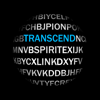 Transcend Theory$12.99
chris rogers
Utilities3.3(7)Description
Transcend Theory: This app is designed to generate random words. What the app does: The idea behind this app is to see if random formations of letters can create words and sounds of meaning. When you press the play button letters from an alphabet list will begin a random formation process at various lengths and intervals. These formations will be used to generate vocal sounds. Text transcriptions of these sounds can be used by turning on the Transcribe feature. The Filter feature of the app can be used to trim and "clean up" these audio clips to produce a more easily understandable interpretation. The result of this process will produce random words and vocal sounds. Settings: In the settings you will find a voice speed slider that can be used to speed up or slow down the voice sounds being produced. The reverb audio effect can be used to create a more spacious sound. A text log will store any text transcriptions you receive. The filter strength option of Low, Medium, and High will determine the amount of the audio segments that can be removed before regenerating a new audio clip. For entertainment purposes only.
- 29
 Plague Inc: Scenario Creator$2.99
Ndemic Creations
Utilities4.1(146)Description
Enter the lab and develop your own custom scenarios for Plague Inc. with this powerful yet easy to use tool. Create new plague types, worlds, events and more and then share them with friends and over 85 million other players! ▶ IMPORTANT - This app is a tool to create custom scenarios for Plague Inc. It is not a game! You need the original Plague Inc. game installed in order to play scenarios. To get the original game - go here: www.plagueinc.com The Plague Inc: Scenario Creator is a powerful yet easy to use content creation tool which lets players bring their deadliest ideas to life as they develop/mod their own custom scenarios for Plague Inc. and then share them with the world ◈◈◈ Push your creativity and imagination to the limit ◈◈◈ Want to make a cat pandemic, an infectious political meme or an alien parasite that makes people’s heads explode? How about a government that evacuates the population of Madagascar to the moon, a youtube star that turns people into zombies or a travel company that operates hundreds of flights to Greenland every day. Maybe you want to just want to accurately model how a real life disease might spread... With the Plague Inc: Scenario Creator - you can do all this and lots more! Unleash your creativity and show the world your wonderful/twisted/weird/scary [delete as appropriate] creations. ◈◈◈ Access powerful developer labs ◈◈◈ The creator contains five labs, each with a specific focus. Choose which of them you want to use for any given scenario: ● Core lab: Edit core scenario information, write background narratives, set win conditions, edit translations and more ● Disease lab: Develop a bespoke plague with unique stats and fully customised symptoms, abilities and transmissions. ● World lab: Control country attributes, such as population, climate, health care budgets, and air routes. ● Government lab: Dictate actions taken by governments in response to your disease. Modify existing actions or create entirely new ones. ● Events lab (advanced users): Create game-changing events and narrative pop ups for your scenario using powerful scripting tools. ◈◈◈ Share your scenario to make it go viral ◈◈◈ Once you’ve made your scenario - choose who you want to infect with it: ● Share scenarios directly with friends by sending them an email (or link in Twitter/Facebook etc) ● Publish your best scenarios worldwide to over 85 million players with the press of a button then see statistics on how many people play your game and what they think about it. Make your virus go viral! :P ◈◈◈ Like Plague Inc. on Facebook: http://www.facebook.com/PlagueInc Follow me on Twitter: www.twitter.com/NdemicCreations ▶ IMPORTANT - This app is a tool to create custom scenarios for Plague Inc. It is not a game! You need the original Plague Inc. game installed in order to play scenarios. To get the original game - go here: www.plagueinc.com
- 30
 atvTools$0.99
Oleksandr Hamlii
Utilities4.7(25)Description
App developed to control your TV devices from your iOS devices. You need to have enabled USB/Network debugging on your Android device to get it work Depending on the device, some functions may not be available. Also it is not tested App allows: - Install (sideload) apps from your iOS device to your TV devices - Control your TV apps (include opening, uninstalling, disabling/enabling and downloading APK) - Control apps permissions (grant/revoke) - Build-in File Manager - Make screenshot or screenrecord (you can't capture any video content due to OS restrictions) - Send files from your phone to TV - Control your device using remote control and mouse mode in the app - Open channels on your iOS device (only Android TV 8+) - Paste text from your phone - Run Shell commands - Clear all apps cache using one button - Reboot and power TV device - See usage of CPU, RAM, network and storage - See running apps and force-stop them if needed
- 31
 Flat Earth Sun, Moon & Zodiac$2.99
Blue Water Bay
Utilities4.7(195)Description
Flat Earth Sun & Moon Clock: A Conceptual Exploration of Time, Sky, and Seasons The Flat Earth Sun & Moon Clock lets you track the sun and moon's positions across the AE (Azimuthal Equidistant) map. Observe the rhythm of day and night, and watch the sun’s 28-day cycle lap the moon. Explore seasonal changes as the sun moves between the Tropic of Capricorn and Cancer, and gain insights into celestial mechanics from an alternative perspective. Key Features: • Friend Finder: • Featured Video: Daily educational content on the sky clock, with an archive to revisit past videos. • Connect with like-minded users worldwide. Share your location or keep it private, with options for messaging, group chats, voice, and video calls. (Outgoing calls and messages requires one time yearly app subscription) • Match Maker: Find a special like-minded someone within your selected radius. • Meetup Maker: Create or join local meetups and receive notifications for new events. • Messaging: Exchange 1-on-1 messages or join groups that include video chats (requires one time app yearly subscription). • Zodiac Star Wheel: Track sun and moon positions through astrological cycles. • Books: Explore flat earth-related books for all ages, from new works to classics. • Homeschool Links: Curated content for homeschooling families, including memberships to private social media groups. • Time-lapse: Watch sun and moon movements and see day-night cycle changes, especially during equinoxes. • Customizable Backgrounds: Choose from Antarctica, high-altitude balloon shots, or ocean vistas, or upload your own. • World Compass: Visualize how circumnavigation on a flat Earth model actually works. • Analog Clock: Track the sun and moon with an analog clock showing day and night cycles. • Local Weather: Get daily weather, temperature, and sunrise/sunset times (ad-free, detailed forecast requires one time app yearly subscription). • World Weather on AE Map: Real-time weather data, including wind patterns and magnetic flux lines, compared to the globe model. • Sunrise & Sunset & Moon Phase Percentage: Includes daylight savings, 12/24-hour clock, and language options. • Shopping: Browse flat earth-related products, books, and community-created items. Additional Features: • Multi-language videos and content • Censorship-free video search (requires one time app yearly subscription) • Flat earth images and gifs (search images feature requires one time app yearly subscription) • World time in any location • Countdown timer for upcoming events • Referral feature to invite friends and earn $DOME crypto currency • Delete account and all records anytime via Friend Finder log out or settings. Subscription Information: A one time all inclusive yearly subscription of $10.99 USD unlocks ALL premium features, including profiles, messaging, calls, Match Maker, meetup creation, uncensored video/image search, detailed weather services, and future feature updates. Compatibility: • Requires iOS 14.0 or later • Compatible with iPhone 6 or later For more details, review our Terms & Conditions and Privacy Policy.
- 32
 Conduit Bender Elite - Calc$7.99
Cyberprodigy LLC
Utilities4.8(1.7K)Description
Conduit Bender Elite™ is an easy-to-use calculator designed to save Electricians time calculating, marking, and bending conduit. Packed with diagrams and step-by-step help for the various bends you will be performing, Conduit Bender Elite™ is unlike any conduit bender app in the market. It simplifies the math and lets you focus on the installation. Bend Types Supported: -Offset (Far Bend Critical) -Offset (Near Bend Critical) -Rolling Offset (Far Bend Critical) -Rolling Offset (Near Bend Critical) -Three Bend Saddle -Four Bend Saddle -Parallel -90° Stub-Up Bend -Kicked 90° Bend -Segmented 90° Bend -Back-to-Back -Rectangle Obstruction -Square Obstruction -Round Obstruction -Digital level is available as an in-app purchase Preference settings allow all calculations to be performed using inches or centimeters. Deduct settings for 90° bends can be customized for ½” through 4” conduit (16-103mm). If you are not 100% satisfied with this calculator please email us at [email protected] so we can make things right before posting negative reviews. We are also open to any suggestions you may have for future enhancements to this calculator.
- 33
 Piping DataBase - XTREME$9.99
Radin Alcira
Utilities5.0(13)Description
Now the largest piping database reference - free in-app purchases. One price - All in! FOR A LIMITED TIME! Download now the complete library modules. Select the "+ Modules" tab to download your free modules. You will see the price as $ 0.00 for each in-app purchase. Tap the button to download for free, for a LIMITED TIME only. Continuous update for the biggest piping mobile application. We never stop adding, users are assured of new modules courtesy of requests by thousands of users. Presented in a very simple set-up – scroll to different components per category. Figures in standard piping symbols, drawn by CAD software. Dimension units are interchangeable and displayed in standard drafting practice. No need to view multiple pages, one stop per category. All relevant piping data are shown for every tap, no fancy displays, direct and easy to understand plus a guide per info page. The best reference for piping layout, isometric drawings, shop and field drawings, detailing and material take-off! Anytime, anywhere and any situation! We welcome suggestions to make this application the best piping reference app. If you want specific piping component to be included, please send feedback on the customer reviews and the most requested will be added ASAP!!! COMPONENTS: (all available here) - Fittings: 90/45 deg. Elbows, 90 deg Reducing Elbow, Straight & Reducing Tee, Straight & Reducing Cross, 180° Return, Coupling, Cap, Concentric & Eccentric Reducers, Lap Joint Stub End (BW, Socket Welding & Threaded) - Flanges: Welding Neck, Socket Welding, Slip-On Welding, Threaded, Blind & Lapped with quantity of Bolts, Diameter and Length. All class ratings, including RF & RTJ facings. (B16.5) - Valves: Gate, Globe, Check, Ball, Butterfly & Control Valves (Flanged, BW, Socket Welding and Threaded connections) - Pipe Schedule: STD, XS, XXS & all Schedules including API Specification 5L with weight of empty steel pipe or with water per foot/meter length. - Branch Connections: Welding, Socket & Threaded Outlets and Elbolets. - Line Blanks: Figure-8, Paddle Blanks & Paddle Spacers - Gaskets: B16.20 and B16.21 (non-metallic flat gaskets and spiral-wound, ring type joint and jacketed) - Suggested Pipe Support Spacing (New) - Malleable Iron Fittings (ASME B16.3) - Orifice Flanges (ASME B16.36) - Pipe Spacing - Large Diameter Flanges (ASME B16.47) - Flange Joint Bolt Tightening Sequence (single tool) Quick Tip: When in inches units, display shows decimal inch. To view in fraction, tap any dimension and will reveal the inch fraction equivalent.
- 34
 Vidimote for Safari$2.99
IOSPIRIT GmbH
Utilities4.8(10)Description
Control playback, speed (& more) of web videos in Safari - with this clever web extension. The Vidimote upgrades for your video watching experience: • SPEEEED: watch videos at up to 2 x original speed, finely adjustable in 5% steps. Save time watching videos - without missing out on any content. Or watch a live stream's recorded part at increased speed - until you're "back to live". • CONTROL: jump ±10 seconds, use the position slider and - of course - play and pause. • SKIP: quickly skip to the end of a video you don't want to see • ACTUAL TIME REMAINING: see how much _actual_ time remains to the end of the video - adjusted to the playback speed. • LIVE STREAM CLOCK: see the approximate clock time for your current position in the live stream, making it really easy to find f.ex. the beginning of a show. • PICTURE IN PICTURE (PiP): move web videos to picture in picture - and continue watching while using other apps. • FULLSCREEN: enlarge web videos to fullscreen. • MUTE/UNMUTE: mute and unmute web videos. SUPPORTED WEBSITES Vidimote was written and designed to work with HTML5 web videos everywhere - and in our testing it has, including the websites of Netflix, Amazon Prime Video, YouTube, Vimeo, Dailymotion, Twitch, TED.com, Udemy, Khan Academy, MagentaTV, Twitter, TikTok, Reddit, Facebook, ownCloud, Nextcloud, Dropbox, Amazon Drive, Google Drive and OneDrive. Given the sheer number of websites out there, however, we can't guarantee that Vidimote works with every single web video out there. If you run into a video where it doesn't work, please let us know via our website's contact/support form.
- 35
 Ceiling Fan Balancer$2.99
pseudomath LLC
Utilities4.2(116)Description
No guessing. No trial and error. Fix the wobble quickly and easily! Dynamically balance your ceiling fan using your phone. This app determines which blades and where to place weights to offset the wobble. Preparation: •Clean fan. •Tighten all screws. Instructions: •Draw a dot on masking tape and place it on the fan. •Number the blades. •Hold phone under the fan and record the wobble. Check Wobble: •Simply point the camera at the dot to get the wobble strength in realtime. Balance Fan: •Place a clip on each blade. Record the wobble of each blade. The best position to place counterweights is calculated.
- 36
 Direct Remote for DIRECTV$0.99
David Likosar
Utilities3.8(1.1K)Description
Direct Remote is a Wi-Fi remote control for your DIRECTV receiver that allows you to control your receiver using your iPhone, iPod touch or iPad from anywhere on your Wi-Fi network. Works with Genie Client Receivers as well as RVU enabled TV sets. See notes below to check compatibility with your DIRECTV system. Features: • Voice control for DIRECTV receivers! • Control using gestures or a more traditional touch interface • Quick tuning for up to 65 favorite channels • Shortcuts and home widgets • Program guide for favorite channels • Displays program information and name of the program you are watching • Automatically discovers receivers on network • Enables easy control in dark • Allows control of every receiver on the network with one device • Receiver can be hidden in a cabinet or another room • Works with DIRECTV receivers enabled for network control (see compatible models below) *** Requires iOS 10.0 or higher. Notes: • Receiver must be connected to Wi-Fi network in order for this app to work. One way to check this is to push the right arrow on your remote control. If you have access to Internet connected apps, your receiver is connected to the network. • Compatible models are all Genie receivers and clients, HR20, HR21, R22, R23, HR24 and H21, H23, H24, H25 and all newer receivers. Also works with 3rd party RVU enabled TV sets. You can verify your model by looking under the front panel door of your receiver. • Controls DirecTV receiver only, will not control your TV power or volume If you have any questions prior to purchasing, feel free to contact me using the support link.
- 37
 Blue Iris$9.99
Ken Pletzer
Utilities3.4(34)Description
This app is a CLIENT for the Blue Iris Windows PC software. In order to make use of this app, you must have Blue Iris version 6 installed and running on a Windows PC or VM. Instructions for connecting this app to the PC software are found in the Remote Access chapter of its Help file. This app provides a single point of contact to your home camera network. There is no need to insecurely open individual cameras to the Internet. This app connects using a secure and session-based protocol--no passwords are transmitted in plain text. Remote access does require router configuration or NGROK, which you can test without the app by using Safari. You should see your Blue Iris login page. Key features include: - Manage multiple Blue Iris installations - Geofencing: set status, send alerts, and more in response to device location * - Control the shield icon, schedule and profile selection - Receive iOS push notification alerts when a Blue Iris camera is triggered or there is a critical status message - Fast H.264 streaming - Control PTZ, IR and more for any camera that’s also controllable at the Blue Iris PC - Listen to and talk to any camera that’s also supported at the Blue Iris PC - Navigate cameras by tapping and swiping - Review recordings as stored on the Blue Iris PC, up to 64x speed - Download recorded video from the Blue Iris PC to the iOS device - Selectively delete recordings from the Blue Iris PC - Broadcast live video from the iOS device directly into a Blue Iris PC camera window - Remote control DIO output signals on compatible devices - Baby monitor functionality: continue to listen to audio with app closed or device in standby ** * Note that continued use of GPS running in the background can dramatically decrease battery life. ** Note that continued use of audio streaming running in the background can dramatically decrease battery life.
- 38
 iUniform AGSU$4.99
John Rudio
Utilities2.4(41)Description
iUniform AGSU is the only app that builds your entire Army Green Service Uniform (AGSU) and shows all the measurements! The app's primary features include: • Display all measurements and spacing details by zooming in. This takes away the guesswork when setting up your own uniform. • Save multiple AGSUs with the option to edit or update later. • Share AGSU images with others. This is a great tool for assisting other Soldiers. • Covers details for all ranks, branches, and genders. • A ruler within the app facilitates on-the-spot uniform adjustments. Square away your team, squad, or platoon. You can build, save, and share your soldiers' AGSUs faster than the time it normally takes to figure out one uniform using a booklet or manual! The iUniform AGSU app was created to make Army Green Service Uniform assembly fast! For now, this app only covers the AGSU.
- 39
 Spark - Ren'Py Novels$6.99
Devon Lewis
Utilities4.6(17)Description
Spark: The Essential Tool for Managing Ren'Py Visual Novels Spark is an independent utility for organizing and launching Ren'Py visual novels. It is not affiliated with or supported by the official Ren'Py project. For any issues with this app, please contact Spark support, not the Ren'Py team. Launch and Play Your Novels with Ease Import and start your favorite Ren'Py visual novels directly in Spark. Once added, your titles are ready to launch with a tap, so you can focus on reading and playing instead of manual setup. Tailored Compatibility for Each Novel Choose from multiple Ren'Py engine versions to match your novel and improve stability: 8.x: 8.5.2, 8.5.0, 8.4.1, 8.3.7, 8.3.4, 8.2.3, 8.1.3, 8.0.3 7.x: 7.8.8, 7.8.4, 7.7.3, 7.6.3, 7.5.3, 7.4.11 Per-novel configuration lets you: - Select the best Ren'Py version for each title - Fine-tune settings to improve quality of life. - Improve performance on complex or older games Note: Performance and compatibility vary by novel. Older titles or very large games may contain bugs or fail to run. Smaller devices can experience rendering issues. Some novels may not work at all, though we strive to support as many as possible. Powerful Save Management Take full control of your progress across all novels: - View all saves in one place instead of hunting through folders - Backup saves before big choices or endings so you can revisit them anytime - Restore old saves if something breaks or you want to replay a specific branch - Import saves from other devices and delete unwanted saves to keep things tidy Organize Your Entire Library Keep your Ren'Py collection clean and easy to navigate: - See all installed novels at a glance - Rename titles to match your personal library style - Manage multiple versions of the same novel, such as different language patches or updated builds Flexible Novel Import Add new novels from a variety of common formats: - Import from zip, apk, 7z, tar, or rar files - Quickly bring in titles from backups, downloads, or other devices Once imported, novels become part of your Spark library with version and save management ready to use. Ren'Py-Specific Tools and Enhancements Dig deeper into your visual novels with advanced utilities: Gallery Viewer - Browse novel assets directly inside Spark - Inspect images and other media used by the game Variable Editor - View and edit game variables while playing - Skip grinding, fix bugged flags, or jump to specific routes by adjusting in-game values On-Device Translation - Translate novels using Apple’s on-device translation system - Make foreign-language titles more approachable without leaving the app - Keep translations private and fast by staying on your device Your Gateway to the Ren'Py Visual Novel Universe While Spark is not affiliated with Ren'Py, it is designed as a powerful companion for players who want full control over how they install, launch, customize, and maintain their Ren'Py visual novels in one place. Additional Licensing Information Ren'Py includes free software licensed under various terms, including the GNU Lesser General Public License. For a complete list of included software and license details, please visit the official Ren'Py website. Terms of Use https://spark.devl.ai/reference/terms/
- 40
 FE File Explorer Pro$4.99
Skyjos Co., Ltd.
Utilities4.7(842)Description
FE File Explorer Pro is a file manager app on your iPhone and iPad. It can access not only local files, but also files on your computer, NAS and cloud storages. Transfer files among those locations. Stream movies and music to your iPhone/iPad. Directly view and manage documents, photos, files on your computer and cloud without downloading to your iPhone/iPad. FEATURES: * Access network shares on macOS, Windows, Linux, Time Capsule, NAS via SMB/CIFS protocol. * Access WebDAV Server, FTP Server and SFTP Server * Access cloud storages: Google Drive, Dropbox, OneDrive, Box. * Automatically discover comptuers, NAS and servers when you setup new connections. * View, copy, move, rename and delete your files right on iPhone/iPad. * Stream movies and musics from network shares and cloud storages to iPhone/iPad. * AirPlay photos, musics and movies on Apple TV. * Sort and search files * Archive and unarchive files * Dark Mode * Multiple windows on iPad * Integrated with iOS Files app * Distribute configurations via MDM (Mobile Device Management). * Built-in FTP Server and HTTP Server * File Transfer: Copy files among servers, cloud storages, iPhone and iPad. Transfer files by drag and drop. Nearby file transfer: Directly transfer files between two nearby iOS devices without Wi-Fi or LTE connection. ===== CONTACT US ===== Email: [email protected] Twitter: @SkyjosApps Facebook: @SkyjosApp
- 41
 Call Ranger: Mass Call Blocker$4.99
Konstantinos Papadakis
Utilities4.3(281)Description
Block entire area codes, country codes, or any phone number range with Call Ranger! We've built this call & SMS spam blocker that uses pattern matching with up to 12-digit wildcards and allows you to block billions of phone number combinations with just one rule! GLOBAL EXAMPLES: • US: "+1 415 XXX XXXX" → blocks +1 415 000 0000 to +1 415 999 9999 • China: "+86 10 XXXX XXXX" → blocks +86 10 0000 0000 to +86 10 9999 9999 • Japan: "+81 3 XXXX XXXX" → blocks +81 3 0000 0000 to +81 3 9999 9999 • South Korea: "+82 70 XXXX XXXX" → blocks +82 70 0000 0000 to +82 70 9999 9999 + Works with all countries worldwide KEY FEATURES: • NO registration • NO subscription • NO extra fees • Blocks both phone calls and text messages • Create unlimited blocking rules • Privacy assured - all data stays on your device HOW IT WORKS: 1. Enable Call Ranger in iOS Settings: Phone → Call Blocking & Identification 2. Enable Call Ranger in iOS Settings → Messages → Text Message Filter 3. Tap the "i" button next to a missed call → "Share Contact" → "Block similar numbers" → Select how many digits to block (up to 12-digits!) and you're all set! PRIVACY ASSURED: All data and blocking rules stay on your device. Call Ranger does not access or store your personal information.
- 42
 Frame Crop – Art Mode$7.99
Shane Jeffers
Utilities4.6(39)Description
Browse and download artwork, paintings, and photos for your Samsung Frame TV or Hisense CanvasTV from Frame Crop's integrated libraries including Smithsonian, Wikimedia Commons, and Unsplash. Effortlessly crop and display your photos to fit the borderless display of your Samsung Frame TV or Hisense CanvasTV. Showcase your favorite memories, beautiful landscapes from your travels, or professional artwork/paintings from our integrated Smithsonian Open Access, Wikimedia Commons & Unsplash library right on your Samsung Frame or Hisense CanvasTV. NEW: Upload your own personal photos and artwork directly to your Samsung Frame TV for a truly personalized art experience. Plus, you can now directly connect to your Frame TV and upload images, making it easier than ever to share your favorite memories and artwork. Create your own account and start building custom collections of art, where you can share your favorite pieces with others and discover new art from around the world. With Frame Crop, you can easily turn your Samsung Frame TV or Hisense CanvasTV into a beautiful, customized art display. Key Features: • Intuitive photo cropping tools to perfectly fit and display images on your Samsung Frame TV & Hisense CanvasTV • NEW: Direct upload capability - send your processed images straight to your Samsung Frame TV • Batch processing for local images - select and process up to 10 personal photos at once with automatic cropping • Auto-cropping functionality for locally selected images • Download indicators that show which images you've already added to your collection • Downloaded images list accessible in settings for easy art collection management • Support for portrait-mounted Frame TVs • Search and browse a vast library of art, landscapes, animals, and more from Smithsonian Open Access, Wikimedia Commons & Unsplash • Discover the most popular art across all 3 art sources
- 43
 KeyCard BBM$1.99
Marlon Milanes Rivero
Utilities4.7(1.5K)Description
KeyCard BBM is a modern digital wallet designed to organize your cards, manage your KeyCoin balance, and access digital services through a fast, secure, and intuitive iOS experience. Everything you need, all in one place. ALL YOUR DIGITAL ESSENTIALS, ORGANIZED Store and manage your cards with a clean and modern interface: • Custom-designed cards A smooth and visually refined experience optimized for iOS. KEYPAY: REAL-TIME BALANCE MANAGEMENT KeyPay lets you handle your KeyCoin balance quickly and securely: • Top up with debit and credit cards • Apple Pay (if available in your region) • Send KeyCoin to other users • Detailed transaction history Every transaction is processed securely and transparently. KEYSTORE: INSTANT ACCESS TO DIGITAL PRODUCTS Purchase digital items and receive them automatically inside the app: • Gift Cards • Online services • High-speed VPN plans Purchases are delivered within seconds, ready to copy, open, or scan via integrated QR codes. ADVANCED SECURITY KeyCard BBM is designed with a strong focus on privacy and data protection: • Full encryption • Secure Sign in with Apple and Google • No sensitive data stored beyond your control • Guest mode available • Optional KYC verification with exclusive benefits BUILT-IN VPN ACCESS Connect to fast and reliable VPN servers using Outline and WireGuard technologies: • Secure browsing • Low latency • Stable connection Access keys are managed directly through the KeyStore. MODERN AND OPTIMIZED DESIGN • Fluid animations • iOS-inspired visual style • Light and Dark Mode support • Dynamic card layouts • Fast, intuitive navigation ADDITIONAL FEATURES • Detailed purchase views • Instant digital receipts • Smart copy for codes or links • Built-in QR scanner • Remote syncing • In-app customer support A COMPLETE ECOSYSTEM KeyCard BBM is part of the InnovAppSoft digital ecosystem, created to offer modern, secure, and efficient tools for managing digital products and KeyCoin services. Download KeyCard BBM and experience a better way to manage your digital products and KeyCoin balance.
- 44
 My Classic-Retro Console$2.99
Raster Field Co., Ltd.
Utilities3.7(407)Description
Recreate the classic Game Boy appearance Retro button operation, bringing a unique user experience Built-in mini-game, music player, stylized camera, and multiple themes available for selection. Terms of Use: https://www.apple.com/legal/internet-services/itunes/dev/stdeula/
- 45
 Banish - Block 'Open in App'$2.99
Big Pineapple LLC
Utilities3.8(259)Description
BANISH. The #1 Safari Extension to block annoying 'Open in App' popups & other dark patterns on the web. “Banish does one thing and does it well: it nukes dickpanels in Safari on iPhone and iPad” — John Gruber, Daring Fireball "The app proved incredibly useful. For instance, when on Quora, clicking a link to another Quora page would normally pop up a blocker that requires you to log in to continue navigating the website. With Banish, this pop-up was gone and you could use the site normally" — Sarah Perez, TechCrunch PRIVATE Banish does not collect or store any of your data - nothing leaves your device. BUY ONCE Just a one-time purchase and Banish is yours. No subscriptions, no in-app purchases, no ads, no nonsense. FAST The app performs the minimal, necessary changes to block popups and free up screen space. SIMPLE It's as easy as downloading the app and enabling it in Safari settings. No maintenance needed. MODERN Banish is written in Apple's latest programming paradigm Swift UI and Safari Extension functionality. --- NOTE: Even with Banish, Smart Banners can still appear at the top for apps you have installed. They can't be removed because they're built into Safari. Need Help? Contact us at [email protected]
- 46
 Clock Wave$1.99
震 任
Utilities4.8(27)Description
Clock Wave allows you calibrate radio controlled watch or clock anytime and anywhere. Just click "Transmit" button, set your watch or clock to manual receive time signal, and place it nearby your iPhone/iPad's speaker, it will be calibrated in a few minutes. Clock Wave features: - Covers 5 major longwave time signal stations all over the world. * USA: WWVB * Japan: JJY * China: BPC * UK: MSF * DE: DCF77 - Automatically transmit the accurate time. * If your radio controlled watch/clock doesn't support station BPC, select station JJY manually to use in China. * If your radio controlled watch/clock doesn't support station MSF, select station DCF77 manually to use in UK. * If your radio controlled watch/clock support only a specified timezone or station, (e.g. Using a radio controlled clock support only JJY station in Australia.), select the watch/clock timezone manually in app settings.
- 47
 Vinegar - Tube Cleaner$1.99
And a Dinosaur
Utilities4.5(93)Description
Vinegar is a Safari extension that replaces the YouTube player with a minimal HTML video tag. It removes ads, restores picture-in-picture, and allows videos to play in the background when set to audio-only quality. Note: The phrase 'can read and alter webpages' in the permissions section is just an unfortunate choice of words. Vinegar needs access to the webpage to find the YouTube player and replace it. It's not doing anything creepy! (Also, do check out Vinegar's companion app, Baking Soda. It's essentially a less powerful version of Vinegar, but it works on all websites except YouTube.)
- 48
 iConnectHue for Philips Hue$3.99
Stefan Gohler
Utilities3.9(70)Description
Discover a whole new world of lighting with iConnectHue, the ultimate Philips Hue app! Transform your lighting experience with our smart timers, customizable switches & widgets intuitive sleep timers, allowing you to adapt your Hue lights effortlessly for every occasion. Whether you yearn for a soothing ambiance or a lively party atmosphere with Discotainment (optional), iConnectHue has you covered! Immerse yourself in striking calibrated colors via ChromaSense, captivating gradients, and enchanting Magic Scenes, perfect for any mood. Dynamic Animations breathe life into your home with lively colors! For lightning-fast access to daily actions, customizable widgets are at your fingertips. 400000+ installs: Join us and elevate your Hues to new heights with iConnectHue! Celebrated 5x as Philips' App of the month, we've created a potent, yet user-friendly interface that simplifies complex tasks. More about all fantastic possibilities: iconnecthue.com/features PLEASE NOTE: In case you run into any trouble: contact us! Our team will try hard to resolve any problem that you may encounter. The basic app includes: • Full feature set: control almost every aspect of your Hues +constant updates • Family focus: Scene sharing, family geofencing (first one turns on the light, last one off - optional), group hiding • Everything non-music related happens on Bridge - your iPhone stays off! • Color animations on bridge. No empty batteries, everybody w/ iConnectHue can stop them! • Calibrated color picker w/ great gradient modes • Create beautiful Magic Scenes, color your home - they work for every group/gradient light, super easy to create • Drag&drop colors between lights • Multiply the possibilities of your switches & Motion Sensors! More flexibility than any other app on market (iconnecthue.com/features) • Create the Home widget you want! Add scenes, switches, sleep timers, reminders, dimmers, motion sensor temperature & more • Access your lights and timers when not at home • Intelligent timers: Start them by time and day, by condition (on/off or presence - w/ optional Automation), use colors & scenes, use random offsets, use sunrise or sunset time • Instant timers: Darken lights when you go to bed, let your lights remind you, transition to scenes • Find new lights & devices, add lights from other Bridges, update your firmware • Integrated tutorials and FAQ make it easy to understand the usage and to solve problems • Supports all Hue Zigbee hardware & many 3rd party lights HUE BRIDGE V2/PRO REQUIRED! Latest or last iOS/watchOS. To allow further development, additional modules are available via in app purchase or Membership: • Animation Upgrade: unlimited animations, upload to switches, use them on your Apple Watch, widget & timers • Discotainment: sync lights to music with Hue Entertainment, make your home a Disco - works with every source thanks to microphone • Weekend mode: let your switches and sensors act differently on week/weekend • Watch Plus: control your groups, adjust their brightness and load their scenes • Home&Away turns off lights when first arrives & last left +individually by user • Additional Animation & Magic Scene packages • Yearly feature upgrades Memberships Basic • All purchases, share your content, many&large Widgets, 2 Bridges @1 location, gradient light animations Pro: like Basic plus • Many bridges @ multiple locations • Dashboard on Home view • Sync Box support • Light wizards: easily replace old lights, set startup mode via batch & on light search • Daylight & Incandescent light mode • Widget on Apple Watch • Group picture&widget • Apple Family Sharing of membership • Advanced Shortcuts • +More: iconnecthue.com/pro Options&pricing: iconnecthue.com/app-options It's less than a single Hue light! We want the best app for you and invest time and money. More: iconnecthue.com/app-costs It's the most comprehensive Hue app available: iconnecthue.com/features/ Terms: iconnecthue.com/terms/eula_en.pdf
- 49
 iDOS 3$4.99
潮激 李
Utilities4.7(12)Description
Play classic DOS games on your iPhone and iPad! iDOS turns your device right into a powerful DOS gaming PC, with modern game control to make your old favorites as playable as possible. You can also use iDOS for non-gaming purposes, such as word processing, casual programming. Apps in the DOS days are often simpler and surprisingly productive. KEYBOARD iDOS provides a PC compatible on-screen keyboard with carefully designed layouts for different devices and orientations. The keyboard has a sliding control in landscape mode so that you can keep it from covering critical part of the screen. Bluetooth keyboard is fully supported on iOS 14+. GAMEPAD iDOS provides a virtual gamepad with key bindings that are fairly common in DOS games. You can customize the bindings. The DPAD works in 8-axis way. It can also be toggled into a joystick. External bluetooth game controllers are supported. Make sure your game controller is connected (System Settings->Bluetooth). To customize button bindings, go to iDOS in landscape mode, tap on bluetooth icon on the auto-hiding top bar. MOUSE The screen area serves as a trackpad for moving mouse pointer. Tap on the screen for left click. If direct touch is enabled, the mouse pointer will move to where you tap. Hold one finger on the screen, and tap with another finger for right click. On-screen mouse buttons are also provided for your convenience. Bluetooth mouse are fully supported on iOS 14+. AUDIO iDOS supports mt32 emulation, MIDI sound fonts, cuesheet based CDimage with compressed audio tracks (ogg/mp3/flac). SUPPORT - Visit https://litchie.com/dospad for more information - Send email to [email protected] - Follow the developer on Twitter: https://twitter.com/litchiedev - iDOS is open source, report issue on https://github.com/litchie/dospad
- 50
 Number Shield$2.99
Kinnaman Software LLC
Utilities4.1(119)Description
Block annoying scammers who hide behind fake phone numbers. Do you get unwanted calls or text messages from phone numbers similar to your own? With Number Shield, block an entire group of numbers at once. Just enter a wildcard for each digit you want to block. For example, if your number is 714-555-1234, scammers might use a number like 714-555-6789. Block all similar numbers by entering 714-555-####. Wildcards and numbers can be combined in any order you choose. Block international numbers, too! To make sure you don't miss calls from your family and friends, phone numbers in your contacts are always allowed. Block numbers directly from your phone's missed calls screen. Just follow these steps: 1. Tap the “ i ” button next to the missed call. 2. Tap “Share Contact”. 3. Tap “Block Similar Numbers”. (If you don't see this action, tap “Edit Actions...“ to enable it.) 4. Now you'll see the Number Shield number entry screen. Tap “Done” to block calls from similar numbers. Please note: • Each number pattern can contain up to 7 wildcards, and up to 50,000,000 phone numbers can be blocked. • Blocked calls are sent directly to voice mail. • Blocked text messages are sent to the “Junk” filter in the Messages app. • iMessage messages are not blocked. • When “Do Not Disturb” is enabled on your phone, calls that should be blocked may appear in your phone's list of missed calls. More information about caller ID spoofing in the United States is available from the FCC: https://www.fcc.gov/spoofing
- 51
 iTest.$0.99
Hugh Jeffreys
Utilities4.4(50)Description
iTest lets you easily test a device without the need to use multiple apps or dive though various system settings. Providing you with the convenience of both a guided semi-automatic test mode and a list of tests to choose from. With easy to understand instructions and results. Share your results to a perspective buyer or test a used device before buying. iTest can help you make a more informed decision of a devices condition.
- 52
 Any Text · Widgets$4.00
Sindre Sorhus
Utilities4.6(379)Description
Put any kind of text on your Lock Screen or Home Screen so you won't miss it. It could be an important note, your goal, a list of tasks, etc. It also supports Live Activity and StandBy. The app includes 20 widgets that lets you put different text on different Lock Screen configurations or Home Screen. You can style parts of the text bold, italic, or strikethrough using Markdown. Syncs seamlessly across your devices with iCloud. Simply tap the widget to open the app to edit the text. ■ Shortcuts The app is scriptable through the Shortcuts app, enabling a lot of powerful use-cases. For example, you could use an automation to change the text at a certain point in the day or at certain places. The only limit is your creativity. ■ Support You can contact me through the feedback button in the app.
- 53
 Clinometer + bubble level$1.99
Peter Breitling
Utilities5.0(3)Description
This professional tool called Clinometer is the most precise (all you can get with some calculations) slope measurement tool for the iPhone, iPod Touch and iPad using all sides of the device plus the camera. It can be used for simple applications like aligning a frame as well as for more sophisticated fields of applications where an arbitrary slope needs to be measured exactly. Read the reviews (and write your own) for all the applications you find! Thank for all your positive feedback! Please use our support link if you have questions and suggestions, we don't read the iTunes reviews every day! With this tool, the slope can be measured by all edges of the device and through the camera. The current features include: ◆ 3 Modes (incl. auto switching): Clinometer mode (auto when holding upright), Camera mode (any direction, manual activation) and Bubble level (smoothly fading in when holding flat). ◆ Relative angles: Besides measuring absolute angles, for every mode you can measure the relative angle between device positions ◆ Advanced two way calibration on all sides: For every 4 sides plus the bubble mode you can calibrate in two steps, which allows you to calibrate exactly even on non-level surfaces. Each direction can be calibrated individually to achieve the optimal precision. ◆ Speech synthesis: The device will speak the current reading, so you don't have to watch the display while measuring/aligning your object. ◆ Five different unit modes: The device can display the slope in degrees (rounded or in tenth of degrees), percentage, rise over run (common for roof slope measurement in :12) and 1V:H (common in engineering) ◆ Dial Rotation: You can smoothly rotate the background dial and thus define which side of the device represents 0° and 90° degrees. ◆ Motion-sensitive Lock feature: Besides the common instant simple tap hold mechanism you can activate the motion-sensitive lock. If activated the device waits for the final lock until you hold your device steady enough for at least 2 seconds. You can set the lock sensitivity between 0.1° and 1.0° degrees. ◆ Peer Mode: Use two devices to measure angles: One as a display, the other as the measurement device that can be attached to the hardware you want to align. ◆ Fullscreen Mode: The full screen mode can be toggled by tapping the center of the screen and by the upper and lower arrows in the center. This prevents you from erroneous inputs while measuring. ◆ Different color schemes: Press the S/C Button to instantly switch the color. The color can be selected differently for the bubble and the clinometer mode. The predefined color sets include day and night color schemes (Black on White, White on Black and Red). ◆ Adjustable Auto-Lock: You can prevent the device from turning into the sleep mode. According to wikipedia: An inclinometer or clinometer is an instrument for measuring angles of slope (or tilt), elevation or inclination of an object with respect to gravity. It is also known as a tilt meter, tilt indicator, slope alert, slope gauge, gradient meter, gradiometer, level gauge, level meter, declinometer, and pitch & roll indicator. For recreational use only. After the calibration it CAN (!) be very accurate especially for the main axis after calibration. The measurement is performed as well as possible (we try our best) by using the three inbuilt accelerometers. THANK YOU FOR YOUR SUPPORT! We will improve the application long-term. This was the first application of this kind shortly after the opening of the App Store. Since then it is continuously updated and enriched with new features.
- 54
 Stardew Save Editor$1.99
Chad Smith
Utilities3.5(11)Description
Enhance your Stardew Valley experience with my Stardew Save Editor. Now supporting Stardew Valley v1.5 and saves from PC, Mac and Nintendo Switch! Features: - Add money - Manage inventory and chest items - Instantly receive missing Community Center items - Send yourself a random daily gift (after Community Center is complete) - Instantly finish all crops, construction, incubators and craftable items - Purchase artifacts, decorations, fish, food, hats, minerals, tools, weapons and out of season seeds - Automatically remove weeds and other debris - Switch between farm types, cave types and professions - Adjust friendship, tool, luck, combat and skill levels - Add or remove pets (have both cats and dogs, or neither!) - Add custom quests and NPC responses - Change your player or farm name - Choose your own weather - Time travel between days, seasons & more You can also edit your farm in the middle of the day! Press "Save Backup" in Stardew Valley to edit the game in progress. This will allow you change time and "Teleport" to anywhere in game: - Visit villager houses and stores, even when they're closed - Access areas like the Greenhouse and Sewer before you unlock them - Shop at JojaMart after they leave town (if you must) - Gain access to 3 more wine cellars - Visit the unfinished Summit (you will need to teleport back) - Jump to any level of the Skull Cavern I originally built this as a tool for myself after having to restart the game, but figured others might enjoy it too. Please email me if you find any issues. Enjoy!
- 55
 AnyFont$1.99
Evo Tec Labs @ Pepperbit Online
Utilities4.3(1.6K)Description
*** COMPATIBLE WITH WORD, EXCEL AND POWERPOINT FOR IOS *** With AnyFont it is finally possible to install any additional font in TrueTypeFont- (.ttf), OpenTypeFont- (.otf) or TrueType Collection- (.ttc) format on your iPhone or iPad. These fonts can then be used throughout the system in other apps like Word, PowerPoint, Pages, Keynote and many more. No more unexpectedly replaced fonts in presentations because the iPhone or iPad does not know them. The perfect solution for everybody who creates presentations on a Mac or PC to show them on their iPad. Extremely easy to use. An extensive FAQ and an introductory tutorial help you to understand the app. Check out this video tutorial: https://www.youtube.com/@AnyFont-iOS Features: - Add new fonts as .ttf, .ttc or .otf file using iTunes file sharing or the „Open in…“ dialog from other apps like Mail or Dropbox - Add single fonts or multiple fonts as a ZIP- or TTC-file - Install single fonts or multiple fonts at once - Preview your fonts in AnyFont’s storage - Access FontBundles.net from within AnyFont - Optional bundle of 1,000+ fonts (In-App Purchase) - Complete list of all installed fonts on the device - Support for Dark Mode (requires iOS 13) Working with: - Word, Excel and PowerPoint - Numbers, Keynote and Pages - Cricut Design Space - Office Suite Pro - Office²HD - and many other apps! YouTube channel with tutorials: https://www.youtube.com/@AnyFont-iOS AnyFont website: http://www.anyfont.app/ NOTE: It is not possible to change the system-font on your device with AnyFont. With AnyFont you can install additional fonts on your device which can then be used by other apps which make use of the device's font book. NOTE II: Some fonts using Cyrillic or Asian characters are not supported by this way of installing fonts. NOTE III: You don't have to purchase the optional font bundle to use AnyFont. You can always add your own fonts to install them on your device.
- 56
 Remote Mouse Pro$14.99
耀 阮
Utilities4.6(902)Description
Remote Mouse™ transforms your mobile phone or tablet into an easy-to-use remote control for your computer, complete with a cross-device clipboard that enables seamless text and image transfer across platforms. It mimics the functions of a wireless mouse, keyboard, and touchpad, and also offers various specialized control panels that enhance your control over specific operations. The small features, designed for one-handed use or intuitive operations, will delight you. Featured on CNET, Mashable, and Product Hunt, Remote Mouse is recognized as one of the most sophisticated and user-friendly computer remote apps. With over 20 million users worldwide, it's a trusted choice for effortless computer control. Whether you're watching a movie online, giving a presentation, or shutting down your computer with one click, nothing can be more convenient than having a mobile phone remote at your fingertips. Mouse • Fully simulated mouse function • Gyro mouse is a feature that allows you to move the mouse cursor with a gyro sensor • Left-handed mode Keyboard • Integrated with system and third-party keyboards, supports typing in various languages • Remotely typing by voice if the soft keyboard supports speech recognition • Supports sending various shortcuts • Displays different keypads for Mac or PC Touchpad • Simulates the Apple Magic Trackpad and supports multi-touch gestures Specialty Control Panels • Media Remote: Control videos, music, and presentations across apps and sites like YouTube, Netflix, Disney+, Apple TV+, VLC, Spotify, and more, automatically adapting to what’s playing. • Web Remote: Supports Chrome, Firefox, and Opera • Application Switcher: quickly launch and switch between programs • Power Options: Supports remotely shutting down, sleeping, restarting, and logging off • Cross-device Clipboard: Allows for the transfer of text and images between your computer and mobile device Other Features • Use the physical volume buttons on the mobile device for remote control • Set a password for the connection • Customizable wallpaper Connection Method • Connect via IP address or QR code • Connect via history Operating Environment • Compatible with Windows, Mac OSX, and Linux • Works under Wi-Fi or Bluetooth To Get Started 1. Visit https://www.remotemouse.net on your computer and download the Remote Mouse computer server software. 2. Install and run the computer server software. 3. Connect your mobile device to the same Wi-Fi network or use Bluetooth to pair with your computer.
- 57
 BalusterPro$2.99
Greg Gabrio
Utilities4.2(5)Description
***Named one of the top 100 new home products for 2011 in This Old House magazine*** BalusterPro is a unique and handy tool designed for carpenters and woodworkers, but useful for do-it-yourselfers and homeowners alike. BalusterPro makes the chore of calculating spacing of handrail balusters a quick and elementary task. It can also be used for any job requiring equal spacing between boards or slats. Use for picket fences, bench/chair backs,decking or column flutes. ____________________________________ What users are saying: Punch in staircase and handrail dimensions, choose the configuration, and this app saves you the tedium of calculating baluster spacing. Hallelujah. This Old House Magazine BalusterPro is an awesome app and can be used for a multitude of layout tasks, at your desk, on the job, in your car—wherever your phone goes, and it only costs a few bucks. Gary Katz - Master finish carpenter and publisher of THISiscarpentry.com BalusterPro makes building that stairway more heavenly homefixated.com ____________________________________ Instructions for Use: BalusterPro offers calculations for six different common handrail situations which you may encounter. First, tap the settings button to select your measurement input method, then select the desired type of baluster installation. Use the keypad or sliders to enter your measurements for ‘Run Length’ (distance between the newel posts) and the ‘Baluster Width.’ Finally, just drag the ‘Balusters Needed’ slider to see your required number of balusters. As you adjust the ‘Balusters Needed’ slider, the “Spacing Between Balusters” will simultaneously update. Stop when your ‘Spacing Between Balusters’ meets your specific code requirements. Tap the view button to see a list of all the centers and edges of the balusters. No longer will you need to keep pressing the add button on your traditional calculator to list your centers....they are all shown on one screen! It’s just that simple! You can display your measurements by selecting 1/16, 1/32, or metric on the main screen to determine your precision level. If desired you can also display your result down to 1/64. To do this, once you have done your calculation, simply tap the 'Spacing Between Balusters' result and if possible it will be further reduced down to 1/64 and displayed for 5 seconds. This is handy if you want to cut all your fillets at once as it nearly eliminates cumulative error. Tap the speak buttons at the bottoms of the list columns to have the app speak your measurements. ____________________________________________________________________ Check out my other construction related apps...StairBuilderPro for a stair stringer layout tool & TilePro for a simple tile layout tool. ____________________________________________________________________ Check out the video demo at my website to see BalusterPro in action.
- 58
 AdGuard Pro: Safari Ad Blocker$9.99
Adguard Software Limited
Utilities4.3(239)Description
AdGuard is an ultra-efficient ad blocker for Safari. It will not only remove annoying ads but also secure your privacy with advanced tracking protection. AdGuard for iOS is an open source app, it’s totally transparent and safe to use. KEY FEATURES: - Safari ad blocking. Removes all kinds of ads in Safari. Say goodbye to annoying banners, pop-ups and video ads. Whitelist your favorite websites or use manual blocking tool to hide any element on the page. - Privacy protection. The web is full of trackers that literally watch your every click. AdGuard offers a selection of filters aimed directly at trackers and web analytics that will ensure your private data stays that way. - Speed acceleration. Safari browser runs up to 4x faster. AdGuard removes tons of rubbish and you can freely surf the web! - Reduced traffic consumption and increased battery life. Banners and ads sometimes add up to half the size of the page. By blocking them, you’re saving your battery life and Wi-Fi/mobile traffic. - More than 50 popular subscriptions (EasyList, EasyPrivacy, etc.) plus AdGuard's own powerful ad filters, including language-specific filters. Together they don't leave ads a chance. ADGUARD PRO FEATURES AdGuard Pro includes the following features: - Custom filters. Add your own filters by URL even if they are not on the default list. - DNS privacy. Blocking regular online trackers is not enough if you want to assure 100% protection of your online privacy. Choose any of the user-favorite DNS providers or configure a custom DNS server. - Security filters. Protect yourself from dangerous websites riddled with cryptojacking or fraud. * Privacy policy: https://adguard.com/privacy.html * Terms of Use: https://adguard.com/eula.html ABOUT ADGUARD AdGuard is a leading company in developing ad blocking software for multiple platforms. For more than ten years AdGuard has been helping millions of users enjoy safe, clean, and fast internet. Follow us at @AdGuard on Twitter, facebook.com/AdGuardEn/ on FB or send us a message at [email protected].
- 59
 Swimming Pool Calculator$4.99
Fernando Montero
Utilities3.9(38)Description
In this simple and innovative app you will be able to calculate all the necessary chemicals. In addition to being able to solve any inconvenience, such as the water turning green or cloudy. And as if that were not enough, you will see all the actions that you must carry out daily and weekly so that the water is always crystal clear and in perfect condition for bathing. Terms and Conditions https://www.apple.com/legal/internet-services/itunes/dev/stdeula/
- 60
 DRC - Detailing Calculator$1.99
Alfredo Zuniga
Utilities5.0(2)Description
A simple to use app to help calculate any dilution ratio. The Dilution Ratio Calculator (DRC) app is specifically designed for automotive detailing. It will tell you how much water and product you need to get your desired dilution ratio. Simply enter your container size and dilution ratio to get accurate instant results in either Ounces or Milliliters. With the DRC app quickly calculate the amount of water and solution you need wherever you are! Learn what Panel Impact Ratio (PIR) is and how to calculate the right PIR for you. Also has a quick and easy to use Converter to convert Ounces to Milliliters or Milliliters to Ounces. The DRC app also has a dedicated section where you can find a wide variety of products with their dilution ratios. Everything from Detail Spray, Pre-Wash, Shampoo, and Wheel Cleaner. Easy for you to quickly find.
- 61
 Holiday Pay Calculator$0.99
Michael Savacool
Utilities4.0(20)Description
Holiday Pay Calculator is a great tool for United Flight Attendants! This new tool incorporates our new formula for holiday pay in a user friendly format. Simply enter four values: Hourly Pay Rate, Block Hours for the Trip, Time Away From Base for the trip, and Hours on Holiday. The app does the rest, and displays your total Holiday Pay! This app will be continuously supported despite being available for a ONE time fee! The embedded formula will be updated as changes are made to it, and these update will come at NO additional charge.
- 62
 scan my T3SLA$9.99
Amund Borsand
UtilitiesDescription
This app requires some hardware to work: - OBDLink MX+, vLinker FS bluetooth, or S3XY Commander - An OBD2 adapter cable to connect to your car's canbus (the OBD2 port has no data in it) Information and links are integrated in the app and in our home page, scanmytesla.com This app connects to your car's CAN-bus, and can read lots of interesting and entertaining information such as temperatures, motor torque, battery power and capacity, and much much more. This app is not affiliated with Tesla Inc. Most CANBUS packets decoded by Jason Hughes (skie.net) Battery cell info decoded by Jack Rickard (evtv.me) DC/AC Charge counters publicized by "DB 2" HVAC controls by Marc Olivier Chouinard (teslalog.com) Trip recording system idea by Marc Olivier Chouinard (teslalog.com) Model 3 decoding community led by Josh Wardell on https://teslaownersonline.com/threads/diagnostic-port-and-data-access.7502/ Disclaimer This software is not affiliated with Tesla Inc. Information shown in this app was not meant for the public and may be inaccurate, subject to change or disappear as the car gets software updates. This information is presented for entertainment purposes, and for learning more about how your car works. The app can stop working at any time due to firmware changes in the car, or for other technical or legal reasons The information contained on Scan My Tesla mobile app (the "Service") is for general information purposes only. Amund Børsand assumes no responsibility for errors or omissions in the contents on the Service. In no event shall be liable for any special, direct, indirect, consequential, or incidental damages or any damages whatsoever, whether in an action of contract, negligence or other tort, arising out of or in connection with the use of the Service or the contents of the Service. Amund Børsand reserves the right to make additions, deletions, or modification to the contents on the Service at any time without prior notice. This Disclaimer is licensed by TermsFeed Generator.
- 63
 R4 Companion$9.99
Angela Mcarthur
Utilities4.8(570)Description
NOTE: R4 Companion™ requires a Uniden R4 or R4w radar detector with US Version 139 (R4) or 122 (R4w) firmware to function correctly. R4 Companion will NOT function correctly without at least this version of firmware. R4 Companion™ is a feature rich app, designed to give you the most out of your R4, while enhancing your driving experience along the way. Featuring intelligent alerts and advanced muting! R4 Companion™ is the COMPLETE solution to enjoying your R4. SpotLock 2.0 and Advanced False Assist 3.0. Both data driven systems have been updated using 5 years of historical data. This takes your detector to a whole new level of quietness and safety against real threats. The R4 Companion™ app leverages years of optimizations and features from the Radar Companion™ series of apps. (Available separately for owners of the V1, R8, R9, & DS1 radar detectors). Enhanced GPS location based 'false muting' via SpotLocks™ - All future updates to this app are free to purchasers of R4 Companion™ R4 Companion™ feature list: • SpotLocks™ - Location based false silencing has never been this good or easy. Turn on the intelligent location-based learning and let R4 Companion™ do the rest. Or you can manually 'lock' or 'unlock' locations with ease from the main alert screen. • Full navigation functionality in preparation for future CarPlay integration. • New alert screen (portrait & landscape views). *Option to view classic or new alert screen with a tap of a button. • Posted speed limit displayed on main alert screen (US, CA, AU, NZ). • Customizable low speed muting based on PSL. • Quickly switch back from navigation screen to classic alert details screen. • Works seamlessly with the R4's auto mute memory, manual mute memory, k-block, and quiet-ride built in muting. • Option to play detector tones in app. • Ability to set R4’s internal detector settings from the app. *Requires US Version 139 (R4) 122 (R4w) firmware. • SpotLocks™ works seamlessly with your R4’s built in 'auto mute memory' locations. If you create or delete a location from the app it will apply the changes to your R4 at the same time. • 'Proximity' meter - leverages the high resolution signal strength to show you a better representation of the signal's source. • 'K & X falses in area' meter shows you how many possible false alerts exist in the area you are traveling based on the accumulated SpotLock data™. • 'Custom Phrases' for a given threat's audio announcements. • High resolution meters for the priority alert (Not limited to the # of bars on the R4 display). • Customizable heads-up display (HUD). • HUD displays the priority alert's band, signal strength, frequency. The HUD is color coded between real threats & muted false signals. • HUD of the secondary alerts' bands, signal strengths, frequencies, & bogey counts. • Advanced BSM/CAS/Ka False Muting (Optimized for the R4 platform). • 'Ghost' muting quiets false alerts when you are stuck traveling near a false emitting vehicle. • "Passive Mute™"- Quiets the R4 below user set speeds & during weak K & X signals. • Bogey count display showing total number of threats. • Vehicle speed display. Speed is color coded for each alert type. • Mute status with the ability to manually mute/unmute alerts as you need. • Detailed & intelligent voice announcements of band, frequency, strength, number of alerts, occurrences of mixed signals and more. • Automatic muting of Ka, K, and X bands ('Time before mute' set for each band). • 'Reduce Speed' notification for user set speed. • ‘Urgency Alerts™’ - Unmutes growing threats & announces these alerts via voice & notifications. • ‘Alert History’ - View your past alerts with detailed information. • Compass heading. • Detailed trip summary including duration, distance, alerts, muting stats, battery, and more. • Automatic and seamless connection via Bluetooth even while the app is in the background. • iPhone & Apple Watch notifications of Band, & Frequency of each alert. • Help system.
- 64
 Guardhouse$2.99
David Blundell
Utilities2.0(3)Description
With Guardhouse, you can monitor all your HomeKit camera feeds in a single, stylish app that's designed to do one thing, and do it well. Keep an eye on everything from the overview screen, or dive into a specific camera for a closer look, to listen in, or to use the intercom for a two-way conversation on supported cameras. The app works across iPhone, iPad, and the latest Macs. IMPORTANT NOTE: While this app is intended for use with cameras that support HomeKit, it is not affiliated with any specific hardware brand. Please ensure your camera(s) support HomeKit before purchasing this app.
- 65
 Breach Protocol$1.99
Jacob Kelly
Utilities3.4(45)Description
Solver for the Breach Protocol mini-game within Cyberpunk 2077. Earn more eddies and quickhack components at access points by always uploading all 3 datamine daemons (assuming your buffer is big enough). Have all the daemons unlocked (7+) via the Breach Protocol perk tree and legendary quickhacks? The Breach Protocol app will help you upload as many as possible to cripple the enemy network! The Breach Protocol App will find the shortest solution to upload all of your daemons, or tell if your buffer is not large enough to upload them all. If your buffer is too small you can deselect any of the daemons to exclude it and find a shorter solution with only the selected daemons. You can also exit and retry the breach or reload your game to get different sequences. Uses your device's camera and on-device text recognition to read the matrix and sequences from the screen of your PC or console while you are performing a Breach Protocol hack in Cyberpunk 2077 and provide the best possible solution for your buffer size and selection of sequences. Supports all 18 "interface" languages in Cyberpunk 2077 - English - Español - Español de Latinoamérica - Čeština - Français - Deutsch - Italiano - Magyar - Polski - Português Brasileiro - Русский - Türkçe - 한국어 - 日本語 - ภาษาไทย - 正體中文 - 简体中文 -اللغة العربية The app WILL NOT WORK unless you select the language that you are using for the "Interface" language in Cyberpunk 2077. For example, if the title of the sequences box in-game is in Chinese, you must select Chinese in the app or the text recognition will not work. Does not work well from a distance, if you are playing on console at couch distance you may need to get your camera closer to the TV for it to work properly. Does not require an internet connection to use. Join our Discord server! https://discord.gg/Ud4b9YWG Email us at [email protected]
- 66
 Keybuild$3.99
Jamie Froggatt
Utilities4.1(44)Description
Build your own keyboard! Touchscreen keyboards don't need to be one-size-fits-all, so let's change that! With Keybuild, you choose the layout, the keys, everything. Keys can be set up to type whatever you want! Letters, greek letters (ɑ, β, ɣ), maths symbols (π, ∫, ∑), arrows (↑→↓←), or even your favourite emoji can be added and organised depending on your needs. Create multiple ‘panes’, each containing keys arranged using a stack-based layout, and switch between them with either an automatic menu, or direct links. Add a small number row to your Qwerty keyboard, or have a try using Azerty or Colemak layouts. Build a keyboard that can keep up with your maths-heavy university course, or specialist profession. Or just make a dashboard for your favourite emoji. Or do all that and more, it's up to you! This app does its best to supports VoiceOver, and accessibility APIs. Technical note: This app is 99% SwiftUI, which is as close as you can get while we wait for the ‘SwiftUI Lifecycle’ to come to Custom Keyboard Extensions! SwiftUI powers this app's advanced functionality, as well as some of its more unusual bugs. :) Disclaimer: This iPad app is available on Apple Silicon Macs, but macOS currently does not support keyboard extensions. Still waiting for that tablet Mac!
- 67
 SDR-Control Mobile$44.99
Marcus Roskosch
Utilities4.5(62)Description
Software Defined Radio Client for Icom Transceivers and your iPhone SDR-Control Mobile is a full featured iPhone App to operate your Icom Transceiver at home or from around the world without additional Hard- or Software. Important: This App requires one of the following Icom Transceivers: IC-705, IC-7610, IC-9700, IC-7760 or the IC-R8600 Receiver or the new IC-7300 MK2 FACTS AND FEATURES: ■ Native iOS 26 app, backward compatible to iOS 17 ■ Compatible with any iPhone ■ Complete operation of your Icom Transceiver in all modes ■ Use the App local or to remote access of your Transceiver from any place without additional Hard- or Software ■ Logbook with auto logging, ADIF Im-/Export ■ UDP Log submission when using external logging software ■ Integrated full featured FT8 / FT4 Tool ■ Integrated SSTV receiver (NEW) ■ Integrated CW Decoder ■ Integrated CW Keyer ■ DX-Cluster integration ■ Call sign lookup integrated ■ Displays Calls on Map with heading and distance information ■ And much more... WHAT YOU NEED: - An Icom IC-705, IC-7610, IC-9700 or IC-7760 Transceiver or IC-R8600 Receiver or the new IC-7300 MK2 - The Transceiver needs to be connected to your Network (WiFi or LAN) - No USB cable needed or supported - An iPhone that runs at least iOS 17 Find out more here: https://ham-radio-apps.com Read the Manual: http://go-to.me/sdrcontrol-mobile-manual
- 68
 Export Contacts to Excel$1.99
New Marketing Lab, Inc
Utilities4.7(54)Description
6 REASONS TO USE THIS APP - Easy to use - Choose how to export your contacts - Perfect for transferring contacts to a computer - Designed with your privacy in mind - No ads or hidden fees - Highly rated with an average of 4.5 stars Download it now, or read on to learn more... EASY TO USE Have your iPhone or iPad contacts saved as an Excel file in just 3 taps. Have a look at the screenshots and you will see how simple it is. Open the app, tap Continue, tap Export, select your export method, and you’re done! MULTIPLE EXPORT METHODS You can export the Excel file containing your contacts using email, SMS, iMessage, Dropbox, iCloud Drive, Slack, Evernote, and more. And of course, you can open the file directly in Excel if you have it installed on your iPhone or iPad. UNLIMITED USE You can back up and export your contacts as many times as you want. SAFE AND PRIVATE This app is 100% safe for your contacts. The backup and Excel export is done locally on your device. Unlike other apps, this one does not analyze or store your contacts on a remote server. NO ADS OR HIDDEN FEES Unlike similar applications, this app doesn’t display any ads or tries to charge you extra for services you don’t need. WE LOVE FEEDBACK If you like this app, please consider taking a minute to rate it in the App Store. If you don’t like the app, please contact us and let us know how we can make it better.
- 69
 Charles Proxy$8.99
XK72 Limited
Utilities4.0(185)Description
Charles Proxy for iOS lets you capture and inspect network requests and responses on your iOS device. You can view metadata, headers and bodies in the app, so you can finally debug your app’s networking issues without a computer. Charles Proxy for iOS is an from the creators of Charles Proxy for desktop. HOW IT WORKS Turn Charles on when you want to start capturing. Charles captures your network requests and responses in the background while you test your app or website. Return to Charles to inspect the requests and responses. If you also have Charles on your desktop, you can transfer recorded sessions to your desktop to explore them on the big screen. Charles creates a local VPN on your device. All of your network traffic passes through Charles on your device, and then out to the internet as usual over either WiFi or Mobile / Cellular data. There is no remote server involved, and your data always remains private to you. FEATURES * SSL Proxying to view SSL requests in plain text * View and share request and responses bodies * Syntax highlighting for text request and response bodies * Measure network performance over WiFi or Mobile / Cellular networks * Block requests to nominated hosts * DNS spoofing
- 70
 DeDuplicate - Cloud Cleaner$7.99
Paolo Pugliese
Utilities4.4(126)Description
Google Drive, OneDrive, Dropbox, and other cloud services don’t offer built-in tools to find and remove duplicates. If you store many files in the cloud, it’s easy to lose control and waste space. Automatic mobile backups make this problem even worse. DeDuplicate scans your cloud storage, finds identical files, and lets you remove the extra copies to free up space. How it works: 1) Log into your account. 2) Choose one or more folders (or the entire drive) and start the scan. Scan time depends on the NUMBER of files, not their size. 3) Review the detected duplicates and optionally ignore some of them. 4) Confirm the operation. What makes DeDuplicate different: • Efficient and fast: files are NOT downloaded. DeDuplicate uses metadata provided by cloud services, so it saves bandwidth, requires no extra storage, and scans are very quick (e.g. ~100,000 files in under 10 minutes, depending on network speed). • Accurate detection: only EXACT duplicates are detected using file hash values. File names are ignored; contents must be identical. • Privacy-first: everything runs locally on your device. The app connects directly to cloud providers, with no intermediary servers and no file data collection. • Cross-platform support. DeDuplicate currently supports the following cloud services: (PERSONAL ACCOUNTS - see notes below!) • OneDrive • Dropbox • Google Drive (∗) • MEGA • Box • pCloud • Yandex.Disk IMPORTANT: DeDuplicate is designed and tested primarily with PERSONAL/CONSUMER ACCOUNTS. Business, school, or enterprise accounts may behave differently and are not fully supported yet. Improving support for those account types is planned for a future update! NOTES ABOUT GOOGLE DRIVE: - Due to recent changes in Google’s requirements for third-party apps, DeDuplicate currently does not have a “verified” status. You can still use Google Drive normally, but signing in requires a small workaround, which is explained step by step inside the app! - Google proprietary file types (such as Google Docs, Google Sheets, etc.) are treated specially by Google Drive and are NOT included in DeDuplicate’s scan. WHY DO YOU NEED THIS APP? Until now, the only practical way to remove duplicates from cloud storage was a very time-consuming workaround: downloading everything to your computer, using one of the many “offline” duplicate-file utilities, and then syncing the changes back to the cloud. In the worst-case scenario, this even means re-uploading everything from scratch. That’s hardly a viable option when you have over 500 GB of unorganized cat pictures :) DeDuplicate is actively developed. If you encounter any issues, please take the time to contact us!
- 71
 Paper Calc Office$0.99
Richard Silverman
Utilities4.5(89)Description
Paper Calc Office is an easy to use, large key, 4-function calculator tailored for the office environment. Use the powerful paper tape to review numbers you've entered, email, timestamp, put comments on any line, or bring a number from higher in the paper tape down into the current calculation. ================= Selected by MagicSolver for Free App Magic of the day! Selected by AppTurbo for Free "App of the Day" ! ================= Make the keys larger by sliding the LCD display up, or show more paper tape by moving the LCD display down. Two keyboards are included, or, make & save up to three of your own. PaperCalc Office Features: CALCULATOR MODE ================= > Great general purpose office calculator > Oversized +, -, x, /, = keys > 3 display formats . - fixed Point from 2-8 places . - float . - eng (power to the x3) VIRTUAL PAPER TAPE ================== > 250 lines of virtual paper tape > Full-screen view of the paper tape on the right-side scroll page. > Copy numbers or lines to the Apple clipboard > Grab numbers from the tape to use in your current calculation > Add comments to any line > Double tap the calculator's LCD display to clear the paper tape. PRINT & EMAIL ============= > Print (requires iOS4.2 & an AirPrint printer) > Email an exact copy of the paper tape EXTRAS ======= > Move the calculator's LCD display to resize the keyboard. > Create and save custom keyboard layouts to suit your personal needs. > Key click sound (on/off) > Hide rows of keys for extra paper tape space. > Options are easy-to-access in the scroll-to-left view window. > International number formatting (Settings -> General -> International -> Region Format -> select region) Q & A: ===== Q1. How does 'Office' differ from the other PaperCalc calculators? A1. 'Office' has been designed as an easy to use chain calculator with basic math functions. The emphasis is on ease-of-use and an easy-to-follow paper trail of calculations performed. Q2. How do I bring a number from the paper tape into my current calculation? A2. Touch any line of the paper tape and select the number from the menu. Q3. How can I quickly clear the paper tape? A3. Make sure the option to 'Double Tap the LCD to Clear' is ON (see the right-side scroll page). Then just double-tap the LCD display to clear the paper tape (Office Full version only) Q4. How do I use the '%' key? A4. There are two ways to use the % key: 1. Obtain the % of a number: - Press '200 % 5 =' - Answer will be '10' - PaperCalc took 5% of 200. 2. The % of a number is used in the operation on the number: - Press: '200 - 5 % =' - Answer will be '190' - PaperCalc subtracted 5% of 200 from 200 Q5. How do I customize the keyboard layout? A5. Press the large "i" (info) key. Select "Edit Keyboard Layout". Then touch and move keys to change locations. Tap keys to change sizes. Save custom keyboard layouts and rename them for later use. Q6. How do I hide the top row of keys for additional Paper Tape space? A6. Just touch and move the Calculator's LCD display until the keyboard background flashes red. Release the LCD and the keys will remain hidden. PURCHASE DETAILS . Payment will be charged to your iTunes account at confirmation of purchase. . This is a one-time purchase. TERMS AND CONDITIONS Your use of this application is governed by Interlocken Technology's Terms of Use (http://s354819480.onlinehome.us/InterlockenPrivacyPolicy/Interlocken%20Technology%20Privacy%20Policy.pdf) and Privacy Policy (http://s354819480.onlinehome.us/InterlockenPrivacyPolicy/InterlockenTechnologyTermsOfUse.pdf)
- 72
 Sono X10 Spirit Box PRO$3.99
Janus Pedersen
Utilities2.4(69)Description
Sono X10 Spirit Ghost Box PRO is the ultimate tool for both amateurs and professional paranormal investigators. This PRO version is packed with some of the most requested features in the paranormal community. We have created a Ghost Box and a Spirit Voice Box combined in one single ghost hunting tool. Control the sweeping speed, from 100 ms to 300 ms with the new "low sweep" feature. You can scan random build-in generated frequencies FM and AM or choose to use our new word engine feature, that allows you to activate the build in word database. Sono X10 Spirit Box PRO is the professional version of our popular ghost spirit box! # PRO version includes new features! # Extra Sound bank # FM/AM sweep # Word database, Low sweep # NO ADS # Free updates # Compress Signal (static signal will be compressed, to allow for more clear voices) Our ghost hunting apps are trusted and used by thousands of Paranormal researchers and Ghost hunters around the world from professional to amateur. Sono X10 PRO was designed to be user friendly, but also to give the user some of the best results by using state of the art software engineering and features found nowhere else.
- 73
 SIMKit$1.00
文杰 茅
UtilitiesDescription
集中收納每一張卡的電信商、方案、號碼、到期日與花費。國旗卡面搭配電信商官方圖示,一眼看懂;到期前自動以通知、Telegram 或 Email 提醒,再也不怕忘記續約或漏掉到期。內建掃碼解析 LPA、產生安裝 QR Code、eSIM 與 MCC/MNC 查詢、多幣別資產統計、保號卡自動續期、應用鎖與桌面小工具。出行常備,保號不忘。
- 74
 Signal GH$2.99
Generally Helpful Software
Utilities4.6(537)Description
Signal GH is a tool for users of the HDHomerun networked digital TV tuner who want to monitor and improve their Over The Air (OTA) reception quality. It graphs signal quality from multiple channels simultaneously, allowing a user to more rapidly adjust and upgrade OTA receiving hardware, i.e., cables, connections, splitters, pre-amps, and antennas. Snapshot the state of your system using the Experiments tab to keep track of what worked and what didn't work. United States users also have the benefit of a map of digital television broadcasting towers. Depends on the accuracy of your device's compass. If you don't have an HDHomerun, you don't need this product. If you do have an HDHomerun, and use it for over the air reception, you will likely find it useful. If the automatic scan does not find a station you expect, tap on the station's real digital channel in the unused channel column under Settings. Signal GH does not support QAM (digital cable) Please make sure your HDHomerun is set to use a broadcasting channel set and not a cable channel set. You cannot use this software to watch video on your iOS device. This is a diagnostic tool.
- 75
 Total Refresh for Safari$1.99
William Walker
UtilitiesDescription
Total Refresh is a Safari extension for iOS and macOS that reloads all browser tabs at once. Tap the toolbar icon to refresh every open tab and pull the latest content. On macOS, choose your refresh scope from the extension menu: all tabs in all windows, just the current window, or only the active tab. You can also trigger it from the keyboard shortcut (default MacCtrl+Shift+R). Getting started is simple: install the app, enable the extension in Safari, and grant the required permissions. The app includes step‑by‑step instructions for iOS and macOS.
- 76
 Firefighter & EMS Calendar$0.99
Chase Henslee
Utilities3.5(35)Description
This app is designed for fireman and EMS workers who work any rotational schedule! Simply set up your rotation and the app does the rest. Some of the features of this app include: - Quick viewing of multiple schedules - Ability to customize color scheme - Add and remove events/notes to specific days - Modify calendar to other rotation schedules This app was designed with the help of Professional Firefighters in Northeast Texas and I thank you for your help and suggestions.
- 77
 Battery Hub for HomeKit$0.99
Michael Gross
Utilities1.0(1)Description
Battery Hub for HomeKit helps you keep an eye on battery-powered Apple Home accessories from one simple dashboard. Open the app, allow Home access, and Battery Hub scans your homes for accessories that report HomeKit battery information, including battery level or low-battery status. Devices are grouped by Home and Room, with quick filters for low and unknown battery readings. Features: - View HomeKit battery accessories in one place - See device count, low batteries, and unknown readings at a glance - Group devices by Home, Room, and name - Open device details for manufacturer, model, firmware, battery info, and read status - Save battery type and quantity notes for each device - Refresh manually when you want the latest HomeKit data - Set optional reminders to reopen and refresh after 2 weeks, 1, 2, or 3 months Battery Hub reads HomeKit data on your device and is built for quick manual checks. It does not continuously monitor accessories in the background. Buy once and use forever: Battery Hub has no subscriptions, no advertising, and no data collection.
- 78
 Sifter - Spam SMS Filter$2.99
磊 汪
Utilities4.0(103)Description
Reclaim your inbox with Sifter, the intelligent and private SMS filter for iOS. Powered by a robust Message Filter extension and secure on-device processing, Sifter gives you absolute control over your messaging experience without compromising your privacy. FOCUS ON WHAT MATTERS Sifter empowers you to design personalized filtering rules to block unwanted texts while keeping your inbox clean and focused. With a refined interface built for speed and clarity, managing your rules is seamless and efficient. KEY FEATURES - RULE-BASED CATEGORIZATION: Easily filter and organize messages into Transactions and Promotions using your own custom rules. - GRANULAR FILTERING: Tailor your protection with specific rules. From simple keywords to sophisticated patterns, you decide exactly what reaches your notification center. - CONTACT MANAGEMENT: Protect your peace of mind by whitelisting trusted contacts or blacklisting specific numbers and entire contact lists. - ADVANCED REGEX ENGINE: Leverage the power of Regular Expressions to create intricate, high-precision filtering rules for complex messaging patterns. - PRIVACY-FIRST ARCHITECTURE: Sifter operates entirely locally on your device. Your messages never leave your phone, ensuring your personal data remains 100% private. SUPPORTED RULE TYPES - Whitelist and Blacklist Users (Contacts/Numbers) - Whitelist and Blacklist Keywords - Transactional and Promotional Categorization - Regex-powered versions of all the above Sifter is your personal gatekeeper. Whether you are blocking marketing noise or organizing important transactional alerts, Sifter provides a private and powerful solution to keep your messaging focused on what truly matters. Download Sifter and take full control over your inbox.
- 79
 Retime Calc$2.99
Warren Hickman
UtilitiesDescription
Retime Calc is a fast, lightweight frame rate calculator for film and television editors that calculates new clip durations when changing frame rates, conveniently on your iPhone. Essential for VFX editorial, conform, and retime workflows.
- 80
 RIIH - Read It In Hebrew$1.99
The Rohr Jewish Learning Institute
Utilities4.6(9)Description
Read It in Hebrew is a new, cutting-edge five-week Hebrew reading crash course run in many cities across the world. If you're part of this program, this app is for you. You'll be to practice and test your Hebrew reading skills lesson by lesson. Features: • Practice recognizing the letters of the Hebrew alphabet (lessons 1-2). • Practice reading complete words (lessons 3-5)
- 81
 Recent Contacts$3.99
Kyle Gorlick
Utilities4.8(56)Description
See your most recently added contacts. And more! Select a row to see the exact time a contact was added. Useful for business contacts, new love interests — just relax and let Recent Contacts sort out the details. Features include: • stats such as when you are most likely to get a new contact • graphs of your recent contact addition history • home screen quick actions • ability to export to a spreadsheet • more reliable than competitors I hope you find it useful and thanks for checking out Recent Contacts! -Kyle
- 82
 Parachute Backup Mobile$9.99
Leitmotif GmbH
Utilities4.6(14)Description
Parachute is your backup companion for iCloud Photos and iCloud Drive. It backs up your memories — photos, videos, and documents — to storage you control, whether that’s an external drive, Google Drive, OneDrive, S3 Buckets, network drives/NAS, external hard drives and more. With Parachute, you get peace of mind and full ownership of your data, free from lock-in. Your Data, Your Way • Back up your entire iCloud Photos library (including Shared Albums) and folders from iCloud Drive. • Preserve originals in full resolution, all adjustment data, and the current edited versions. • Works with USB drives, NAS/SMB/SFTP mounts, Google Drive, S3 Buckets, OneDrive, external hard drives and more Key Features • Backups can be triggered from the main screen to any of your backup destinations • Automate backups with Shortcuts integration and Schedules • Privacy-first: transfers handled via Apple’s Files extensions — your credentials never touch our app. • Supports full-quality media: Live Photos + videos, RAW images, bursts, edits, and slow motion. Why It Matters • iCloud sync ≠ backup — deletions, expired storage, or sync errors can mean permanent loss. • Parachute safeguards your digital life from accidents and disasters. • Your files are stored in normal folders you can browse and restore from directly — no special tools needed. One time purchase. No Lock-In. • One-time purchase unlocks all backup functionality — no recurring fees. • Your data stays in your storage, not ours. • No accounts, no telemetry, no background bloat. FAQ Highlights Q: Does Parachute ever delete files from iCloud? A: Never. It’s strictly read-only. Q: Can I restore without Parachute? A: Yes. Backups are just normal folders — copy them back with Finder anytime. Q: What if a file is corrupted in iCloud? A: Parachute flags any unexportable items so you know exactly what couldn’t be saved. Q: Can it back up non-iCloud folders? A: Yes. Add any folder via the iOS/iPadOS file picker By downloading Parachute Backup, you agree to Apple's Terms of Use (https://www.apple.com/legal/internet-services/itunes/dev/stdeula/) and our Privacy Policy (https://parachuteapps.com/privacy).
- 83
 Binoculars$4.99
i4software
Utilities4.5(2.9K)Description
The Original Binoculars App and Highest Rated on the App Store with 32X Telephoto Zoom. This is the REAL THING with true 32x Photo-Quality Zoom and one-tap access to Satellite Aerial View of your location. Say goodbye to grainy zoomed pictures and say hello to the original Binoculars app for iOS. Binoculars by i4software is the ONLY Binoculars app on the app store that uses the full-sensor resolution of your iOS device to deliver the very best possible real-time zoom enlargement with stabilization. See the ratings and reviews for yourself. Other apps simply blow up the video preview without active stabilization resulting in terrible picture quality. Binoculars actually processes the full resolution photo sensor as fast as possible and then crops in on that full resolution photo image resulting in a much higher quality enlargement and a much more useful image. Why pack binoculars when they can now be a part of your phone? Zoom in up to 32x (on latest iOS devices with Telephoto Lens) and up to 16x on older devices. For a closer look at nature, sporting events, or someone in the distance use our digital binoculars for high-resolution photo or video while in extreme zoom mode. From i4software, creators of Vizzywig, Flashlight and Fast Camera! • Binoculars incorporates GPS technology and displays your location on the map, shows your latitude and longitude coordinates, and remembers the exact location of your pictures. • Binoculars’ simple user-interface makes it fast and easy to use for all ages. • Includes Google Cardboard mode in landscape orientation.
- 84
 XP3Player$7.99
聃 张
Utilities2.4(30)Description
A simple interactive video player written in C++. Let you watch many video formats on your iOS devices. Support many media formats like AVI/RMVB/MP4/XP3/MKV/etc. You can transfer media files using File app or the built-in HTTP server.
- 85
 Necrometer PRO: Spirit Box EVP$9.99
HDHB
UtilitiesDescription
Turn your iPhone into a paranormal investigation tool with a real-time magnetic energy meter and EVP-style audio communication inspired by ITC methods used in ghost hunting hardware. Turn on Airplane Mode for the cleanest session: fewer radio signals means less interference, steadier meter behavior, and clearer audio/word output. Use the meter to spot EMF/magnetic anomalies, then tune the experience with adjustable white noise and a sweep-rate slider to help voices and messages come through more clearly. Ask questions, watch for spikes, and see words/phrases appear on screen while you listen for responses in audio. It is built for quick sessions in haunted locations or at home. What you can do: - Track environmental changes with a live meter (visual indicator for spikes and drops). - Control white noise intensity and sweep rate to explore different listening patterns. - See and hear generated words/phrases appear as responses while you investigate. Sensor-informed communication Instead of throwing out endless random words, the app ties word/sound output to what your device is picking up during a session, helping responses feel more in the moment. When certain words appear, unique sound cues can highlight moments that may be worth paying attention to. Important note This app is built for paranormal enthusiasts and entertainment use. Readings and messages can be influenced by normal environmental factors and should not be treated as scientific proof.
- 86
 Real Sensi FF - PRO$0.99
ZEROONE TECNOLOGIA LTDA
Utilities5.0(5)Description
Real Sensi FF - Pro Encontre a sensibilidade ideal para o Free Fire e leve seu gameplay a outro nível. Interface limpa, ajustes precisos, resultado imediato. Plano Free · 1 perfil de sensibilidade · Sensi básico por dispositivo · 2 análises MIHH por dia PRO · R$ 9,90/mês · Até 3 perfis personalizados · Booster de sensibilidade até 100% · 4 análises MIHH por dia · Sensi de Tela, Cursor Móvel, Regedit e Estabilizador FPS ELITE · R$ 49,90/ano · Perfis ilimitados · Booster até 200% · MIHH ilimitado · Todos os recursos Pro Coach IA · tokens avulsos · Análise de vídeo com inteligência artificial · 1 token = 1 análise completa de partida As assinaturas Pro e Elite são cobradas via Apple ID e renovam automaticamente ao final de cada período, salvo cancelamento com pelo menos 24h de antecedência. Tokens Coach IA são compras únicas não reembolsáveis. Termos de Uso: https://sensifree-privacy-hub.lovable.app/terms Política de Privacidade: https://sensifree-privacy-hub.lovable.app/privacy
- 87
 iCab Mobile (Web Browser)$2.99
Alexander Clauss
Utilities3.9(462)Description
iCab Mobile is a web browser for iOS. iCab Mobile is customizable in almost all areas and can thus be made into your very own personal browser. PRIVACY: In private mode, no private data is saved permanently. Special private tabs increase privacy even further, with only a small loss of comfort. PROFILES/USER ACCOUNTS: Any number of profiles/user accounts can be created, with each profile having its own settings, bookmarks, etc. Profiles are suitable for an iPad that is used by the whole family, but also for users who want to separate professional and private surfing. TABS, WINDOWS: iCab Mobile can open any number of websites simultaneously in tabs. Tabs can be saved and organized in groups so that they can easily be loaded together again later. Tabs can be protected against accidental closing or overwriting. On the iPad, multiple app instances can be opened as windows (Stage Manager, Split View), even with multiple profiles simultaneously (since iOS 18). FILTERS: Filters can be used to block advertising, trackers, etc. Popular filter lists can be used directly (Easylist, AdBlock Plus, uBlock & compatible), but you can also define your own. USER INTERFACE: The user interface is freely configurable. Action, context and text selection menus, toolbars and gestures can be adapted to your own needs. ACCESSIBLE: The user interface is barrier-free and adapts to the system font size and is compatible with VoiceOver. BOOKMARKS: Bookmarks can be organized in folders. “Smart folders” create special collections based on self-defined rules (e.g. the latest bookmarks from the last 2 weeks). Colored labels allow further categorization. DOWNLOADS: Download any files and manage the files in the download manager, including unpacking/creating ZIP archives, exporting/importing, etc. SEARCH: The app offers a large list of search engines (self-expandable) that you can use to search directly on the web. It is also possible to search on the current page. WEBSITES: You can define what websites can and cannot do. Highlight important content with a highlighter, hide unwanted elements, allow buttons to be clicked automatically (e.g. for cookie messages). Control permissions for camera, microphone and sensor usage. Pro users can even inject JavaScript and CSS code into websites to customize them to their liking. EXPORT/IMPORT: All data can be exported/imported (for creating backups, data synchronization with other devices/apps) WIDGETS: Widgets allow you to control the App and open bookmarks directly from the home screen. Websites can also be displayed directly there. APPLE WATCH: Open websites directly on the Apple Watch (albeit limited). Remotely control iCab Mobile on the iPhone from the Watch. FURTHER FEATURES: - Quick starter - Configurable browser ID (UserAgent) - Full support for international domain names - Simple built-in RSS reader - Kiosk mode - a more limited version of the full-screen mode for kiosk systems. The app includes a store where you can give us a tip via InApp purchase to additionally support the further development of the app. The development of the app takes a lot of time and is a lot of work, which the low purchase price cannot cover. Te sources of income used by the big popular browsers, such as advertising, deals with search engines, tracking etc. are not an option for iCab Mobile. Tipping is completely voluntary and you won't miss out on any important features if you don't tip. However, users who tip will be given the option to change the app icon as a thank you.
- 88
 AWTRIX 3$3.99
Stephan Muehl
Utilities3.2(11)Description
By purchasing this app, you play a crucial role in supporting the development of Awtrix Light! Manage your Awtrix with unparalleled ease straight from your smartphone. With this intuitive app, get complete control over your device's features: - Adjust settings such as text color, app transitions and much more. - Screenmirror - Exclusive access to the AWTRIX light icon database - Create static or animated icons - Access your AppLoop - View your icons
- 89
 RepeaterPhone$7.99
Weston Bustraan
Utilities4.4(85)Description
Note: This app is for licensed Amateur Radio operators only. RepeaterPhone provides the ability to connect your mobile device to EchoLink or AllStarLink nodes, including repeaters and conferences. Push to talk today! You will need an account with either the EchoLink or AllStarLink networks. Please see https://www.echolink.org or https://www.allstarlink.org, respectively, for more details - Push-to-talk interface - Browse or search the directory for available nodes - Mark favorites with a star for quick access - Supports various audio devices, including Bluetooth headsets - Fully integrated into your phone's recent call system - Includes a watch extension for dialing favorites and controlling push-to-talk - Sharing your device with a licensed family member? Switch accounts easily
- 90
 Baluster Calculator Elite$8.99
Cyberprodigy LLC
Utilities4.9(346)Description
Baluster Calc Elite is an industry leading tool and calculator designed to simplify solving baluster spacing measurements for handrails (both flat and on a rake). Flat Railing (inputs): -Max baluster spacing -Baluster width -Run length Flat Railing (outputs): -Number of balusters -Space between centers -Number of spaces -Space between balusters -Measurements for marking centers of each baluster Stair Railing (inputs): -Max baluster spacing -Baluster width -Run length (on rake) -Rake angle, stair rise, stair run, or stair run/stair rise Stair Railing (outputs): -Number of balusters -Space between centers (on rake) -Number of spaces -Space between balusters (on rake) -Space between balusters -Measurements for marking centers of each baluster Preference settings for easily switching between inches, centimeters, and millimeters for all dimensions. If you are not 100% satisfied with this calculator please email us at [email protected] so we can make things right before posting any negative reviews. We read all emails. We are also open to any suggestions you may have for future enhancements to this app.
- 91
 Amperes 4: Battery Charge Info$2.99
CrioSoft LLC
Utilities4.4(641)Description
Take Control of Your Power with Amperes 4 Stop guessing why your phone is charging slowly. Amperes 4 is the ultimate diagnostic tool designed to help you test your charging setup, identify faulty hardware, and monitor your device's health with professional-grade precision. Key Features Battery Charging Rates: Get the mA and wattage data to see exactly how much juice is flowing into your battery. Hardware Comparisons: Side-by-side testing for wired vs. wireless chargers, power banks, and different cable types. Deep Data & Graphs: Visualize your charging sessions with detailed, interactive graphs that track performance over time. Global Benchmarking: Compare your charging speeds with other users online to see if your gear is performing at its peak. Intelligent Battery Alarm: Get notified the moment your battery reaches your desired level to help prolong its lifespan. System Vital Monitoring: Track thermal status, memory usage, and disk space alongside your battery metrics. Professional Testing Tools Customized Logging: Add notes about wire brands or charger models to your tests for future reference. Color-Coded Results: Intuitive UI instantly shows you if a charger is "Good," "Average," or "Bad." Exportable Data: Need the raw numbers? Export your test results for external analysis or record-keeping. Why Amperes 4? Whether you are testing a brand-new GaN charger, verifying a "fast-charging" cable, or troubleshooting a power bank, Amperes 4 gives you the transparency you need to keep your devices running efficiently. Stop wasting time with bad cables. Get the data. Get Amperes 4.
- 92
 The Miracle Box$2.99
chris rogers
Utilities2.5(36)Description
The Miracle Box is an app used for Spirit Communication and ITC Research. You must use this correctly, responsibly and by using it you are doing so at your own risk. To see the full information and Q&A on how to use this app correctly, you can visit: https://huffparanormal.com/2021/05/the-miracle-box-spirit-communication-app-is-here/ The Miracle Box includes methods used by Steve Huff of Huff Paranormal in his Astral Doorway and Miracle Box full size devices. The app has eleven banks, which are all reversed human speech. There are no words, no music, no phrases and nothing programmed in to make you think spirit is speaking with you. This is an advanced yet simple ITC app based on eleven years of research and communication. It will not work for everyone (no app or box does). When using it, you must do so correctly. If you do not have a connection to spirit you will not hear replies come through. Instead, you will hear gibberish, nothing. That is by design. This app is designed to only bring you true responses, if and only if you connect with a spirit when using it. No matter the app or device you use, the connection is the #1 aspect of getting results. Always use this with love, respect, kindness and a clear mind. If you do not hear replies, try again at another time, or a different place. Do not use it if you are angry, depressed, in a negative mood or fearful of it. If you fear this, do not use this app as fear is an energy we put out that can and could attract undesirable spirits. Love is the key here and this is meant for serous ITC researchers and enthusiasts. Just pick a voice, press record, ask a question and move the slider to the right for 1-3 seconds and then slide it back. You will soon hear a voice emerge that will either be answering you (if you connected) or gibberish (if you did not). Even if you do not hear a reply in real time, always check the recording as it could have changed. This is a tool you can grow with. To learn how to build a connection, and see demo videos with this app in action visit the Huff Paranormal YouTube Channel.
- 93
 RPGEmu for RPG Maker MV/MZ/XP$1.99
Ping Yan
Utilities3.6(26)Description
Why RPGEmu not others? 1.SwiftUI design, to play or not to play the RPG Maker MV/MZ/XP games is easier than ever 2.Support to add your own Windows PC MV/MZ/XP game.zip into the app, that means you could enjoy your own MV/MZ/XP games on iOS devices 3.Virtual keyboard, sometimes it is not a plus but a must, if you want to go on playing the visual novels Note: The app includes 3 demo games, 1 is MV Demo, 1 is MZ Demo, 1 is XP Demo, once you installed the app, you could play MV Demo, for MZ/XP, you need to pay for [MZ Function]/[XP Function]. Demo games are just for demonstrating the app's function is ok which it could play MV/MZ/XP games on iOS devices, for example, press 'ESC" key, you could save the game. You could check the tutorial page to add your own game.zip into the app if you want to enjoy your own MV/MZ/XP games on iOS. Please do not expect for the bundled games will be wonderful, they are very basic for demonstrating the app's ability only. Most of MV/MZ/XP games should be ok to play with this app, if it does not, let me know. RPG maker MV/MZ/XP is game framework, so one is ok, another is ok too, as both of them are made with the same tool. Maybe you have encountered such situation: When you downloaded a wonderful Visual Novel game from website, you do not want to play it on your windows pc, while you want to play it on your iPhone or iPad. If the visual novel game is made with RPG Maker MV/MZ/XP, you are good to go with this app then. RPGEmu gives your a new chance to play those windows games which made by RPG Maker MV/MZ/XP tool on your iPhone or iPad. Though RPGEmu itself does not supply any games, it is not very hard to get "RPG Maker MV/MZ/XP Games". I have tried it by myself, just search google, it is really too easy to get many visual novel games which made with "RPG Maker MV/MZ/XP". If you could play those games on your windows pc, it should be ok to play them on your iPhone or iPad. I noted such kind of visual novel games do heavily depends on keyboard, so I made a virtual keyboard. Notes: when you see "Press Z to start", you could press "Enter" to start also. RPGEmu also supports RPG Maker MZ game and RPG Maker XP game. The game was made with RPG Maker MV tool, we call it RPG Maker MV game, or [MV Game]. The game was made with RPG Maker MZ tool, we call it RPG Maker MZ game, or [MZ Game]. The game was made with RPG Maker XP tool, we call it RPG Maker XP game, or [XP Game]. Once you installed RPGEmu, you have the ability to play windows [MV Game] on your iPhone or iPad. If you also want to play windows [MZ Game] on your iPhone or iPad, you will need to purchase [MZ Function]. If you also want to play windows [XP Game] on your iPhone or iPad, you will need to purchase [XP Function]. [MZ Function] is a non-consume product, once you purchased it, you get the ability to play [MZ Game] on your iPhone or iPad device forever. You will only need to purchase [MZ Function] when you imported a MZ game file, if no MZ game file, you do not need to pay for [MZ Function]. [XP Function] is a non-consume product, once you purchased it, you get the ability to play [XP Game] on your iPhone or iPad device forever. You will only need to purchase [XP Function] when you imported a XP game file, if no XP game file, you do not need to pay for [XP Function]. Note: When you imported the game zip file, the transfer process may need minutes to finish, please do not leave the app RPGEmu, or else, transfer process will be terminated and app will crash. Do not leave screen that means you should not go to Home Screen or open another APP, you must keep you are on the RPGEmu's screen. Of course, if you have to open another app, that's ok, just open the RPGEmu again, and start to transfer the game zip file from beginning again. This behavior is not a BUG, hope you could understand it. After transfer process finished, you could leave RPGEmu and back to RPGEmu, only when the file is in transferring, you could not leave RPGEmu.
- 94
 Keka$3.99
Jorge Garcia Armero
Utilities4.8(150)Description
Keka is a full featured file archiver, as easy as it can be. With Keka you can compress as many files as you want in a bunch of formats. You can also encrypt them to store and share securely and with privacy. Keka can also browse and extract lots of compressed files, from ZIP and 7Z to RAR archives. Whether they are encrypted or encoded in with old charsets this is not a problem for Keka. Compression formats supported: 7Z, ZIP, TAR, ZSTD, GZIP, BZIP2 and AppleArchive (AAR) Extraction formats supported: 7Z, ZIP, RAR, TAR, GZIP, BZIP2, AAR, XZ, ZSTD, ISO, LZMA, EXE, CAB, MSI, PAX, JAR, APK, APPX, XPI, IPA, CPGZ, CPIO, XIP, CPT and many more Terms of Use: https://www.keka.io/termsofuse
- 95
 Half Staff App$0.99
The Jed Mahonis Group
Utilities3.4(97)Description
Never forget to set your flag to half staff again with the Half Staff App! Receive a push notification to your iOS device the night before the American flag needs to be at Half Staff. This simple app tracks when the President issues a half staff proclamation, as well as on pre-determined days such as Patriot Day, Memorial Day, Peace Officers Memorial Day and Pearl Harbor Remembrance Day. Do you want notifications by state? Leave a review with your state, and we'll add states based on the most reviews!
- 96
 CrowsEye$2.99
Bao Tuan Doan
Utilities5.0(9)Description
CrowsEye is a native iOS client for Frigate NVR, the popular open-source network video recorder with AI-powered object detection. Monitor your security cameras, review recordings, and stay on top of your home surveillance with real-time push notifications, all from your iPhone or iPad. ** Push Notifications (Beta) Receive instant alerts when Frigate detects events on your cameras. Configure notifications per camera with granular controls, temporarily suspend alerts when you expect activity, and stay informed even when the app is closed. Requires Frigate 0.15 or later. Live Camera Viewing Stream live footage from all your Frigate cameras with smooth MJPEG playback. The adaptive grid layout automatically adjusts for standard and ultra-wide camera formats, giving you the best view of your property at a glance. Real-time activity indicators show motion and object detection as it happens. Picture-in-Picture support lets you keep watching while using other apps. Recording Playback Browse and play back recorded footage with an intuitive calendar interface. Easily navigate through hours of recordings and find exactly what you're looking for. Pinch to zoom for detailed inspection of any moment. Review & Detection Events Stay on top of alerts and detections with the dedicated Review page. Browse AI-detected events including people, vehicles, animals, and more. Frigate's powerful detection capabilities are at your fingertips, helping you quickly find important moments without scrubbing through hours of footage. Multi-Server Support Manage multiple Frigate installations from a single app. Quickly switch between home, office, or client locations with saved credentials and auto-login support. Perfect for users managing multiple properties or security professionals. Smart Network Switching Automatically detects when you are on your home network and uses your internal server URL for faster local access, then seamlessly switches to your external URL when you are away from home. No manual configuration needed. System Monitoring Keep tabs on your Frigate server health with real-time metrics including: - Detector inference speed and performance - CPU and GPU utilization - Storage usage across all drives - Per-camera recording storage breakdown - Process monitoring Key Features - Push notifications for real-time event alerts (Beta) - Native iOS experience optimized for iPhone and iPad - Multi-server management with quick switching and auto-login - Automatic network switching between internal and external URLs - Cloudflare Zero Trust support (browser login and service tokens) - Picture-in-Picture for live camera streams - Live motion and detection activity indicators - PTZ controls: Pan, tilt and zoom now appear as a compact horizontal strip on the live view for any camera that supports it - Secure connection to your self-hosted Frigate server - Support for self-signed SSL certificates - Pan and view support for 360 degree security cameras with dewarping and mount position selection. - Save snapshots and clips directly to your Photos library Requirements - Frigate NVR server (v0.14 or later, v0.15+ for push notifications) - Network access to your Frigate instance CrowsEye is designed for users who run their own Frigate NVR installation and want a dedicated, native mobile experience for monitoring their cameras on the go.
- 97
 iPray: Adhan · Prayer · Qibla$1.99
Beehive Innovations Services
Utilities4.8(936)Description
iPray follows a zero-configuration policy, which means that it works for everyone out of the box, without ever needing to configure anything. It's the ultimate tool to get accurate prayer timings (اوقات صلاة) no matter where you are in the world, along with accurate Qibla direction. * Enjoy NO Subscription. NO Ads. NO Privacy invasion. * Let iPray automatically detect your location or pick your own custom location if you prefer to not use GPS * Offline Prayer times wherever you are in the world. No network connection, sign-up or login required * For the frequent traveller, iPray can optionally, automatically update itself in the background without ever needing to launch the app * No settings required out of the box. iPray is completely automatic as it detects your location, appropriate prayer calculation method, timezone and much more * Sound and Vibration Alerts. Get automatic reminders for individual prayers. Supports various azan alerts as well as vibration only alerts * Pre-Prayer alerts. Get reminded of the next prayer 30 minutes in advance to help you prepare * Displays prayer times for: Fajr, *Ishraaq, Dhuhr, Asr, Maghrib, Isha and Qiyam-ul-lail (Last 1/3rd of the night; Tahajjud Prayer) * Landscape Prayer Timetable. Turn your device landscape to see upcoming prayer times for the week / month / year. Best way to observe Ramadan monthly prayer times * Apple Watch app, as well as support for various watch-face complications. Please note: not all complications are the same. The "InfoGraph" watch face, for example, are limited (by watchOS) to show static information such as the next or current prayer time only. If you prefer to see a countdown, please try a different watch face such as Utility or Modular. * Today Widget, which can be configured to display a countdown to the next prayer or the actual prayer time * Quick Overview * Highly customizable * Tap on the time column to display time left to next prayer * Qebla direction that's accurate and reliable for selected cities or using your current GPS position. Supports Magnetic Compass detection on supported devices with a fully immersed interface offering you the current Qibla direction, Sun position in the sky as well as the Moon position and phase * Moon Phases and its current state * Islamic Events with the freedom of moving between Hijri years * Multiple Hijri and Prayer Time Calculation method adjustments * Several selectable Adhans for individual prayers * Offers more than what meets the eye plus a very unique user experience ________________________________ NOTES: * Ishraq prayer does NOT mean Sunrise. Ishraq prayer is 10 to 12 minutes after sunrise. There is a misconception where Islamic websites and people use the word "Ishraq" and then give timings for actual Sunrise. Praying at sunrise is forbidden and must be performed after at least 10 minutes of sunrise. iPray for this reason adds 10 minutes to sunrise and labels it correctly as "Ishraaq". * Prayer Alerts will ONLY alert you with an initial Takbir. The full azan (and its length) is NOT supported by the iOS alert mechanism as there is a maximum limit of 30 seconds of audio playback.
- 98
 BS Companion$1.99
Tino Schindel
Utilities4.9(53)Description
BS Companion will discover your Base Stations via Bluetooth and send the required commands to either wake them up or put them into standby mode. known issues: timeout message when app s returning from background on phone unlock currently not supported: shared access to the same Base Station v1.0 due to required Bluetooth pairing shared access to the same Base Station v2.0 when standby-mode indication is enabled In case of issues or suggestion for improvement contact the developer.